Default translations and market translations
Learn when to use the default translation for all markets and when to add a translation that only one market shows.
Translate once in the default translation for all markets. Add a market translation only where one market needs different text. 请联系我们以启用此功能
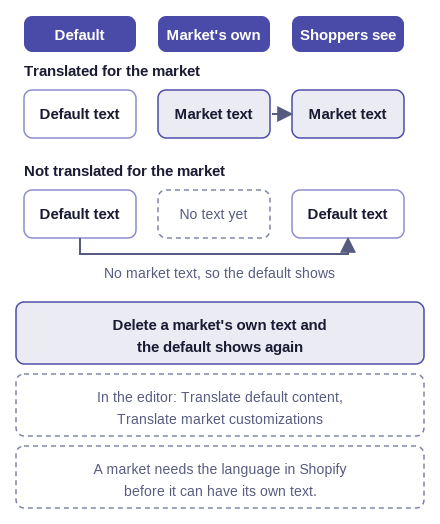
The two kinds
- Default translation. It appears everywhere, unless a market has its own translation.
- Market translation. It appears only in that market. Items you did not translate for the market show the default translation.
For example, use a market translation when one market needs a different word for the same product. Leave everything else on the default.
Before you start
- Create the market in Shopify and sync it. See How SmartCS works with Shopify Markets.
- The market must sell in the language. A market that does not sell in the language shows this message: 此市场不以该语言销售,因此无法拥有自己的翻译。请先在 Shopify 中将该语言添加到市场。
- Market translations must be switched on for your store. If they are off for now, you can read them but not edit them. The page then says: 编辑市场翻译目前已关闭。您可以查看,但无法编辑。
Steps
Open Content translation
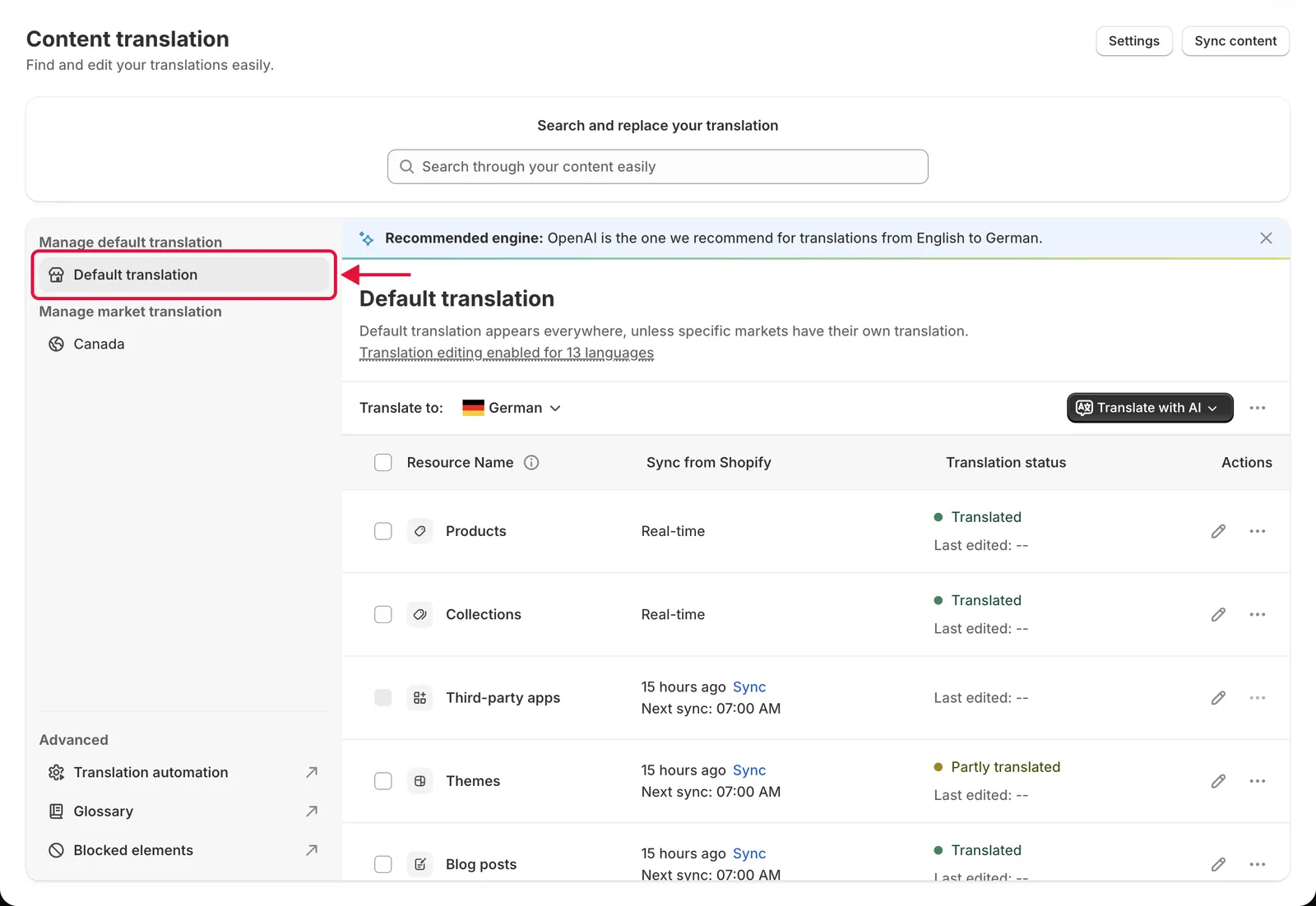
Open 内容翻译. Under 管理默认翻译, 默认翻译 is selected. Translations you make here apply to all markets.
Choose a market
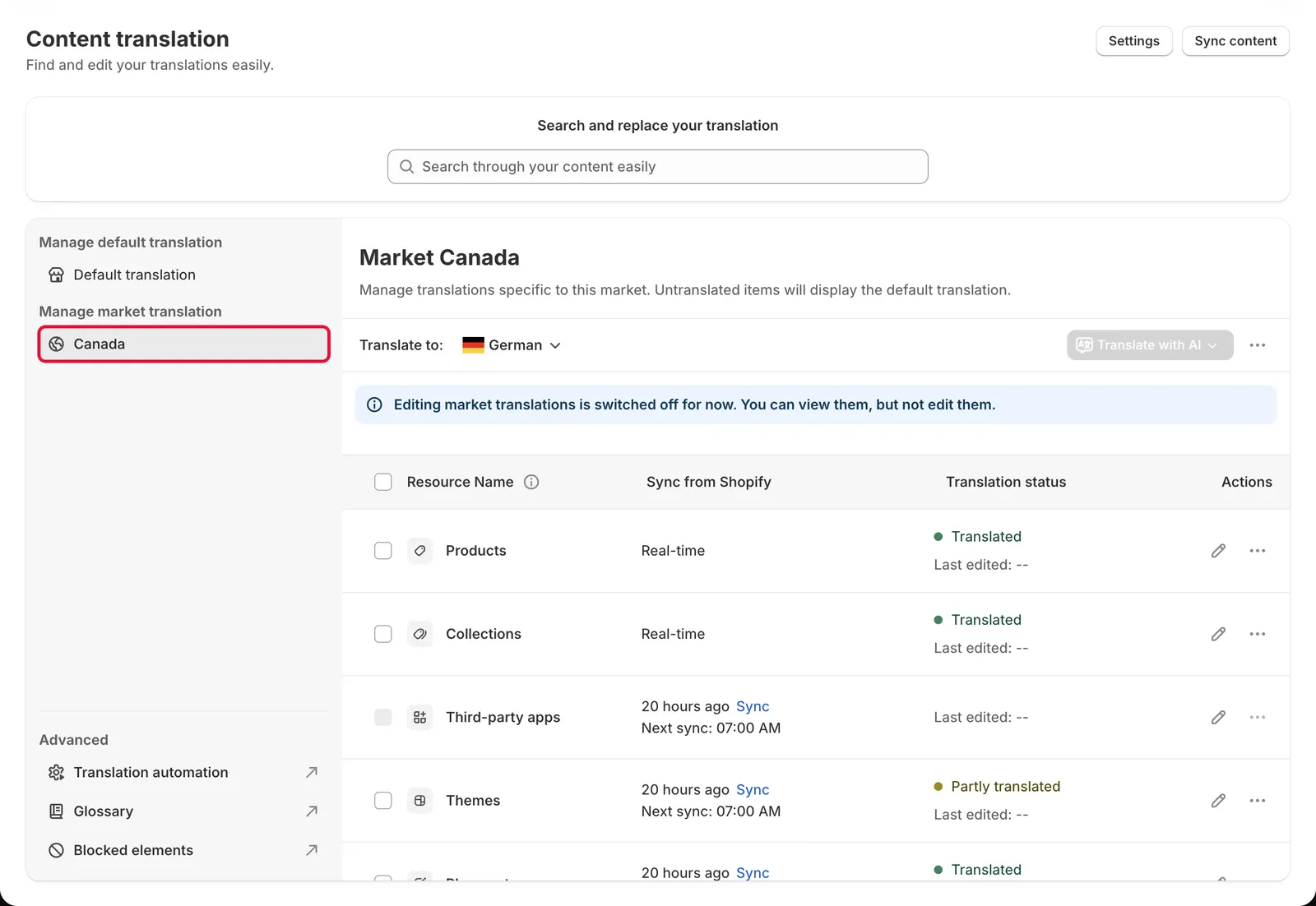
Under 管理市场翻译, select a market. Only markets that sell the language you picked are listed. The page now manages translations for that market only.
Translate for the market
Translate with AI, or select the pencil in a row to edit by hand. Your text is saved as the translation of this market only. The default translation does not change.
Switch scope in the editor
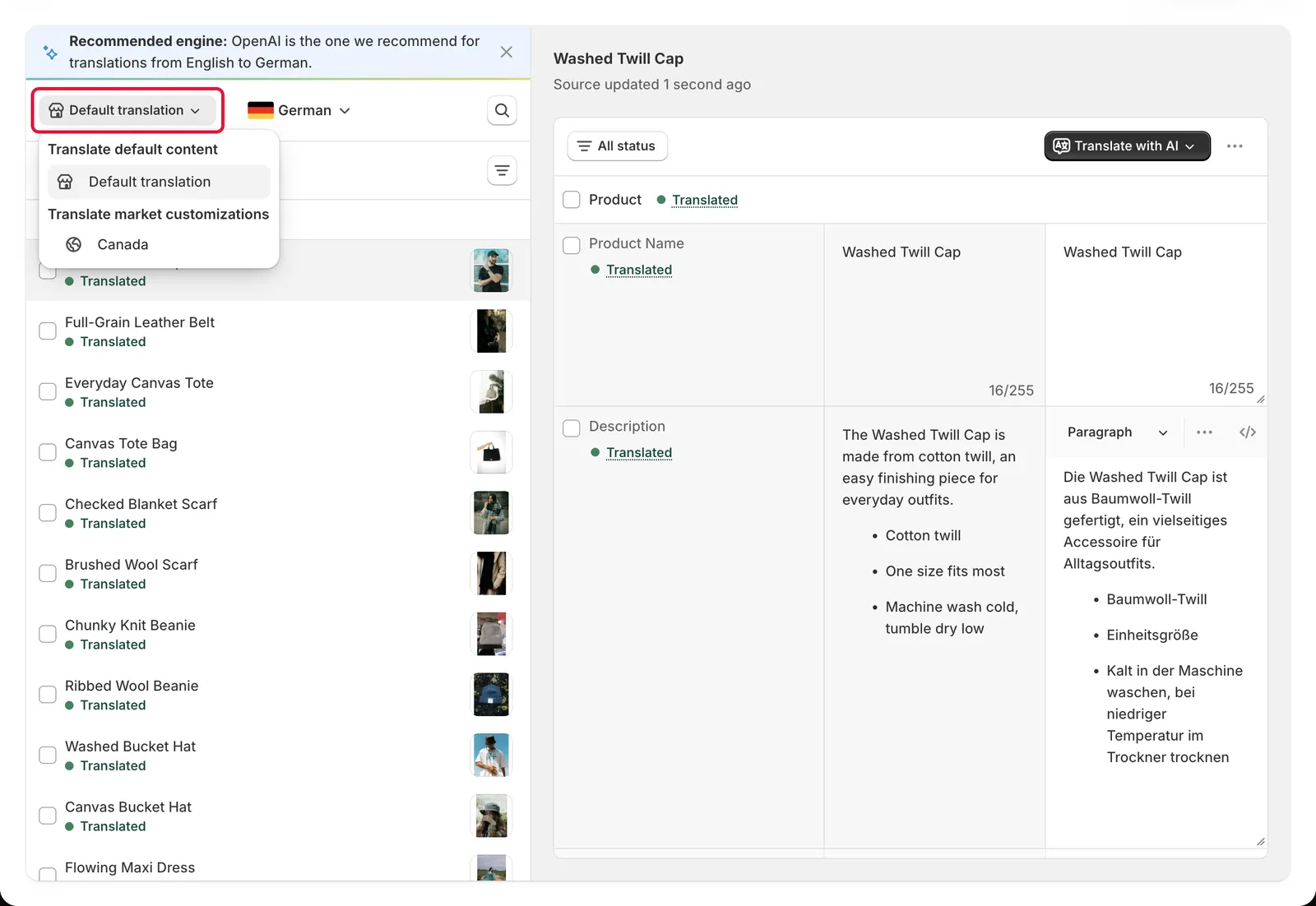
In the editor, open the scope button at the top. Pick a translation under 翻译默认内容 or 翻译市场自定义内容. A line under the title says which one you are editing.
Go back to the default
To make one field follow the default again, select the 重用现有翻译 icon in the field footer. In the dialog, pick 使用默认翻译 as the translation to re-use, then select 使用默认翻译 to confirm. That option is off when the field already uses the default. To remove many market translations, select 删除翻译 in a market. It deletes only the translations of that market.
Good to know
- A note in the card tells you where you are. On a market without its own translation, it offers a link to the default translation.
- In the editor, the globe icon in a field footer, 其他市场的翻译, lists the default translation first, then every market. A market shows 使用默认翻译 or 暂无翻译.
- To copy translations from one market to another, see Re-use translations between markets.
- Without market translations on your plan, you can open a market and read it, but the buttons that change it are off. You can still delete market translations.
- Notifications and packing slips have one translation for all markets. In a market they are read-only.
相关文章
Sync content from Shopify and resolve conflicts
Fetch new and changed content from Shopify into SmartCS, and choose what to keep when Shopify holds a different translation.
Translate content with AI
Translate ticked items or a whole resource with an AI engine. Check the quote, add instructions and start the translation.
最后更新:2026年11月18日