Translate the switcher's texts
Translate the words on your storefront switcher, such as Language, Currency and Search, for each published language.
Translate the words on your storefront switcher for each language. The switcher has default words in every language. Write your own text only where you want something different.
These texts apply only to the 智能切换器, the new switcher that SmartCS shows on your storefront. They also cover the location pop-up that suggests a language and currency to visitors. The older switcher widget does not read them, so editing them changes nothing there.
Before you start
Publish the language first. The texts page opens only for a published language. For an unpublished language, the 智能切换器 row is not listed in Themes. If you open the page by its address, a warning says so and offers a button that leads to your languages in 市场管理. See Add and publish languages.
Edit the texts
Open Smart switcher
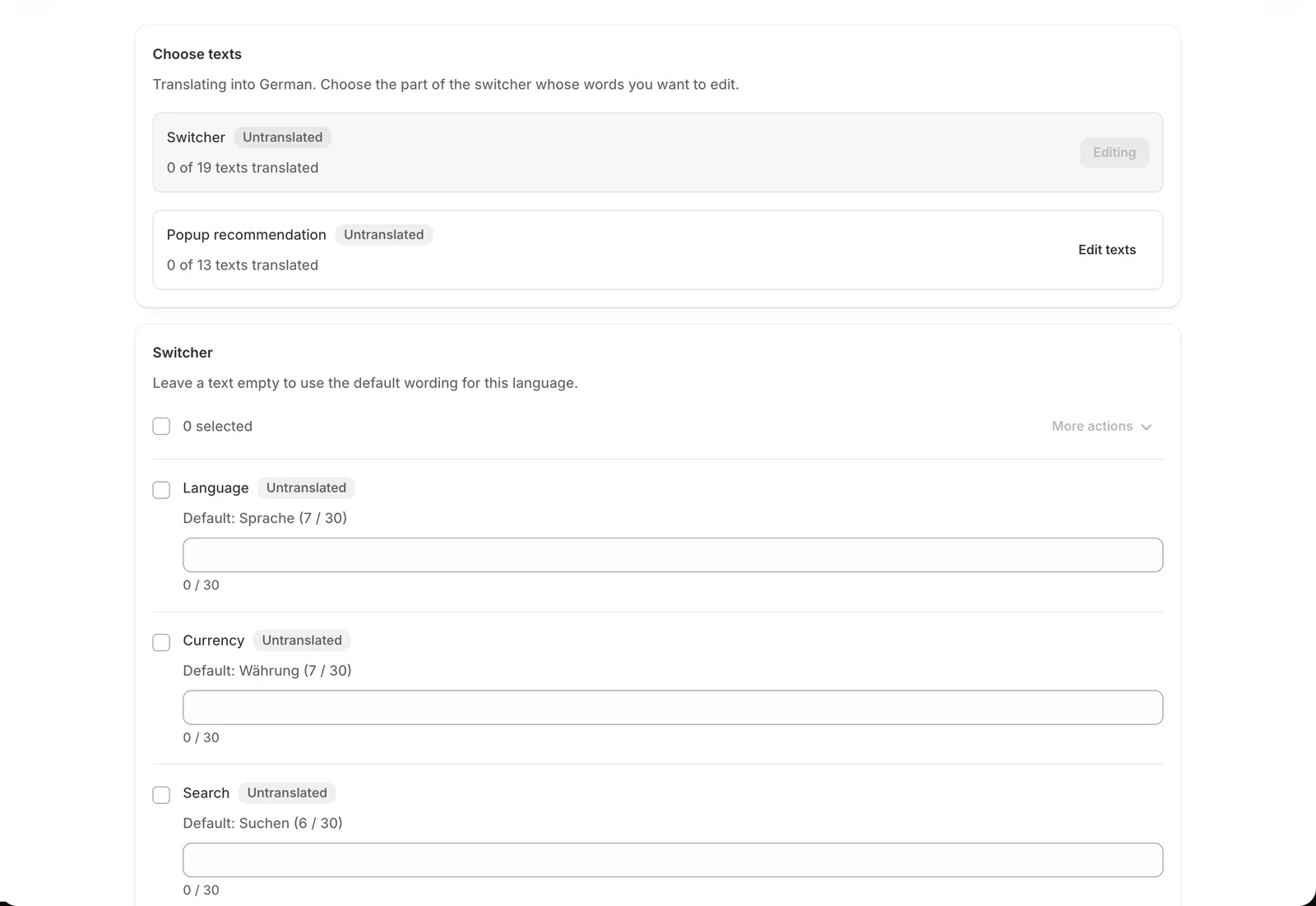
In SmartCS, open 内容翻译 and choose the language. Select the 主题 row, then select 智能切换器 in the list. This entry is not shown inside a market. Open it from the default translation.
Choose a group of texts
The 智能切换器 page has two groups: 切换器 and 弹窗推荐. Each shows a status and how many texts are translated. Select 编辑文本 on a group to list its texts.
Type your text
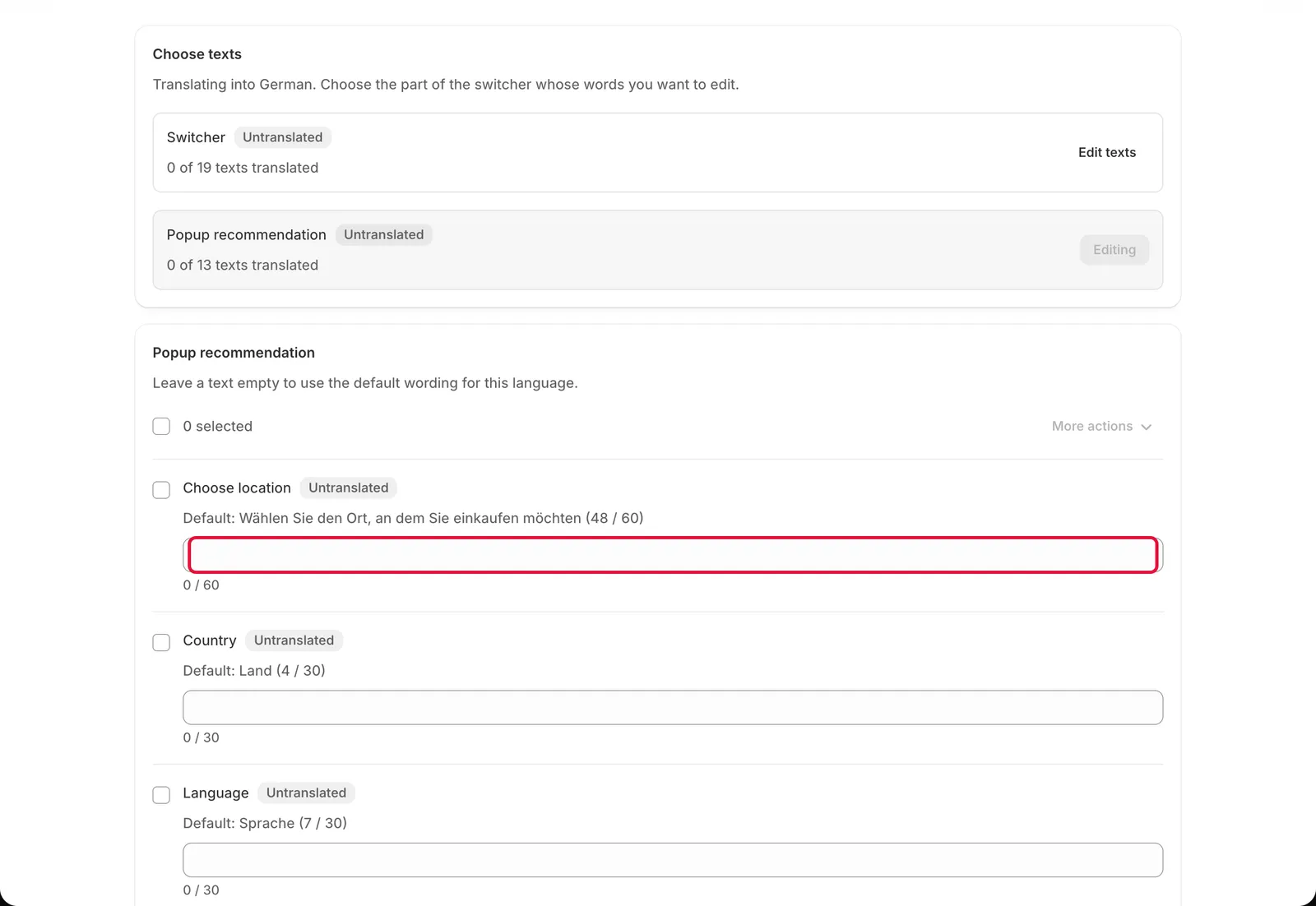
Under each text name you see the default wording and a counter. Type your own wording in the field. Each text is one line. It has its own character limit, which the counter shows. Leave a field empty to use the default wording.
Save the texts
Select 保存 in the bar at the top of the page. Only the texts you changed are saved. Select 放弃 to drop your changes.
SmartCS sends saved texts to your store in the background. They can take a short time to appear on your storefront.
Mark or delete several texts
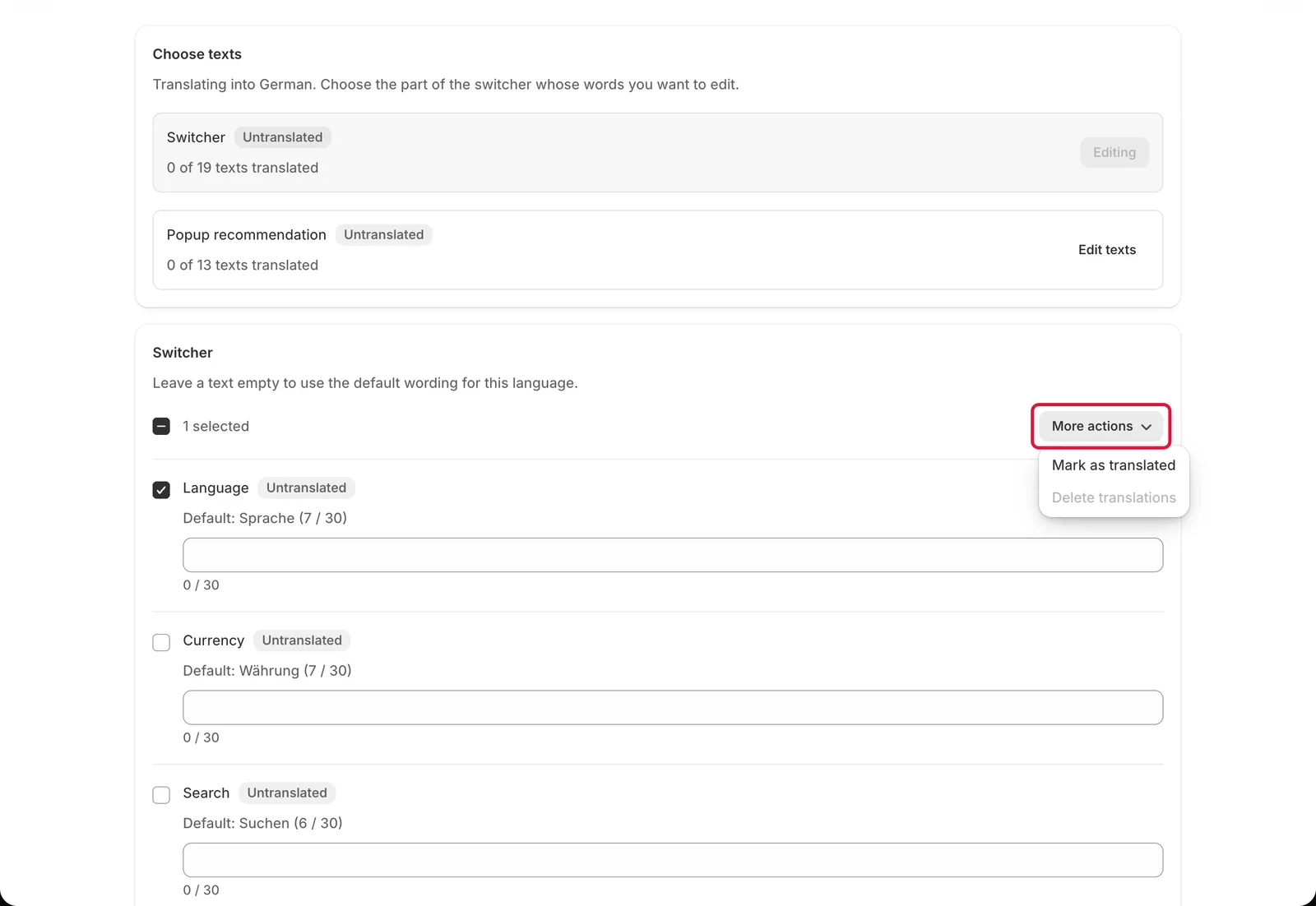
Tick one or more texts, or tick 选择所有文本. Then open 更多操作.
- 标记为已翻译 keeps the default wording but counts the text as translated. It applies to ticked texts that have no text of your own.
- 删除翻译 removes your text from the ticked texts and brings back the default wording. A dialog asks you to confirm with 删除. You cannot undo it.
Good to know
- The status of a group is 已翻译 when every text has your own wording. It is 部分已翻译 when some do, and 未翻译 when none do.
- A text cannot contain a line break. A text that is too long shows an error under its field and is not saved.
- Some texts have names such as "Modern choose location", because the page names them after their key.
注意
Your texts are kept for each language. A language with no text of yours shows the default wording, then English if the language has none.
相关文章
Content from other apps
See which apps in your store keep text in Shopify, how much of it you can translate, and why some app text cannot be translated here.
Search and replace in translations
Find a word across your store content and replace it in your translations, with a preview of every change before anything is saved.
最后更新:2026年11月18日