Glossary: always or never translate a term
Create glossary rules so a brand name stays as it is, or a term always gets the wording you choose, in the languages you pick.
Use the glossary to keep a brand name unchanged, or to make a term always use the wording you choose. The app follows your rules when it translates your content.
请联系我们以启用此功能Number of glossary rules your plan holds, including rules that are turned off:
Free 方案:0Before you start
- A plan with 0 rules shows 创建规则 as disabled. Rules you made on a higher plan stay readable, and you can delete them, but rules past your plan's limit are no longer applied and cannot be edited.
- Rules do not change translations that already exist. See Apply your rules.
- Glossary rules cannot be imported or exported.
Steps
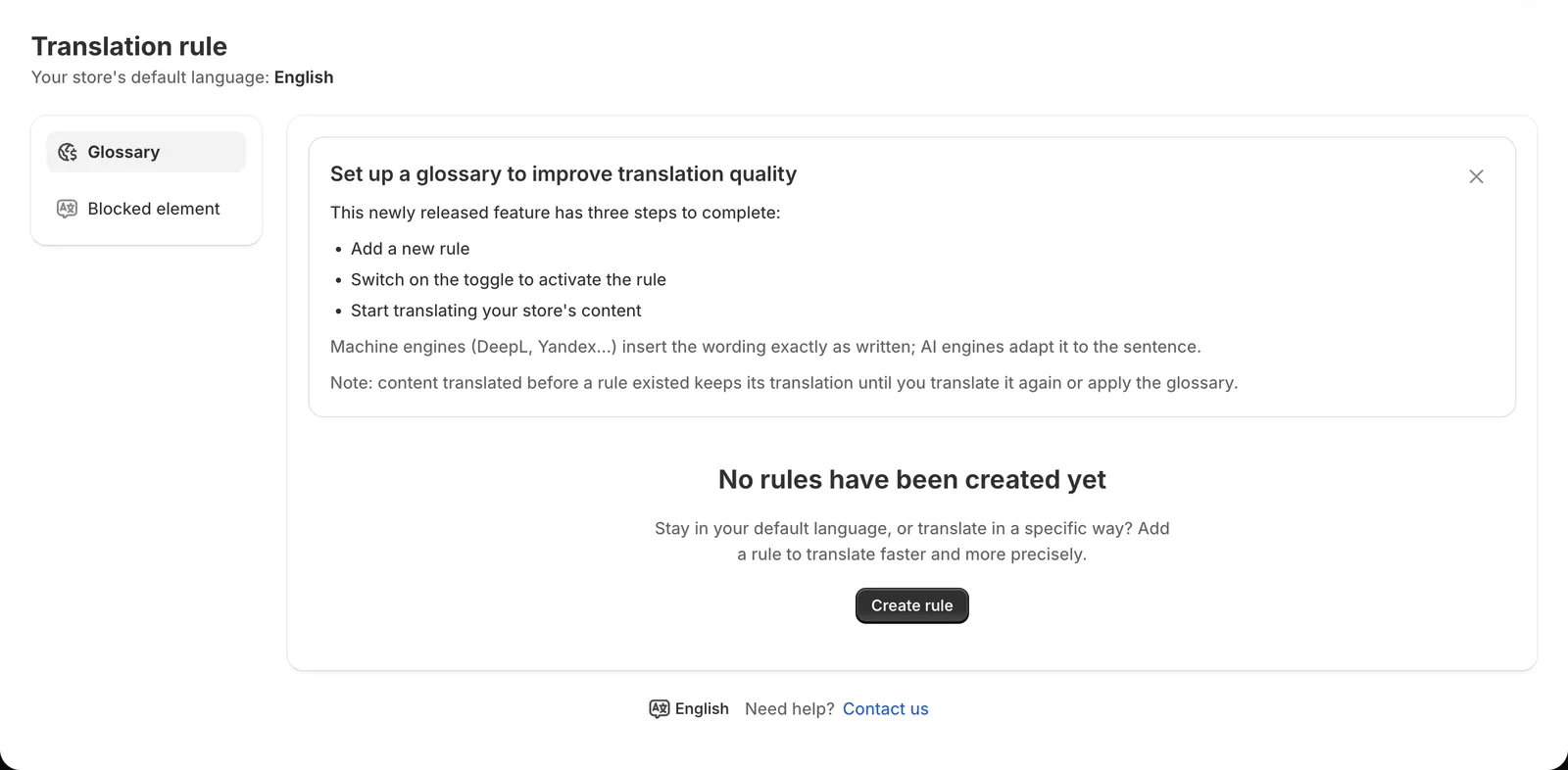
Create a rule
Click 创建规则. A window opens with one row per rule. In 文本, type the term as it appears in your store. A term can have up to 60 characters. Use 添加行 to add up to 50 rows before you save.

Choose the rule type
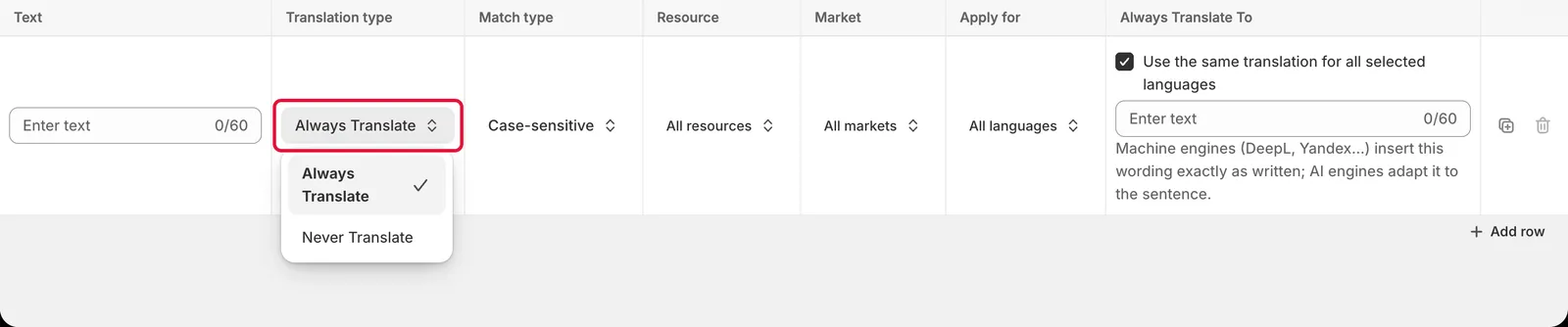
Open 翻译类型 and choose one:
- 始终翻译 uses the wording you type under 始终翻译为. Tick 所有已选语言使用相同的翻译 to use one wording for all languages, or clear it to type one wording per language.
- 从不翻译 keeps the term as it is in your original text.
Choose where it applies
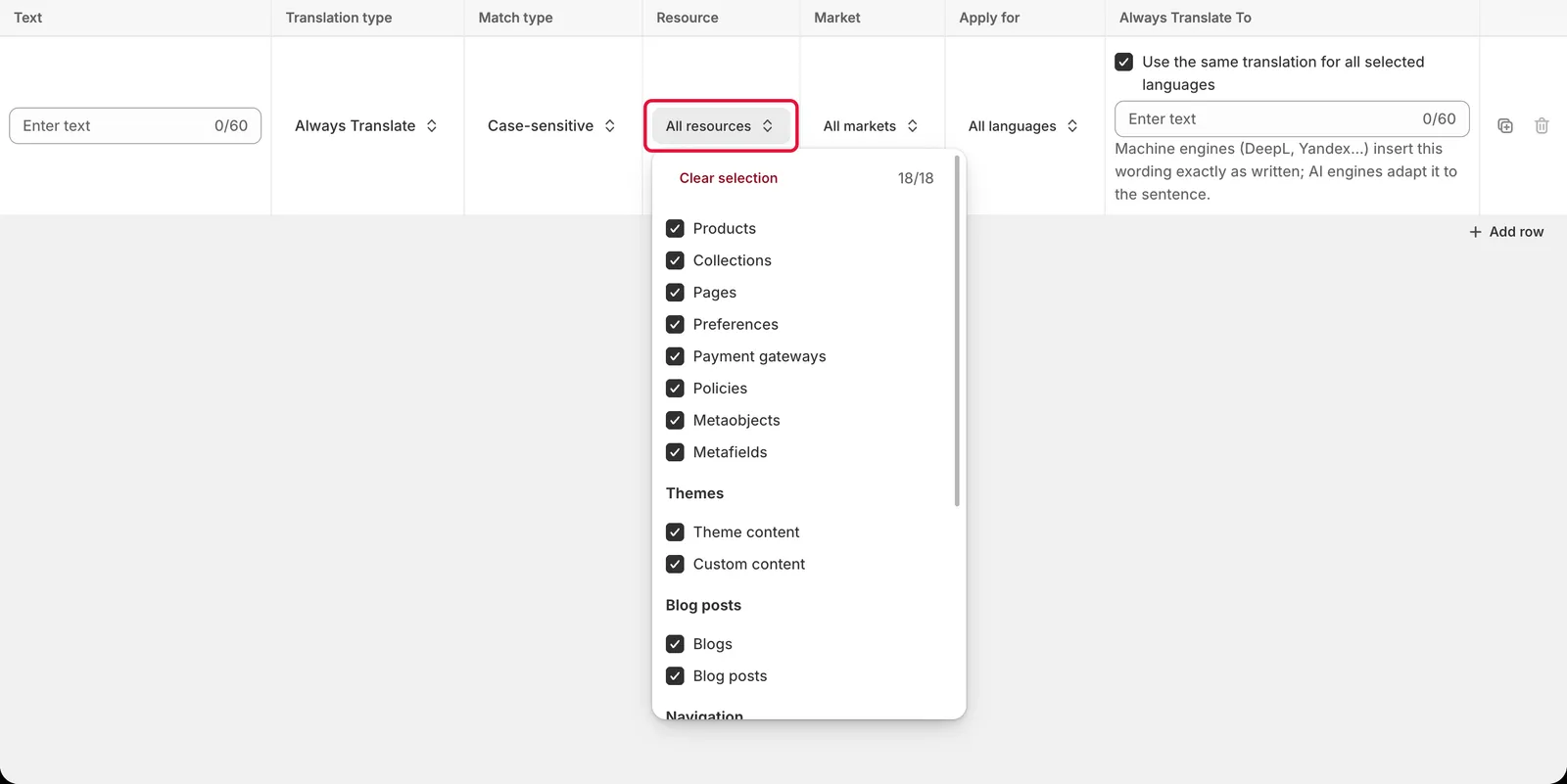
匹配类型 is 区分大小写 by default. Change it to 不区分大小写 if "Apple" and "apple" should both match. A rule matches whole words only. Then use 资源, 市场 and 适用于 to limit the rule. By default it applies to all resources, markets and languages.
Save the rules
Click 保存 in the save bar. New rules are turned on.
Manage your rules
In the list, use the switch of a rule to turn it on or off. A rule only works while it is on. Pin a rule to keep it at the top, search with 搜索规则, or tick several rules to turn them on or off, pin, edit or delete them together. Deleting a rule does not change translations you already made.
Apply your rules
A rule affects new translations. When the glossary has changed, a banner lists the languages that need it. Click 应用 to redo the translations that break a rule. Translations you edited by hand, and translations in conflict with Shopify, are never changed. Applying can use your translation allowance.
Good to know
注意
With 始终翻译, the translation engine is asked to use your wording and writes the sentence around it. Check the result in the editor. If it missed your wording, change the translation by hand or apply the glossary.
相关文章
Search and replace in translations
Find a word across your store content and replace it in your translations, with a preview of every change before anything is saved.
Block elements from translation
Choose which fields are never translated, from SEO meta tags and URL handles to a single field in the editor, and remove a block later.
最后更新:2026年11月18日