Round converted prices
Round converted prices to a clean step or to an ending such as .99, for your whole store or for one currency, and check an example before you save.
Round converted prices so they look clean, for example 18.99 instead of 18.47. You set one rounding rule for your whole store, and you can give any currency its own rule.
Before you start
Rounding changes only prices that SmartCS converts. Your store currency is never converted, so it has no rounding rule of its own. You can add it to the store rule with the switch described below.
Set the rule for your whole store
Open Advanced
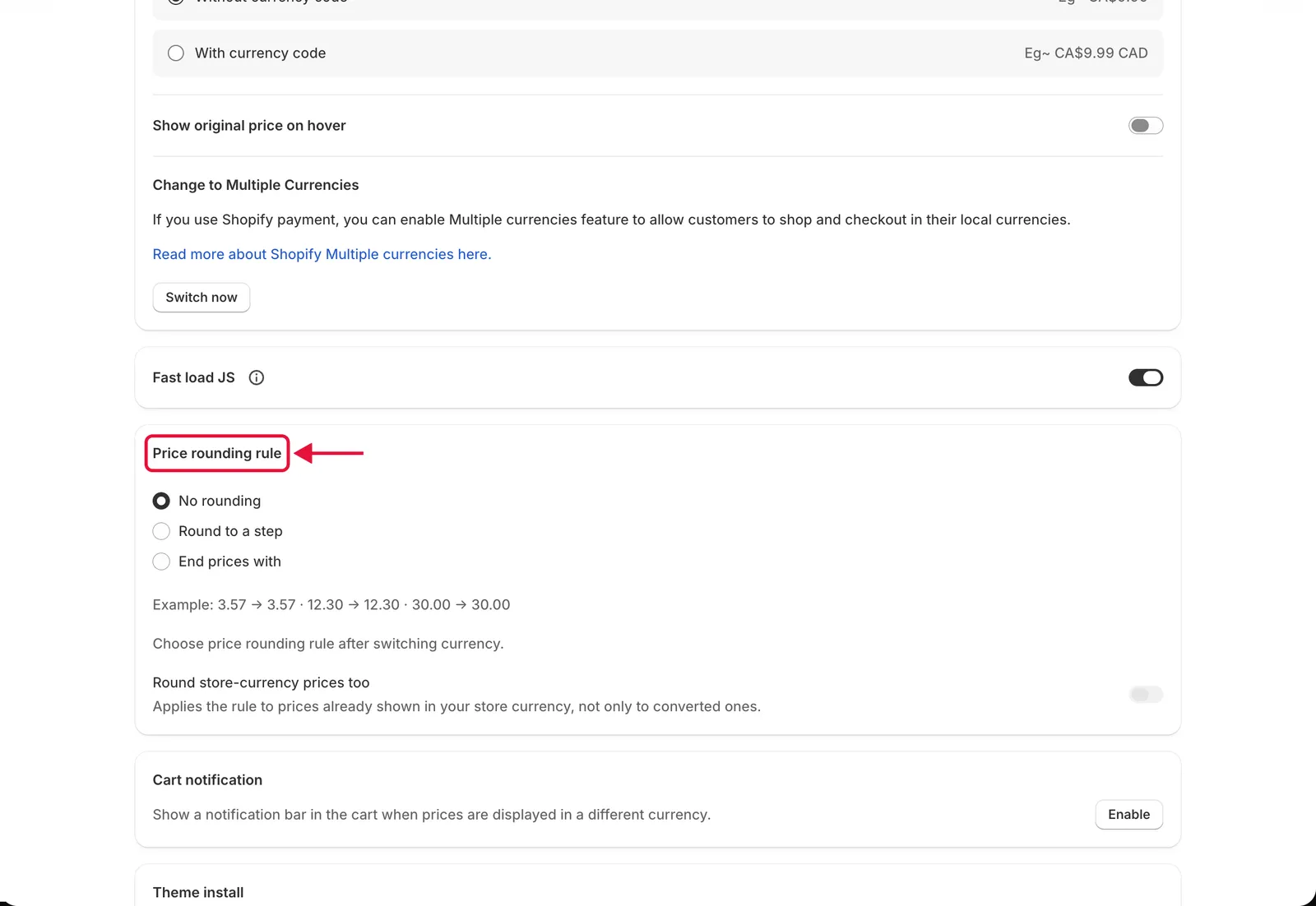
Open マーケット管理. Under グローバル設定, click 通貨. Below the table, click 詳細設定へ移動。 The 詳細設定 page opens.
Choose a rule
In 価格の丸めルール, choose one option:
- 丸めなし: prices are not rounded.
- 単位で丸める: pick a step in 最も近い単位に丸める and a 方向. The direction is 四捨五入, 切り上げ or 切り捨て.
- 価格の末尾を指定: pick a step in 繰り返し間隔, a direction, and an 末尾 such as 0.99.
Add a second ending
To use two endings, click 2つ目の末尾を追加 and fill in 2つ目の末尾. The two endings must be different. Click 削除 to go back to one.
Check the example
Look at the example line under the options. It shows three sample prices before and after rounding.
Round store-currency prices
To round prices that are already in your store currency, turn on ストア通貨の価格も丸める. It is off by default and is unavailable when you choose 丸めなし.
Save the rule
Click 保存 in the Shopify save bar.
Give one currency its own rule
警告
If you apply a rule to every currency in the final dialog, it becomes your store rule and every currency that had its own rule loses it. Those currencies follow the store rule instead.
Open Edit format
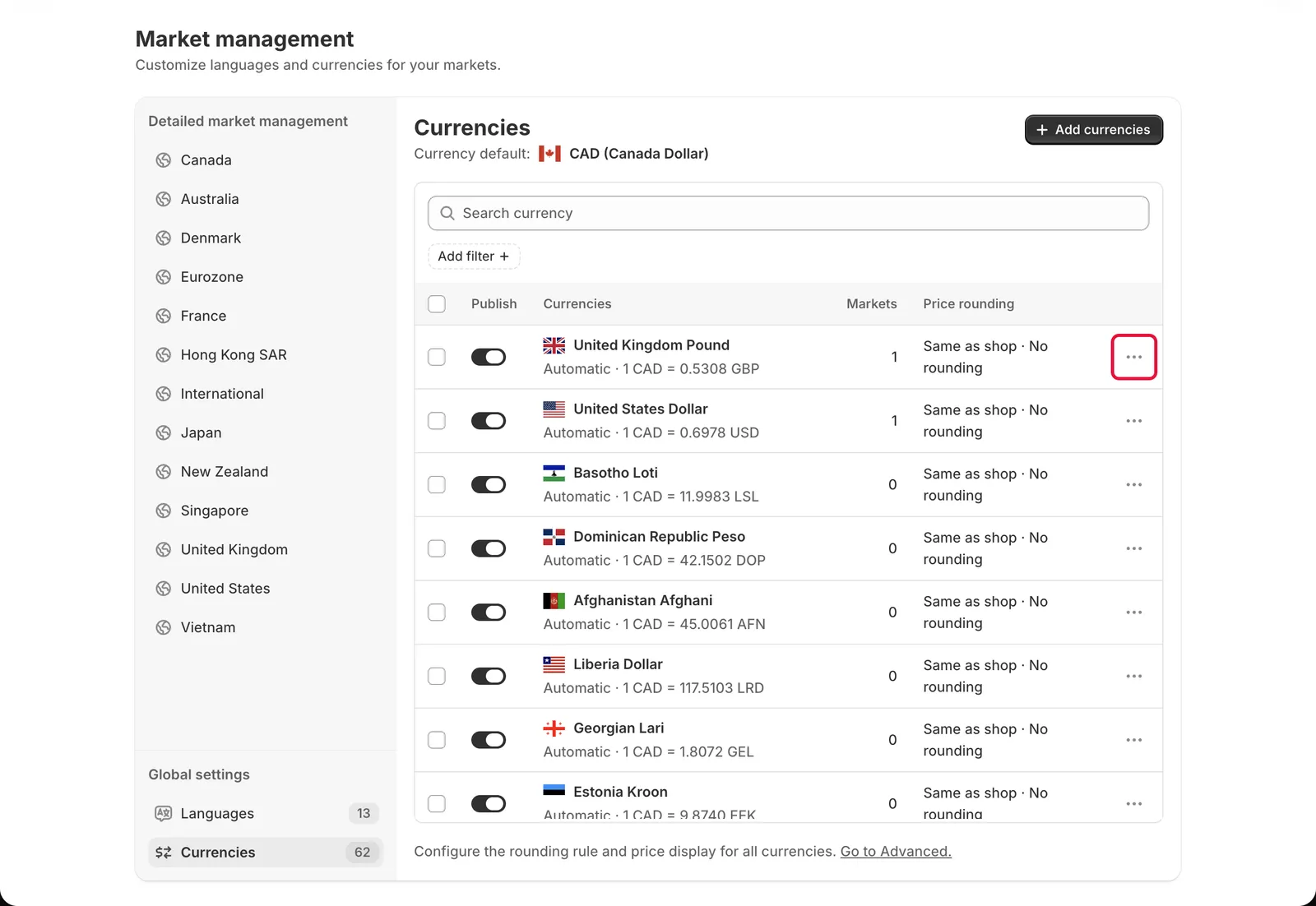
On the Currencies page, open the actions menu at the end of the currency row and click 表示形式を編集. The 通貨フォーマット dialog opens. The 価格の丸め column shows the rule each currency uses now.
Choose a rounding rule
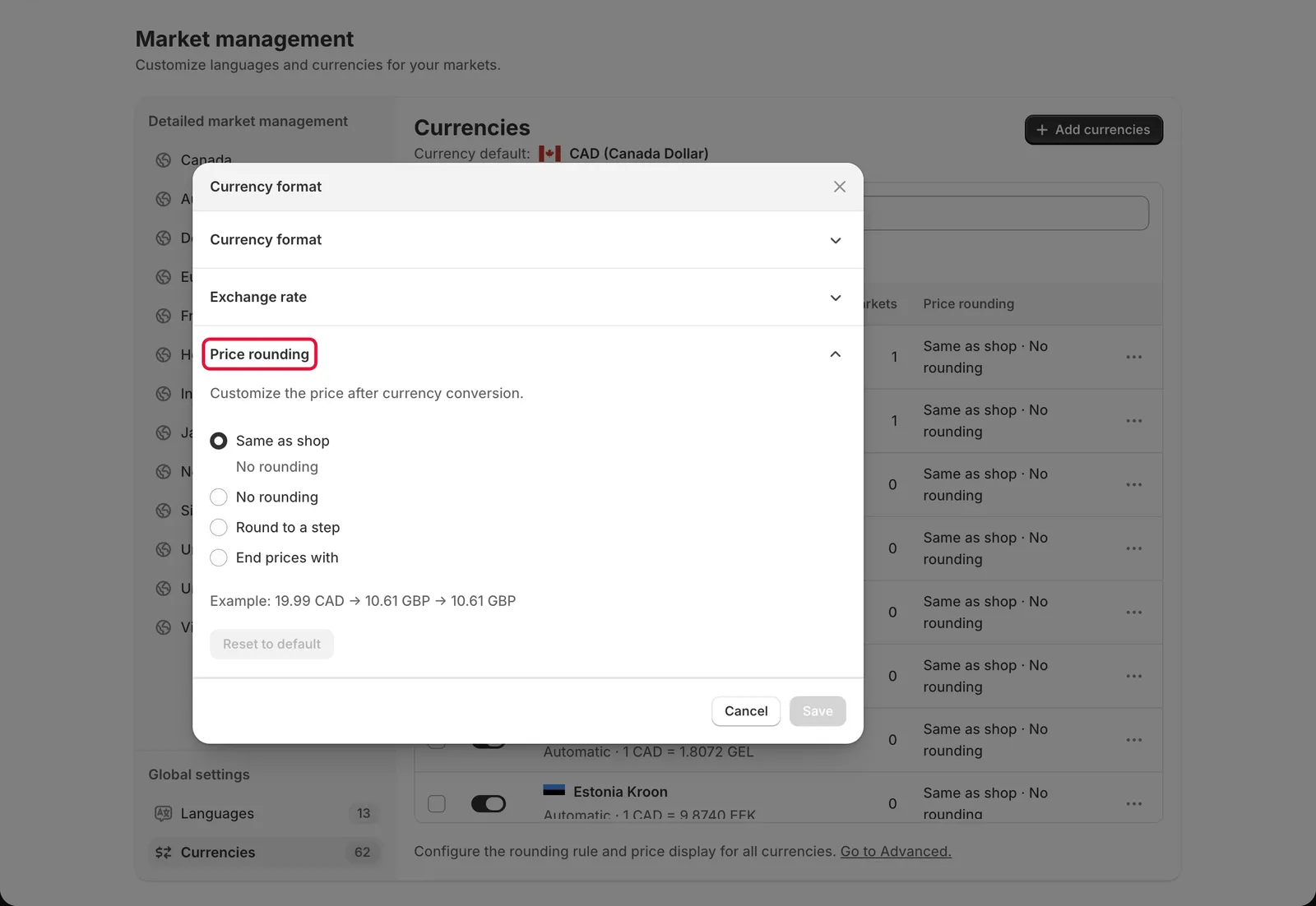
Open the 価格の丸め section. The first option, ストアと同じ, follows your store rule. The other options are the same as above.
Save and apply
Click 保存. If you set a rule for this currency, the app asks この丸めを他の通貨にも適用しますか? Tick the currencies you want, then click 適用. Click 今はしない to keep the rule on this currency only.
Good to know
- Steps and endings depend on the currency. A currency with no decimals, such as the Japanese yen, cannot use an ending like .99. The app marks a rule that cannot apply to a currency as not applied.
- Exchange rates and formats are set in the same dialog. See Exchange rates and Format how prices look.
メモ
While your store is in Multiple currencies mode, Shopify Markets rounds prices. The rules you set here do not apply. See Multiple currencies mode vs Switcher mode.
関連記事
Format how prices look
Write your own price format for a currency, with or without the currency code, using placeholders for the amount, and see an example before you save.
Unpublish or remove currencies
Hide a currency from your storefront with the Publish switch, or remove it completely, one currency at a time or several at once.
最終更新日:2026年11月18日