Round converted prices
Round converted prices to a clean step or to an ending such as .99, for your whole store or for one currency, and check an example before you save.
Round converted prices so they look clean, for example 18.99 instead of 18.47. You set one rounding rule for your whole store, and you can give any currency its own rule.
Before you start
Rounding changes only prices that SmartCS converts. Your store currency is never converted, so it has no rounding rule of its own. You can add it to the store rule with the switch described below.
Set the rule for your whole store
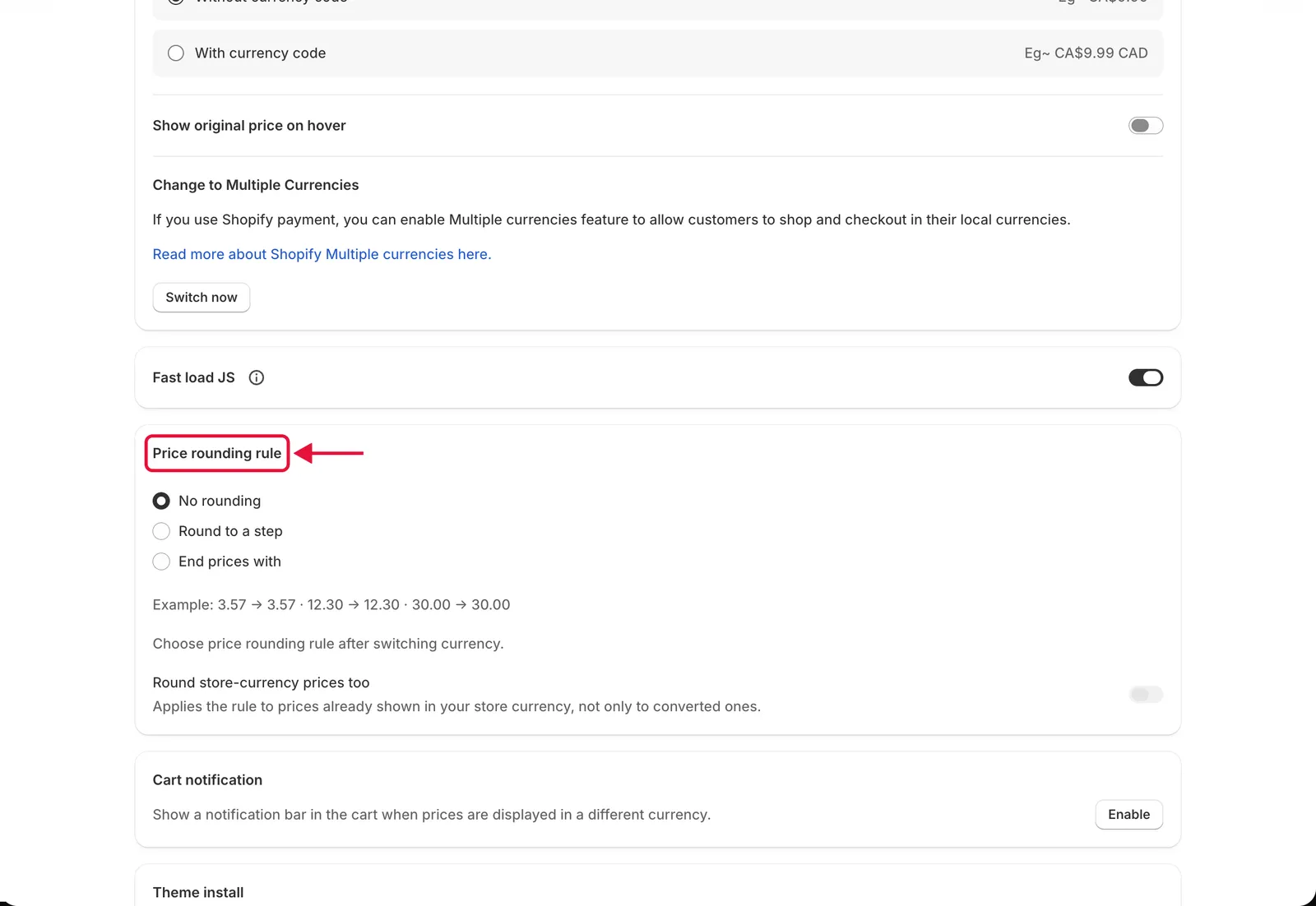
Choose a rule
In 가격 반올림 규칙, choose one option:
- 반올림 없음: prices are not rounded.
- 단위로 반올림: pick a step in 가장 가까운 단위로 반올림 and a 방향. The direction is 가장 가까운 값, 올림 or 내림.
- 가격 끝자리 지정: pick a step in 반복 간격, a direction, and an 끝자리 such as 0.99.
Add a second ending
To use two endings, click 두 번째 끝자리 추가 and fill in 두 번째 끝자리. The two endings must be different. Click 삭제 to go back to one.
Check the example
Look at the example line under the options. It shows three sample prices before and after rounding.
Round store-currency prices
To round prices that are already in your store currency, turn on 스토어 통화 가격도 반올림. It is off by default and is unavailable when you choose 반올림 없음.
Save the rule
Click 저장 in the Shopify save bar.
Give one currency its own rule
경고
If you apply a rule to every currency in the final dialog, it becomes your store rule and every currency that had its own rule loses it. Those currencies follow the store rule instead.
Open Edit format
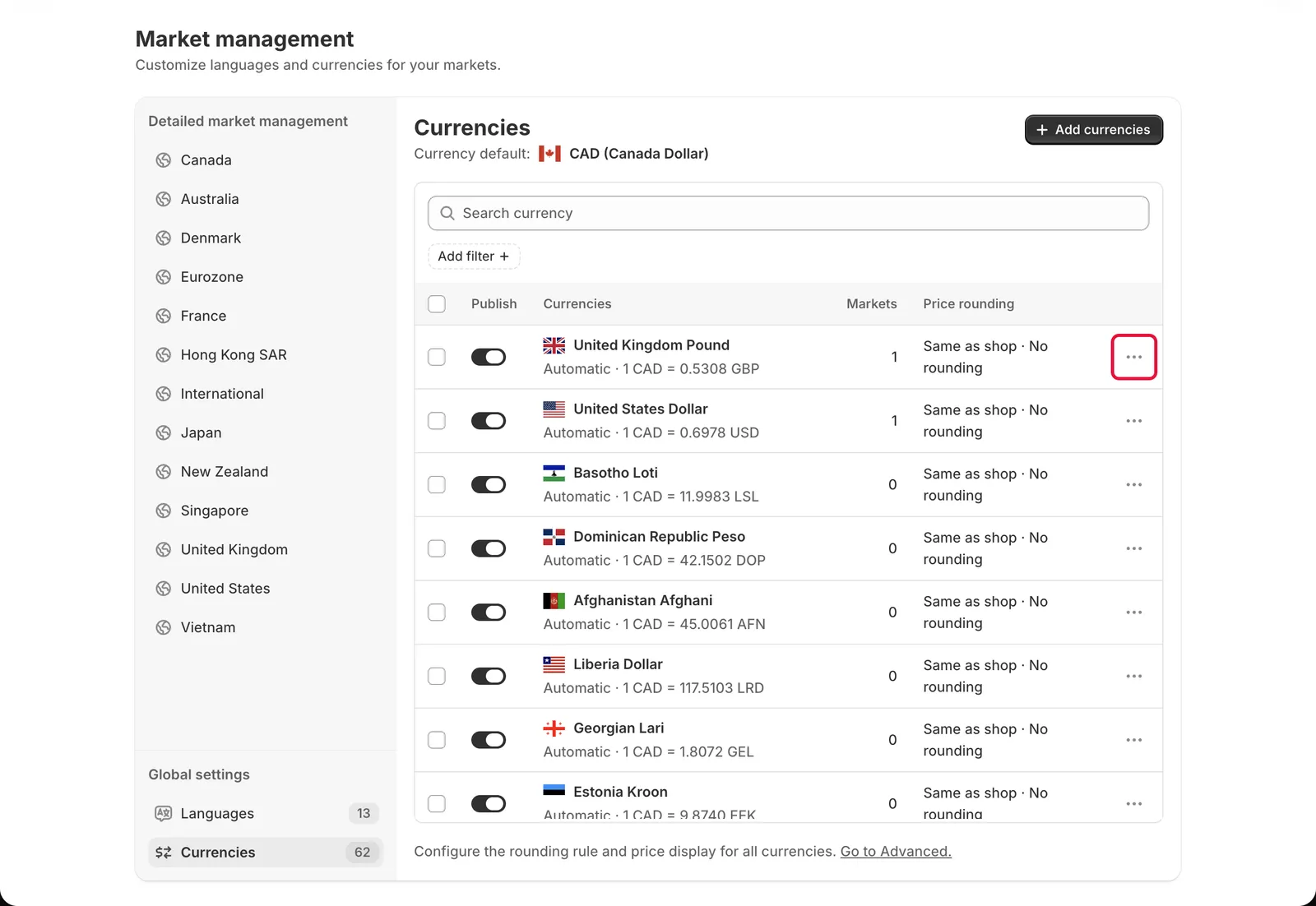
On the Currencies page, open the actions menu at the end of the currency row and click 형식 편집. The 통화 형식 dialog opens. The 가격 반올림 column shows the rule each currency uses now.
Choose a rounding rule
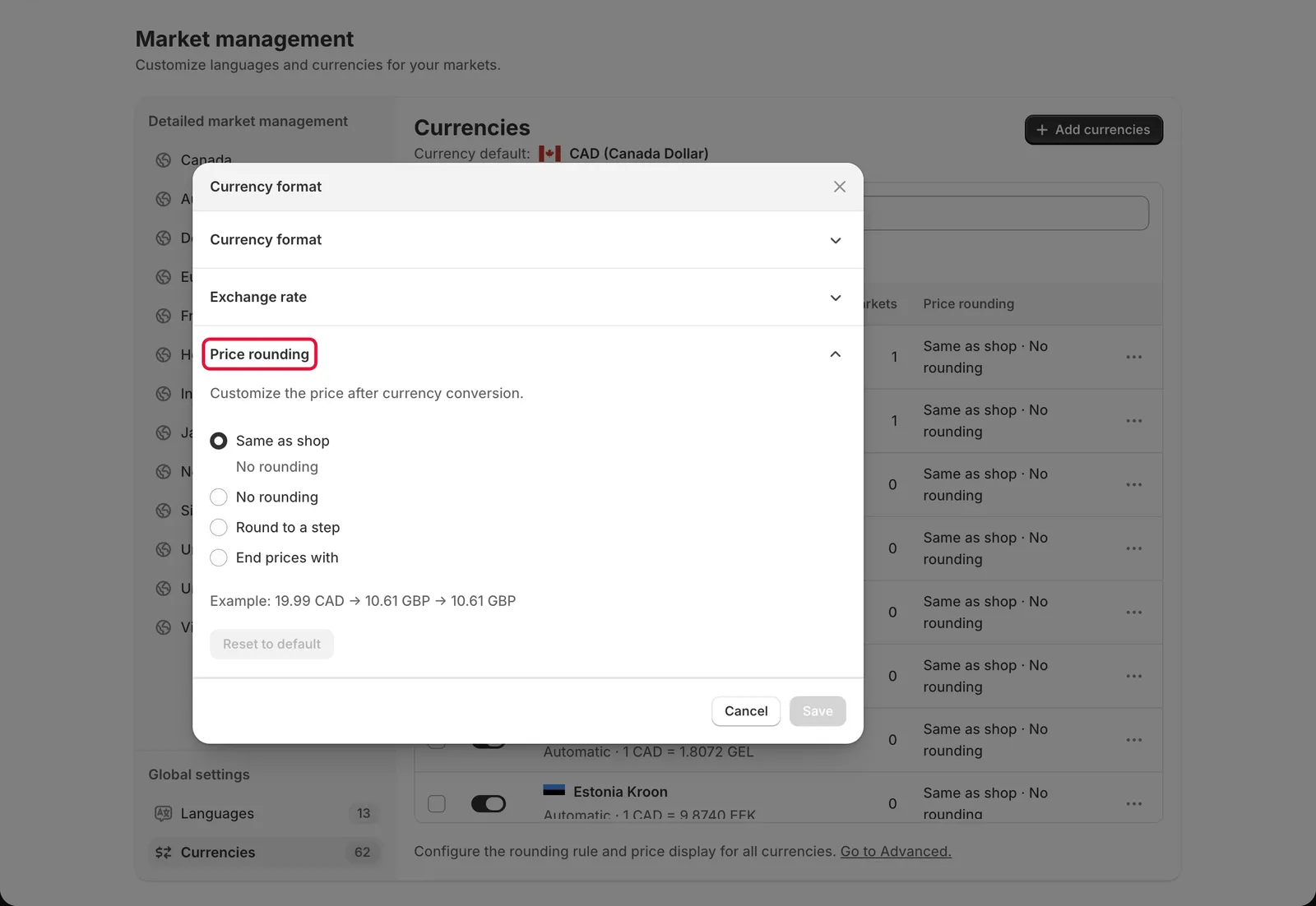
Open the 가격 반올림 section. The first option, 스토어와 동일, follows your store rule. The other options are the same as above.
Save and apply
Click 저장. If you set a rule for this currency, the app asks 이 반올림을 다른 통화에도 적용할까요? Tick the currencies you want, then click 적용. Click 나중에 to keep the rule on this currency only.
Good to know
- Steps and endings depend on the currency. A currency with no decimals, such as the Japanese yen, cannot use an ending like .99. The app marks a rule that cannot apply to a currency as not applied.
- Exchange rates and formats are set in the same dialog. See Exchange rates and Format how prices look.
참고
While your store is in Multiple currencies mode, Shopify Markets rounds prices. The rules you set here do not apply. See Multiple currencies mode vs Switcher mode.
관련 문서
Format how prices look
Write your own price format for a currency, with or without the currency code, using placeholders for the amount, and see an example before you save.
Unpublish or remove currencies
Hide a currency from your storefront with the Publish switch, or remove it completely, one currency at a time or several at once.
최종 업데이트: 2026년 11월 18일