Round converted prices
Round converted prices to a clean step or to an ending such as .99, for your whole store or for one currency, and check an example before you save.
Round converted prices so they look clean, for example 18.99 instead of 18.47. You set one rounding rule for your whole store, and you can give any currency its own rule.
Before you start
Rounding changes only prices that SmartCS converts. Your store currency is never converted, so it has no rounding rule of its own. You can add it to the store rule with the switch described below.
Set the rule for your whole store
Open Advanced
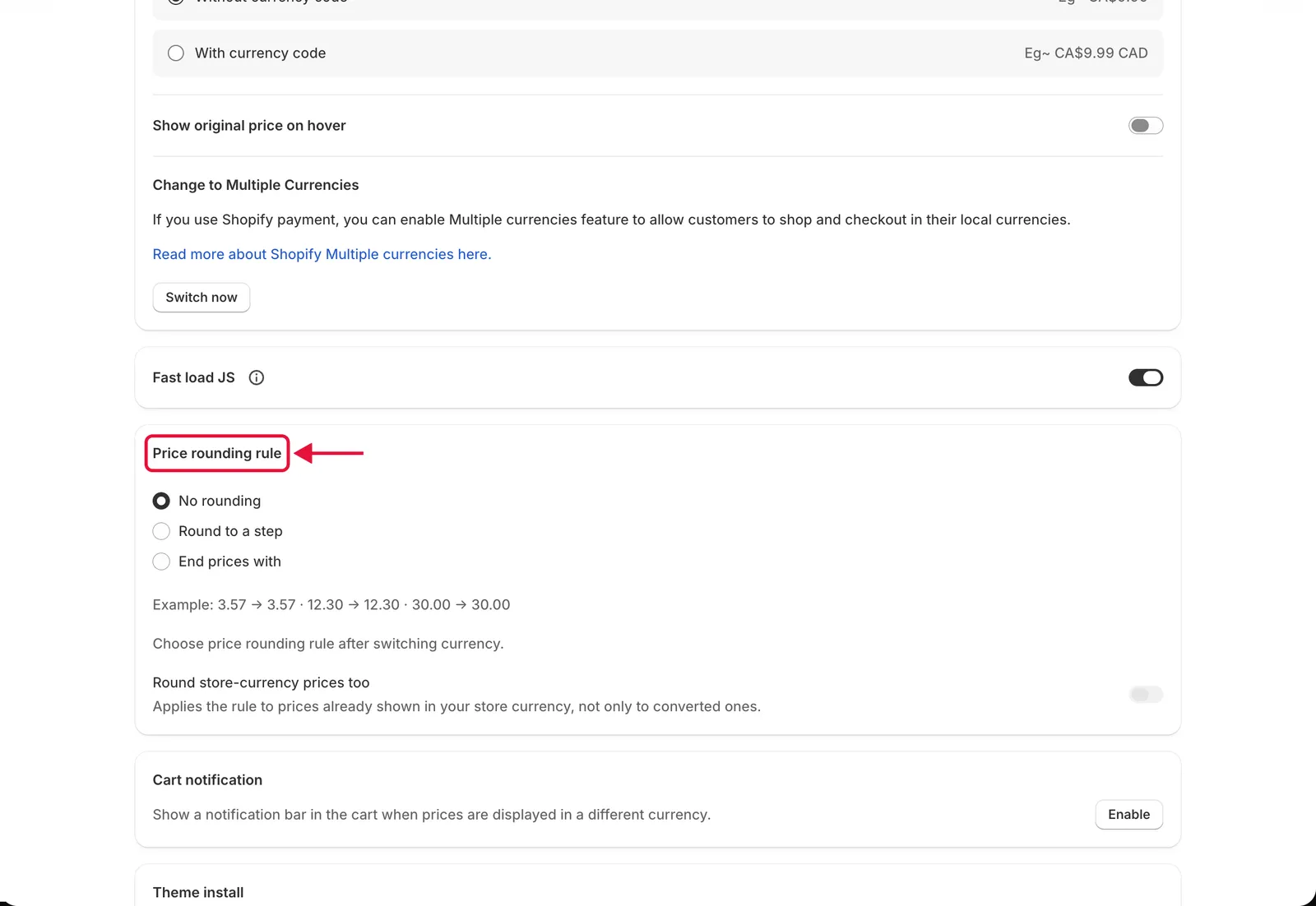
Open Zarządzanie rynkami. Under Ustawienia globalne, click Waluty. Below the table, click Przejdź do ustawień zaawansowanych. The Zaawansowane page opens.
Choose a rule
In Zasada zaokrąglania cen, choose one option:
- Bez zaokrąglania: prices are not rounded.
- Zaokrąglaj do wielokrotności: pick a step in Zaokrąglaj do najbliższej and a Kierunek. The direction is Do najbliższej, W górę or W dół.
- Kończ ceny na: pick a step in Powtarzaj co, a direction, and an Końcówka such as 0.99.
Add a second ending
To use two endings, click Dodaj drugą końcówkę and fill in Druga końcówka. The two endings must be different. Click Usuń to go back to one.
Check the example
Look at the example line under the options. It shows three sample prices before and after rounding.
Round store-currency prices
To round prices that are already in your store currency, turn on Zaokrąglaj też ceny w walucie sklepu. It is off by default and is unavailable when you choose Bez zaokrąglania.
Save the rule
Click Zapisz in the Shopify save bar.
Give one currency its own rule
Ostrzeżenie
If you apply a rule to every currency in the final dialog, it becomes your store rule and every currency that had its own rule loses it. Those currencies follow the store rule instead.
Open Edit format
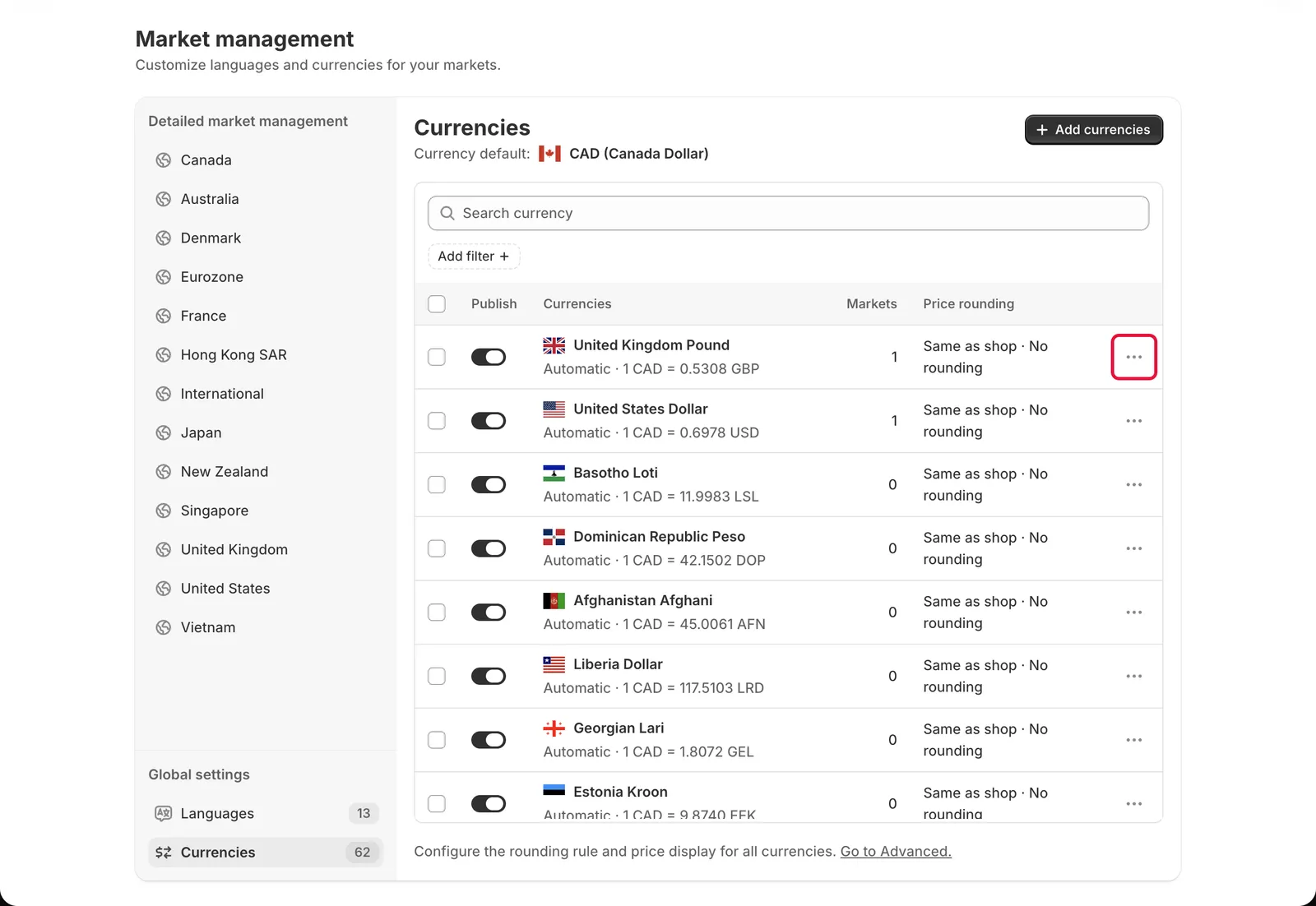
On the Currencies page, open the actions menu at the end of the currency row and click Edytuj format. The Format walutowy dialog opens. The Zaokrąglanie cen column shows the rule each currency uses now.
Choose a rounding rule
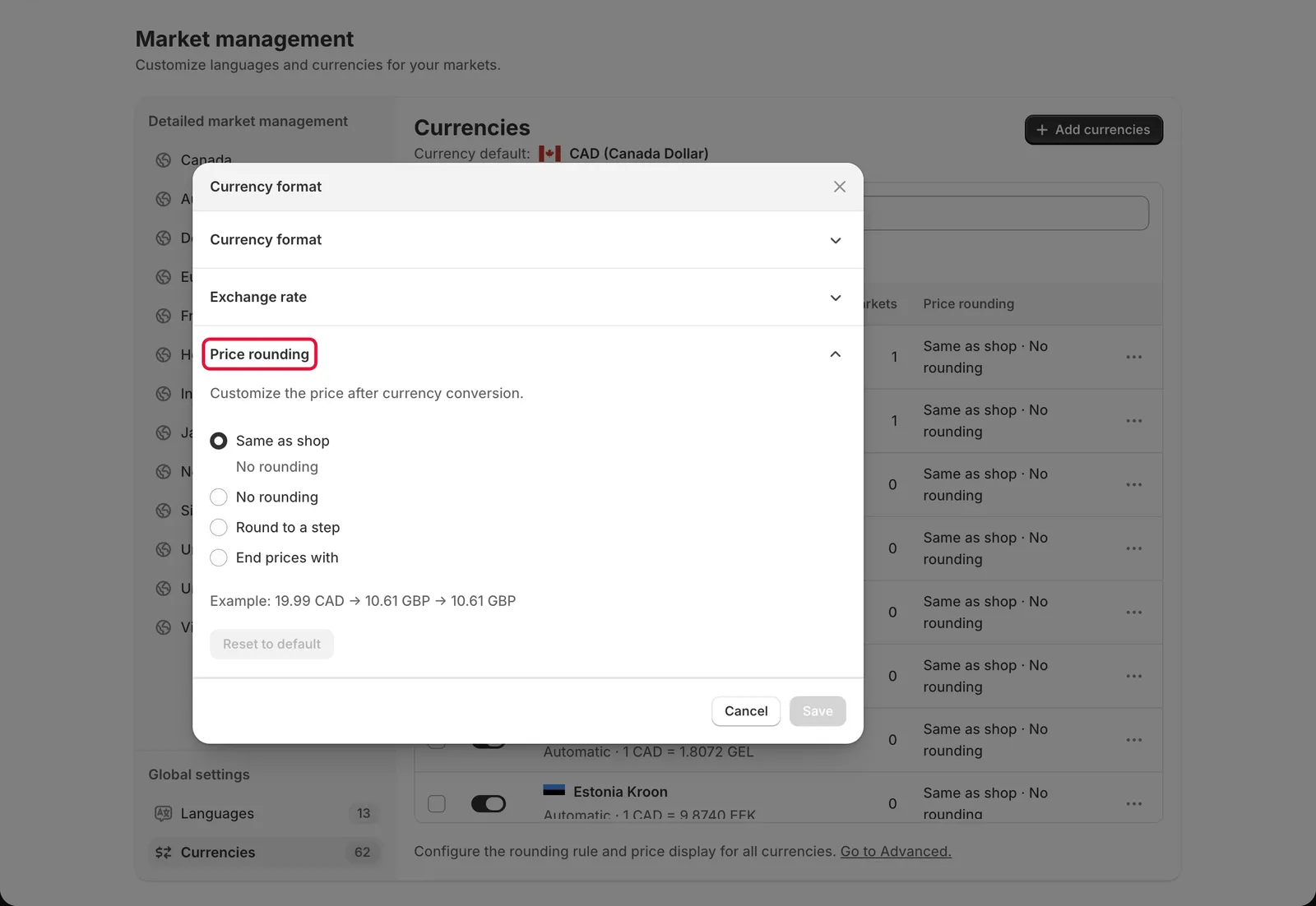
Open the Zaokrąglanie cen section. The first option, Tak samo jak w sklepie, follows your store rule. The other options are the same as above.
Save and apply
Click Zapisz. If you set a rule for this currency, the app asks Zastosować to zaokrąglanie do innych walut? Tick the currencies you want, then click Zastosuj. Click Nie teraz to keep the rule on this currency only.
Good to know
- Steps and endings depend on the currency. A currency with no decimals, such as the Japanese yen, cannot use an ending like .99. The app marks a rule that cannot apply to a currency as not applied.
- Exchange rates and formats are set in the same dialog. See Exchange rates and Format how prices look.
Uwaga
While your store is in Multiple currencies mode, Shopify Markets rounds prices. The rules you set here do not apply. See Multiple currencies mode vs Switcher mode.
Powiązane artykuły
Format how prices look
Write your own price format for a currency, with or without the currency code, using placeholders for the amount, and see an example before you save.
Unpublish or remove currencies
Hide a currency from your storefront with the Publish switch, or remove it completely, one currency at a time or several at once.
Ostatnia aktualizacja: 18 listopada 2026