Round converted prices
Round converted prices to a clean step or to an ending such as .99, for your whole store or for one currency, and check an example before you save.
Round converted prices so they look clean, for example 18.99 instead of 18.47. You set one rounding rule for your whole store, and you can give any currency its own rule.
Before you start
Rounding changes only prices that SmartCS converts. Your store currency is never converted, so it has no rounding rule of its own. You can add it to the store rule with the switch described below.
Set the rule for your whole store
Open Advanced
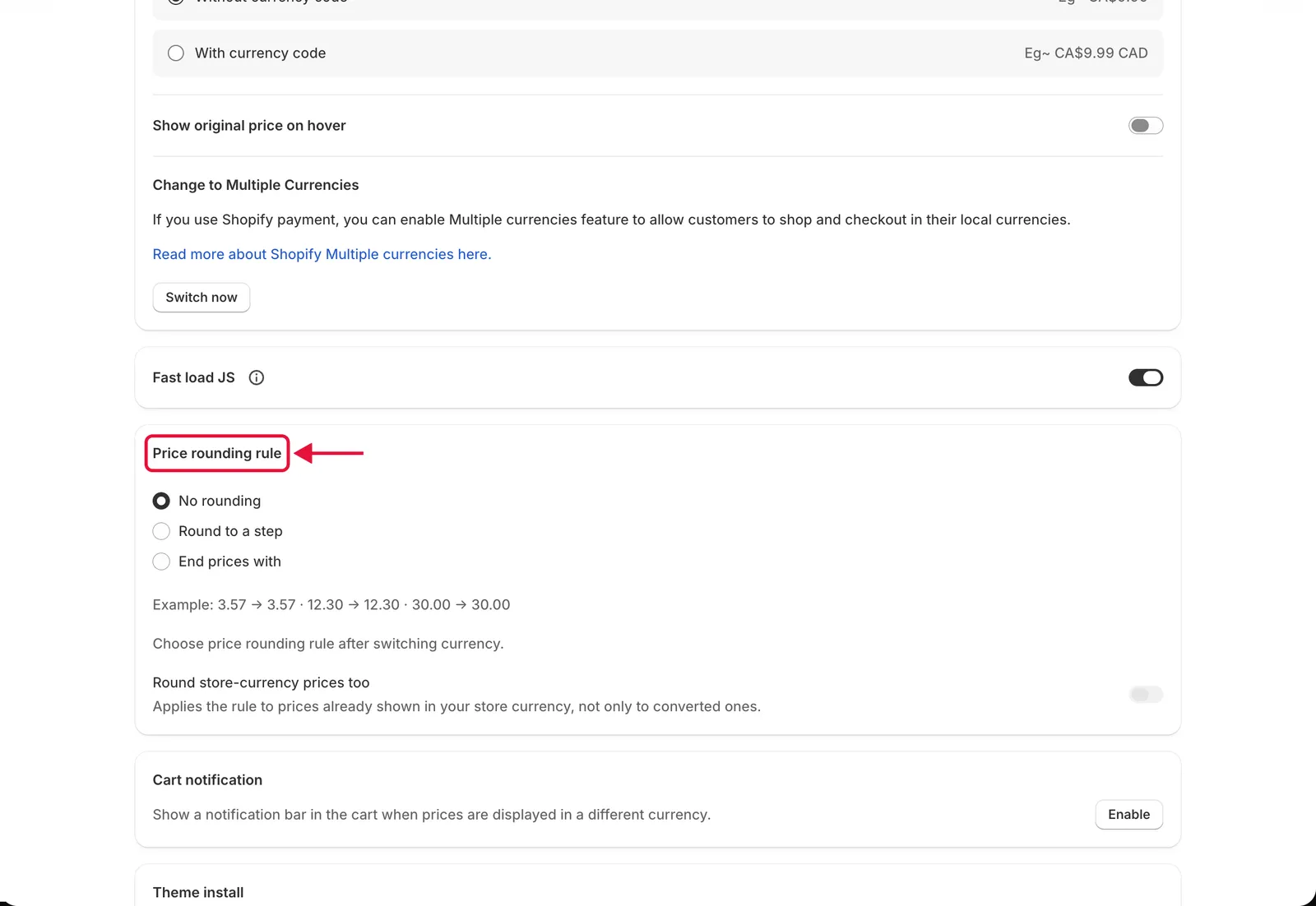
Open Marktverwaltung. Under Globale Einstellungen, click Währungen. Below the table, click Zu „Erweitert“. The Erweitert page opens.
Choose a rule
In Preisrundungsregel, choose one option:
- Keine Rundung: prices are not rounded.
- Auf einen Schritt runden: pick a step in Runden auf den nächsten and a Richtung. The direction is Nächster Wert, Aufrunden or Abrunden.
- Preise enden auf: pick a step in Wiederholt sich alle, a direction, and an Endung such as 0.99.
Add a second ending
To use two endings, click Zweite Endung hinzufügen and fill in Zweite Endung. The two endings must be different. Click Entfernen to go back to one.
Check the example
Look at the example line under the options. It shows three sample prices before and after rounding.
Round store-currency prices
To round prices that are already in your store currency, turn on Auch Preise in der Shop-Währung runden. It is off by default and is unavailable when you choose Keine Rundung.
Save the rule
Click Speichern in the Shopify save bar.
Give one currency its own rule
Warnung
If you apply a rule to every currency in the final dialog, it becomes your store rule and every currency that had its own rule loses it. Those currencies follow the store rule instead.
Open Edit format
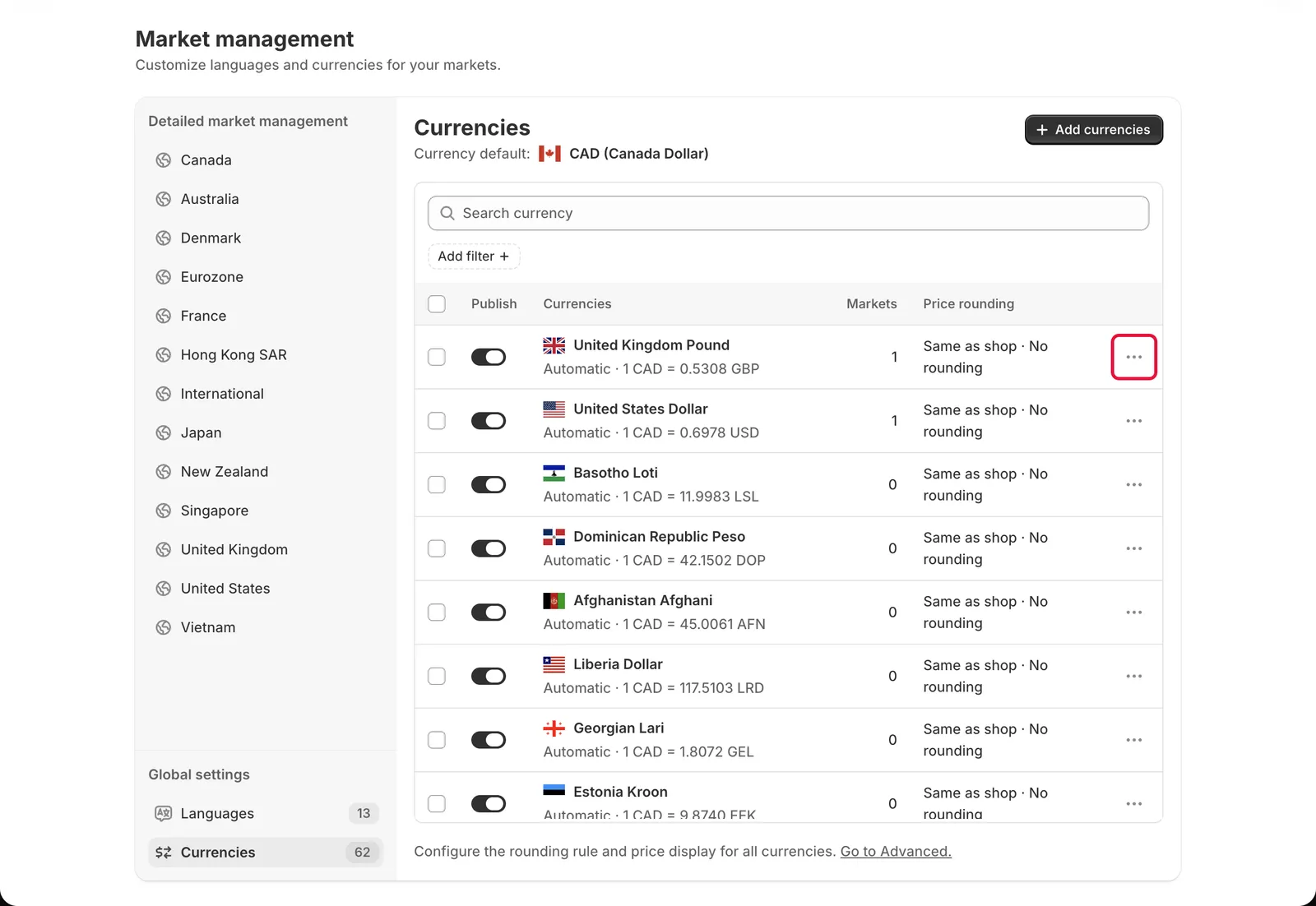
On the Currencies page, open the actions menu at the end of the currency row and click Format bearbeiten. The Währungsformat dialog opens. The Preisrundung column shows the rule each currency uses now.
Choose a rounding rule
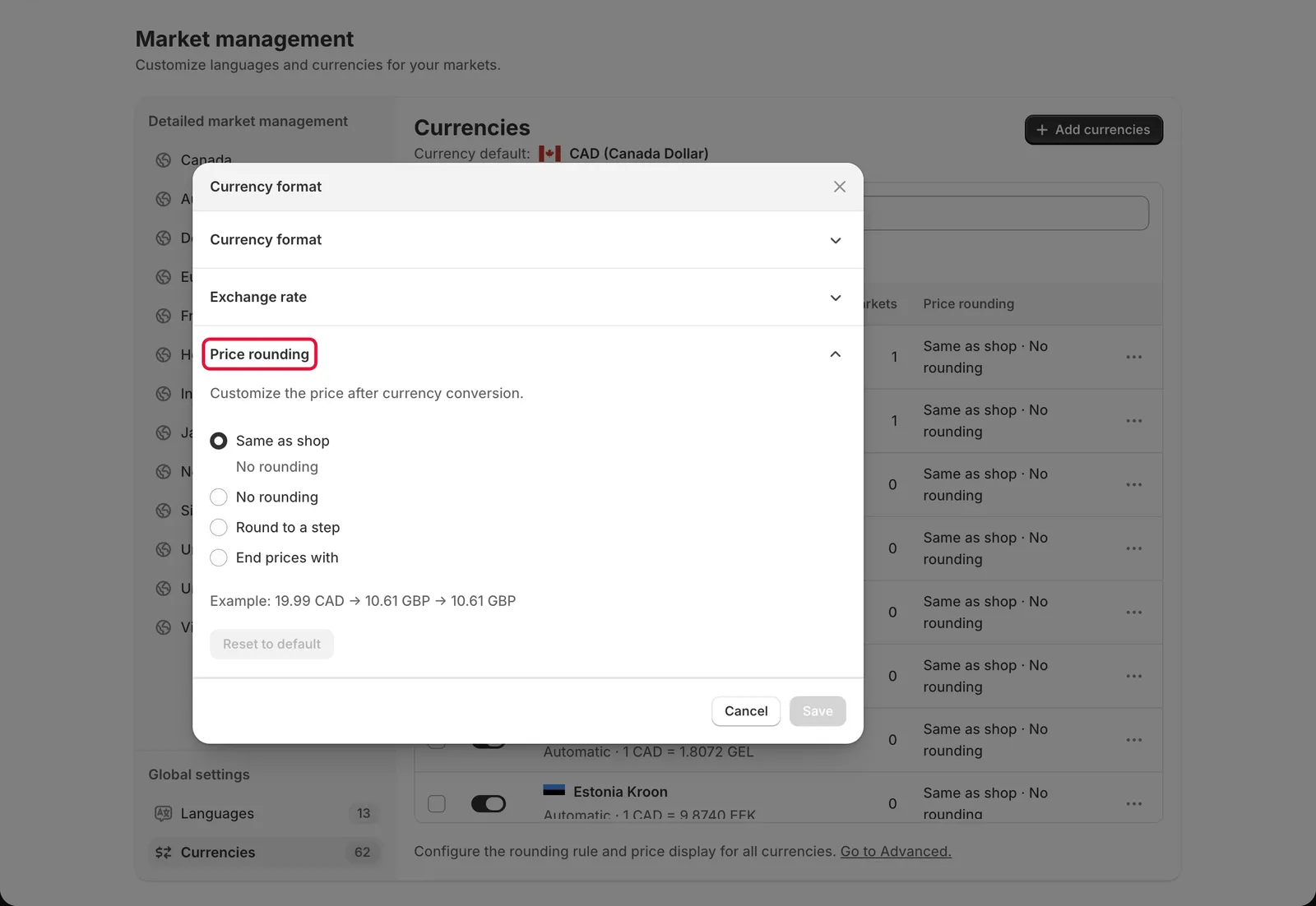
Open the Preisrundung section. The first option, Wie im Shop, follows your store rule. The other options are the same as above.
Save and apply
Click Speichern. If you set a rule for this currency, the app asks Diese Rundung auf andere Währungen anwenden? Tick the currencies you want, then click Anwenden. Click Nicht jetzt to keep the rule on this currency only.
Good to know
- Steps and endings depend on the currency. A currency with no decimals, such as the Japanese yen, cannot use an ending like .99. The app marks a rule that cannot apply to a currency as not applied.
- Exchange rates and formats are set in the same dialog. See Exchange rates and Format how prices look.
Hinweis
While your store is in Multiple currencies mode, Shopify Markets rounds prices. The rules you set here do not apply. See Multiple currencies mode vs Switcher mode.
Verwandte Artikel
Format how prices look
Write your own price format for a currency, with or without the currency code, using placeholders for the amount, and see an example before you save.
Unpublish or remove currencies
Hide a currency from your storefront with the Publish switch, or remove it completely, one currency at a time or several at once.
Zuletzt aktualisiert: 18. November 2026