Automate translation with rules
Create rules that translate new and changed products, collections and other content automatically, and check each rule's status.
Use automation rules to translate store content when it changes in Shopify, without starting a run each time. A rule says which content, which markets and which engine.
Contáctenos para activar esta funciónRules translate what changes while they are on. Translations written by people are never replaced.
What your plan allows
The number of items that rules can automate depends on the resource.
Productos:
Plan Free: 0Colecciones:
Plan Free: 0Otro recurso:
Plan Free: 0Before you start
- Turn on automatic updates for the language and resource you want. A rule only translates languages that have them on. See Automatic updates per language.
- Choose what happens when your quota runs out. See Pause automation or switch to the free engine.
Steps
Open the rules page
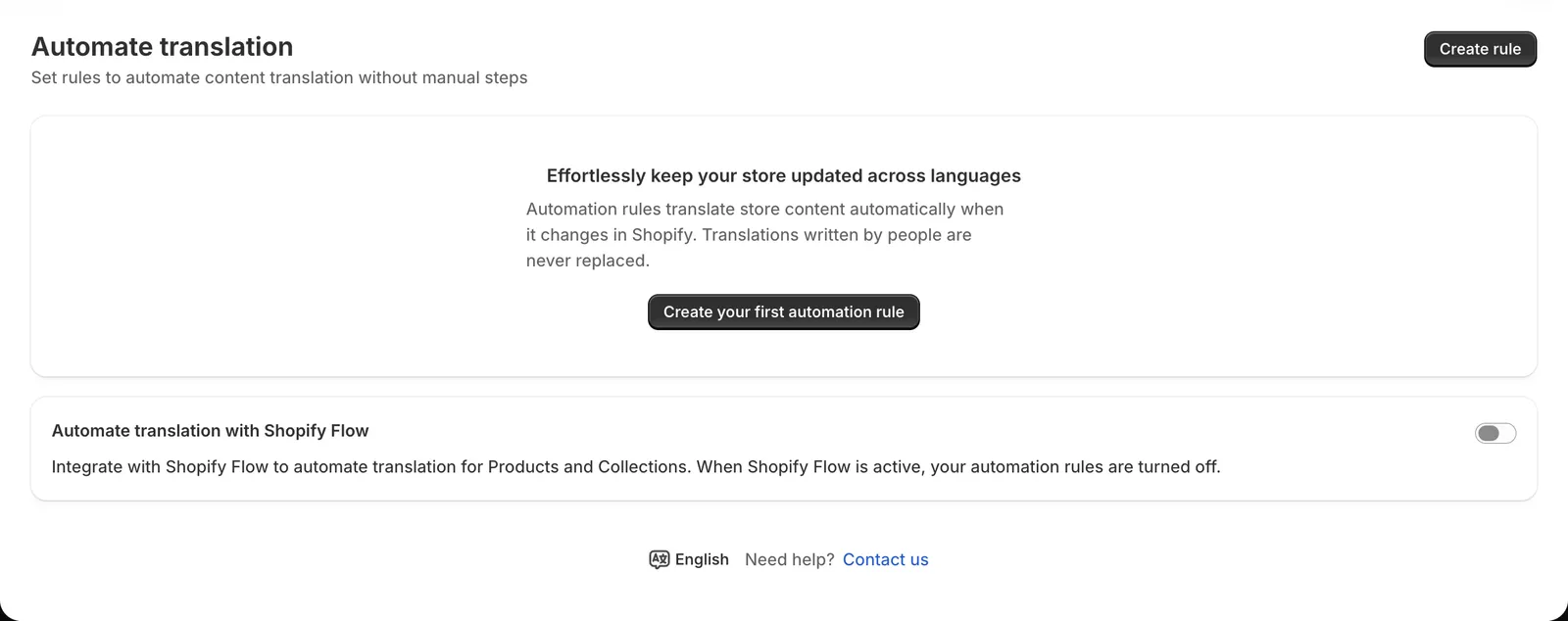
In SmartCS, open Traducción de contenido. In the Avanzado list, click Automatización de traducción. The page is called Automatizar traducción.
Create a rule
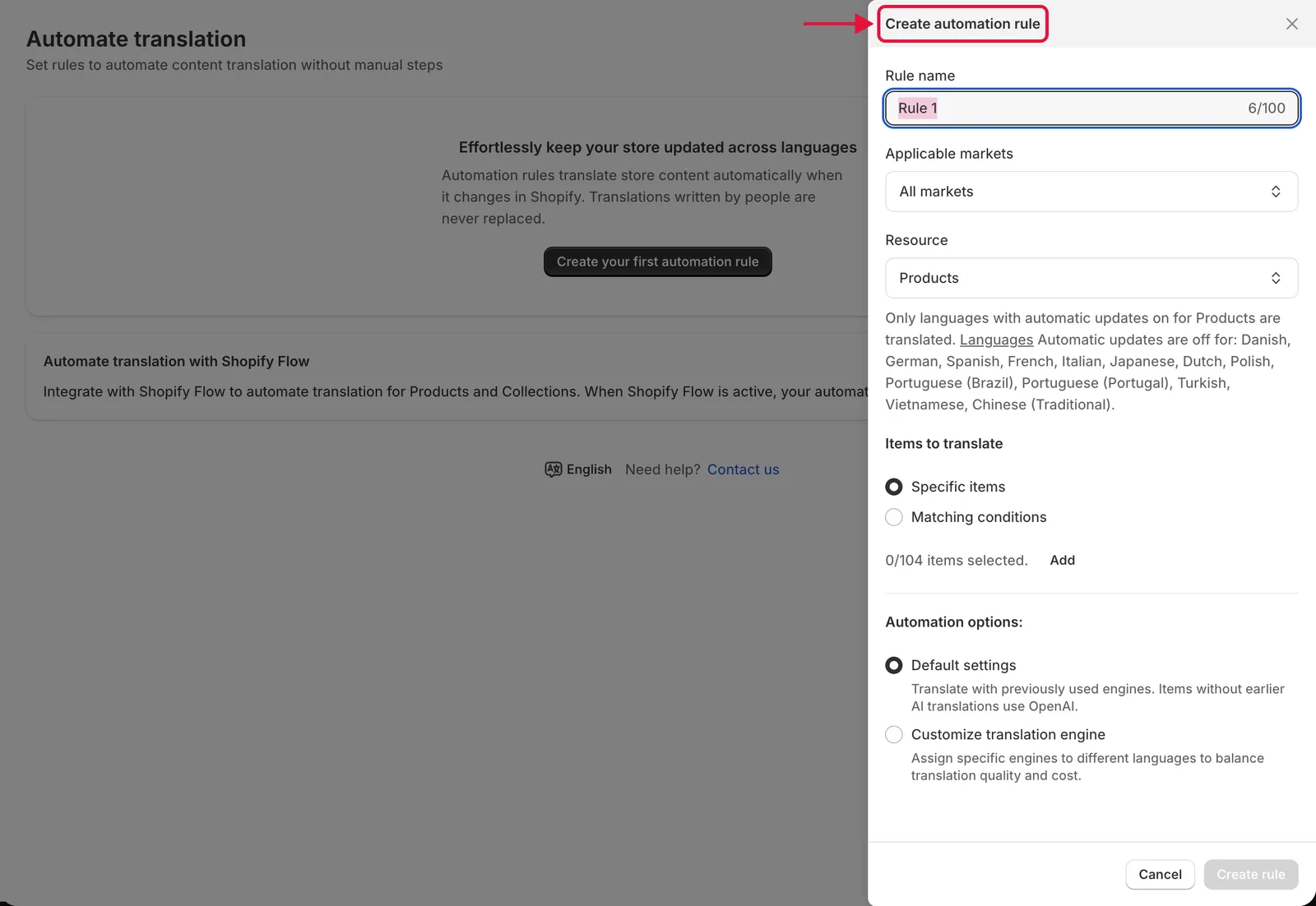
Click Crear regla. On a new page, click Crea tu primera regla de automatización. The Crear regla de automatización panel opens.
Name the rule and pick markets
Enter a Nombre de la regla. In Mercados aplicables, keep Todos los mercados or choose some. Choosing a market also selects Traducción predeterminada.
Choose the resource
Open Recurso and pick one resource, such as Productos or Colecciones. Resources your plan does not include are grey.
Choose the items
Under Elementos que traducir, choose one option:
- Elementos concretos: click Añadir and tick the items.
- Condiciones de coincidencia: for products only. Filter by status, category, tag or collection. Tick Incluir elementos futuros que cumplan estas condiciones to include new items later.
Choose the engine
Under Opciones de automatización: choose Configuración predeterminada to use the engines you used before. Choose Personalizar motor de traducción to give each group of languages its own engine.
Save the rule
Click Crear regla. The toast says Regla creada.
Automate items from a list
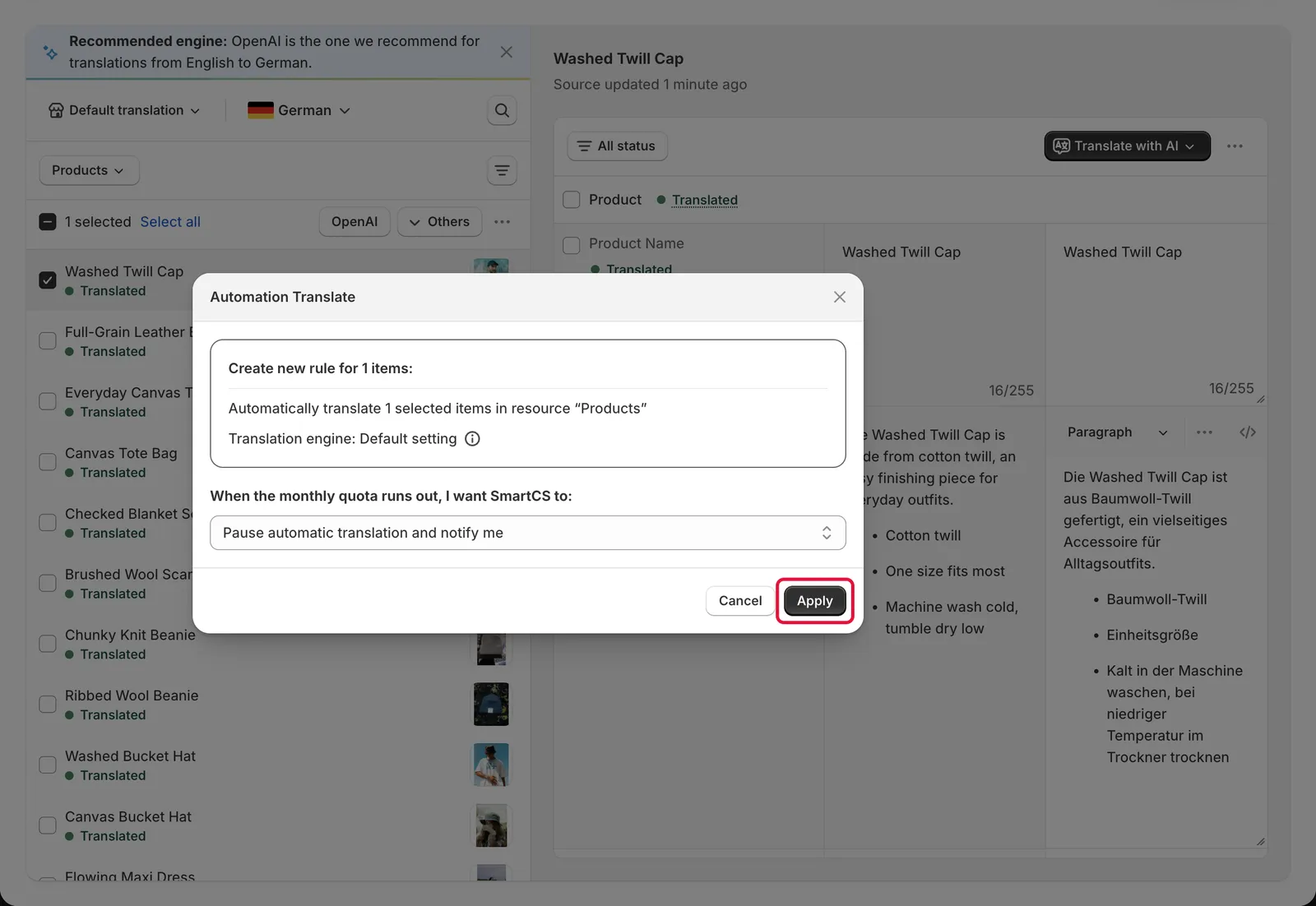
On a resource page, tick items, click the more actions button and choose Automatizar traducción. A dialog creates one rule for the ticked items with the default engines. Click Aplicar to save it.
If your plan has no automation
If your store cannot create rules yet, the page shows "Las reglas de automatización aún no están activadas en tu tienda.", Crea tu primera regla de automatización stays off, and Contáctanos asks for it.
Read the rules table
Each rule has a switch and a status: Activa, Desactivada, En pausa or No se está ejecutando. A paused rule says why, for example Se alcanzó el límite de elementos automatizados. The line above the table shows how many items count against your limit.
When items wait, a banner says that automatic translation is paused. Items translate when there is room again. See Task progress for the runs.
Good to know
- Deleting a rule keeps the translations it made.
- An item can be in one rule at a time. If an item is in another rule, the dialog offers to move it.
- Rules start runs in the background. Cancel or resume them in Task progress.
Artículos relacionados
Block elements from translation
Choose which fields are never translated, from SEO meta tags and URL handles to a single field in the editor, and remove a block later.
Pause automation or switch to the free engine
Choose what automatic translation does when your monthly quota runs out: pause, or keep going with the free engine.
Última actualización: 18 de noviembre de 2026