Automate translation with rules
Create rules that translate new and changed products, collections and other content automatically, and check each rule's status.
Use automation rules to translate store content when it changes in Shopify, without starting a run each time. A rule says which content, which markets and which engine.
Bunu açmak için bize ulaşınRules translate what changes while they are on. Translations written by people are never replaced.
What your plan allows
The number of items that rules can automate depends on the resource.
Ürünler:
Free planı: 0Koleksiyonlar:
Free planı: 0Diğer kaynak:
Free planı: 0Before you start
- Turn on automatic updates for the language and resource you want. A rule only translates languages that have them on. See Automatic updates per language.
- Choose what happens when your quota runs out. See Pause automation or switch to the free engine.
Steps
Open the rules page
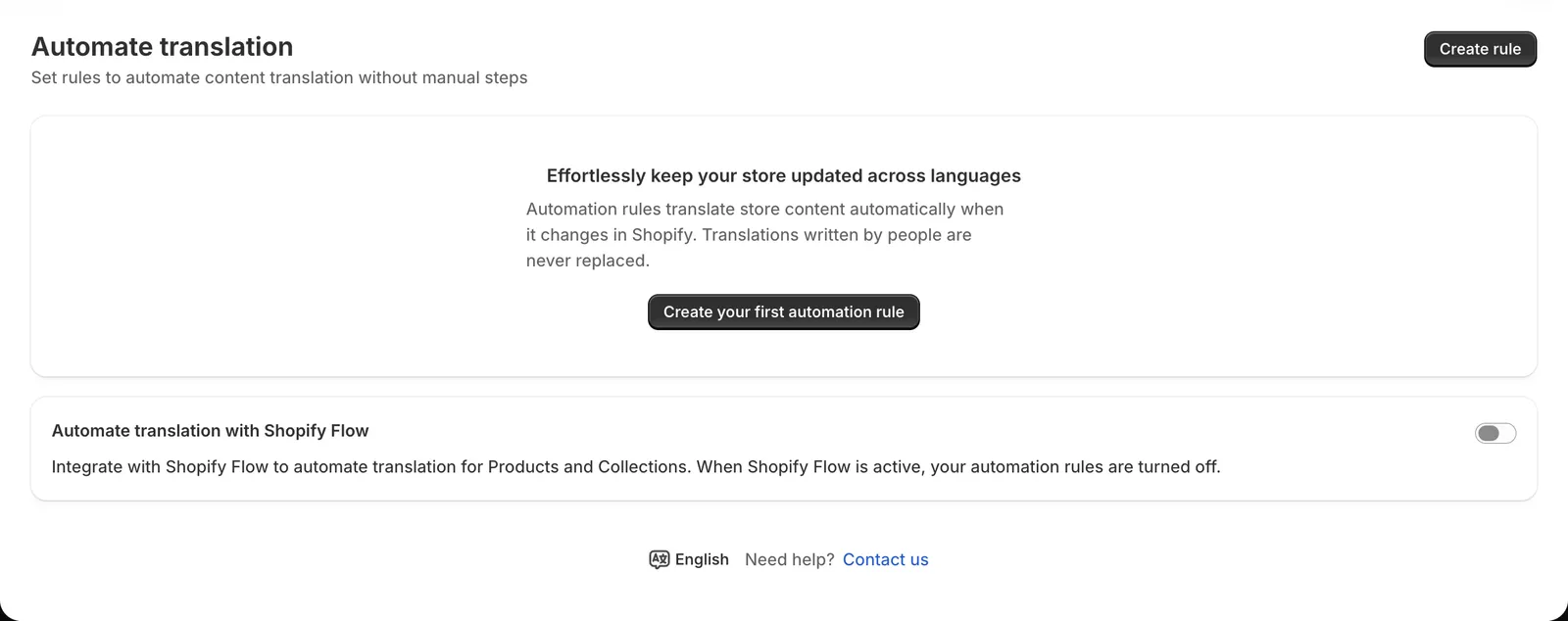
In SmartCS, open İçerik çevirisi. In the Gelişmiş list, click Çeviri otomasyonu. The page is called Çeviriyi otomatikleştir.
Create a rule
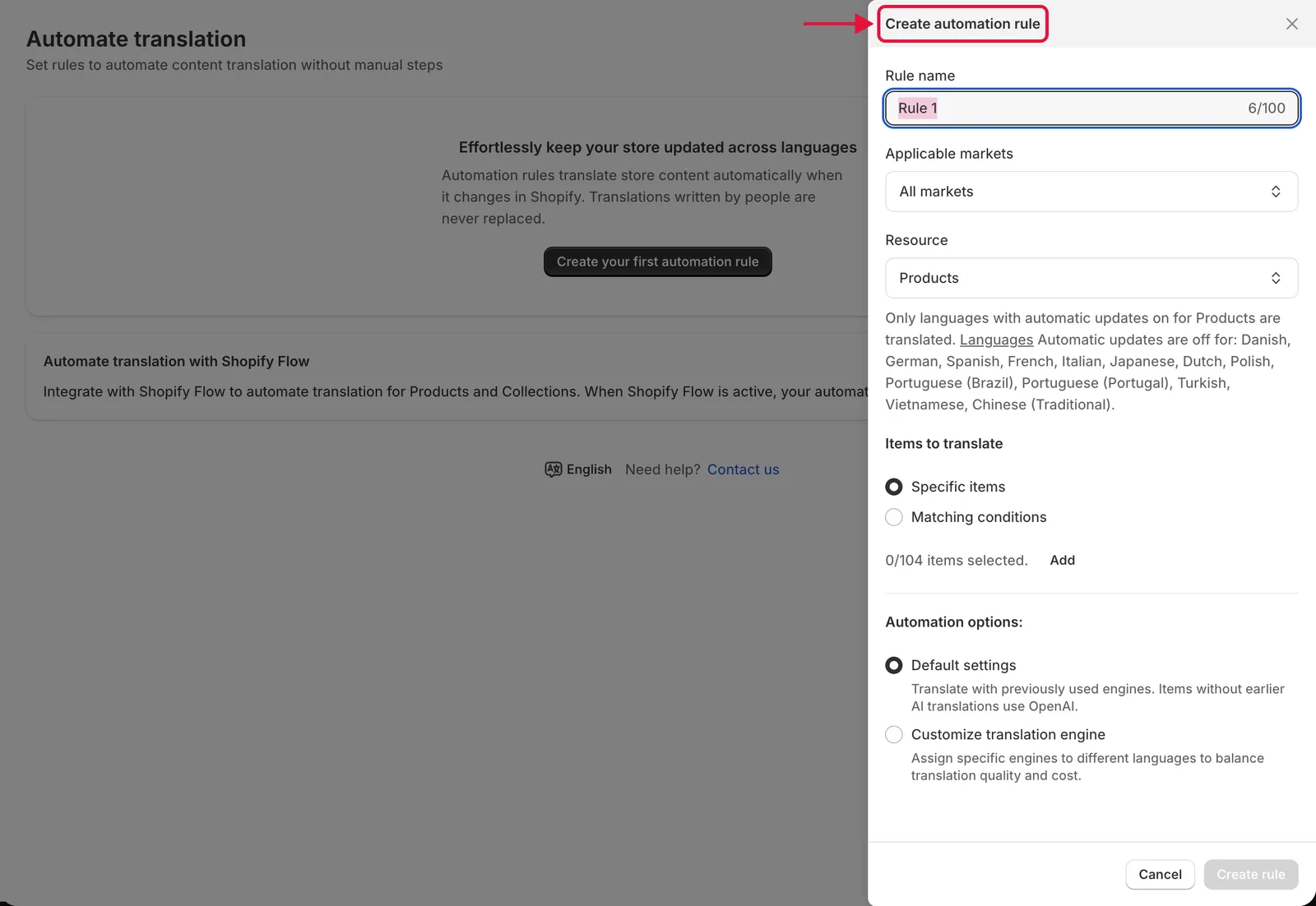
Click Kural oluştur. On a new page, click İlk otomasyon kuralınızı oluşturun. The Otomasyon kuralı oluştur panel opens.
Name the rule and pick markets
Enter a Kural adı. In Geçerli pazarlar, keep Tüm pazarlar or choose some. Choosing a market also selects Varsayılan çeviri.
Choose the resource
Open Kaynak and pick one resource, such as Ürünler or Koleksiyonlar. Resources your plan does not include are grey.
Choose the items
Under Çevrilecek öğeler, choose one option:
- Belirli öğeler: click Ekle and tick the items.
- Eşleşme koşulları: for products only. Filter by status, category, tag or collection. Tick Bu koşullarla eşleşen gelecekteki öğeleri de dahil et to include new items later.
Choose the engine
Under Otomasyon seçenekleri: choose Varsayılan ayarlar to use the engines you used before. Choose Çeviri motorunu özelleştir to give each group of languages its own engine.
Save the rule
Click Kural oluştur. The toast says Kural oluşturuldu.
Automate items from a list
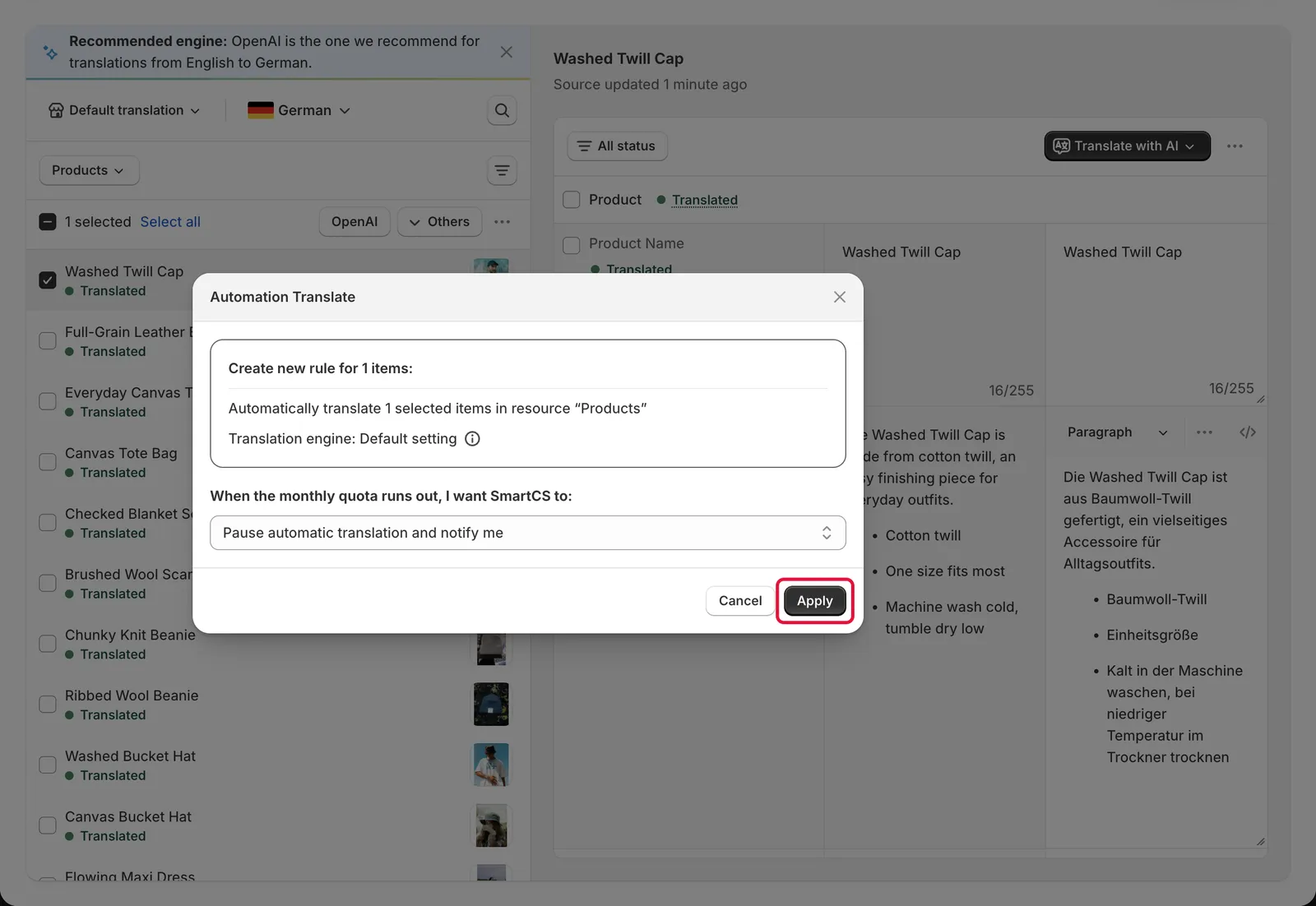
On a resource page, tick items, click the more actions button and choose Çeviriyi otomatikleştir. A dialog creates one rule for the ticked items with the default engines. Click Uygula to save it.
If your plan has no automation
If your store cannot create rules yet, the page shows "Otomasyon kuralları mağazanız için henüz açık değil.", İlk otomasyon kuralınızı oluşturun stays off, and Bize ulaşın asks for it.
Read the rules table
Each rule has a switch and a status: Etkin, Kapalı, Duraklatıldı or Çalışmıyor. A paused rule says why, for example Otomatik öğe sınırına ulaşıldı. The line above the table shows how many items count against your limit.
When items wait, a banner says that automatic translation is paused. Items translate when there is room again. See Task progress for the runs.
Good to know
- Deleting a rule keeps the translations it made.
- An item can be in one rule at a time. If an item is in another rule, the dialog offers to move it.
- Rules start runs in the background. Cancel or resume them in Task progress.
İlgili makaleler
Block elements from translation
Choose which fields are never translated, from SEO meta tags and URL handles to a single field in the editor, and remove a block later.
Pause automation or switch to the free engine
Choose what automatic translation does when your monthly quota runs out: pause, or keep going with the free engine.
Son güncelleme: 18 Kasım 2026