Automatic updates for a language
Choose which changes to your products, collections and other content are translated again automatically for each language.
Choose which changes in your store are translated again automatically for one language. You can set this for products, collections and other content.
Before you start
You can save this setting on any plan. It only has an effect while an automation rule is on.
Bunu açmak için bize ulaşınAutomation rules need Regional or higher. Set up a rule first. See Automate translation.
Steps
Open Languages
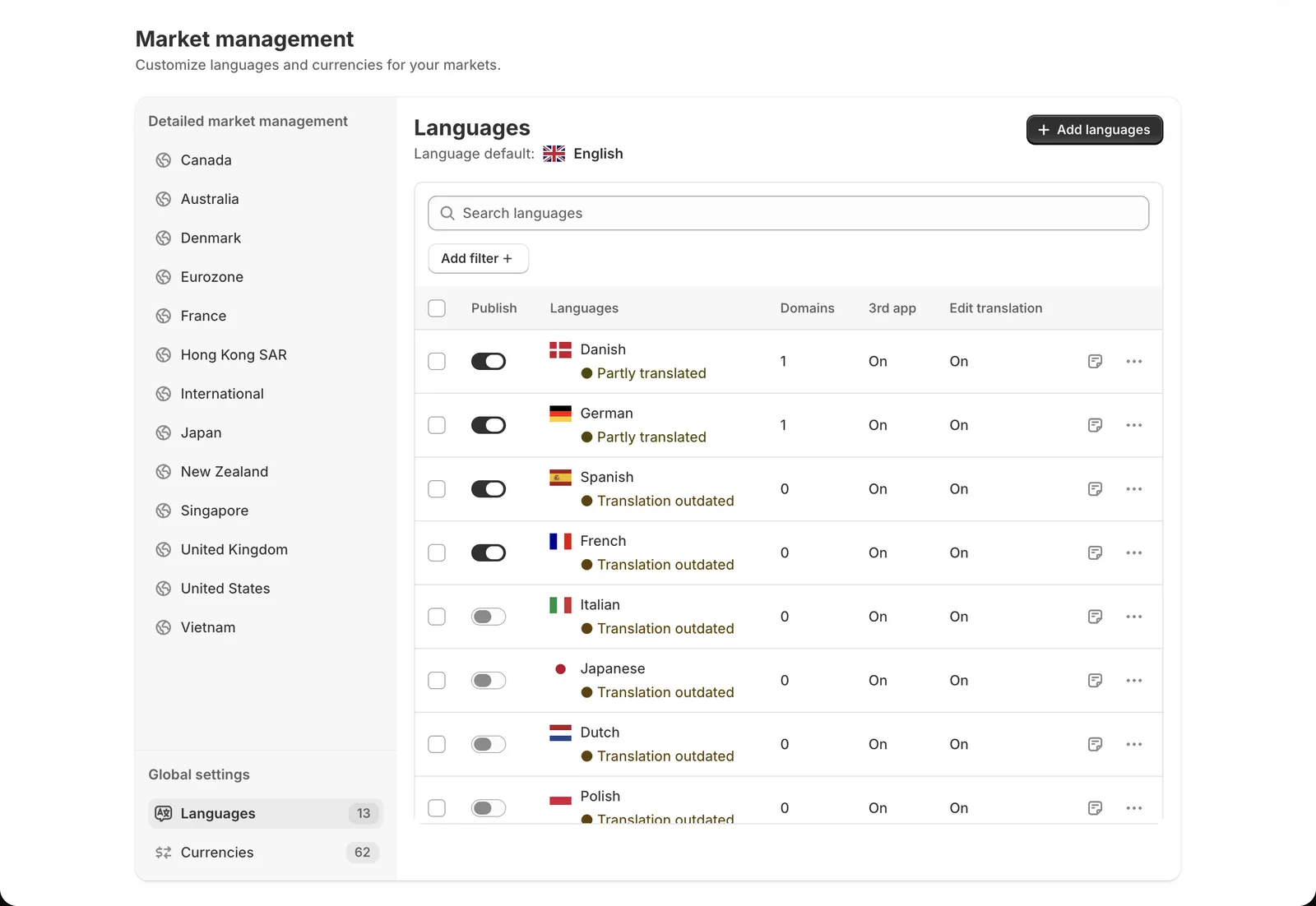
Open SmartCS: Currency & Translate, then go to Pazar yönetimi. Under Genel ayarlar, select Diller.
Open the actions menu
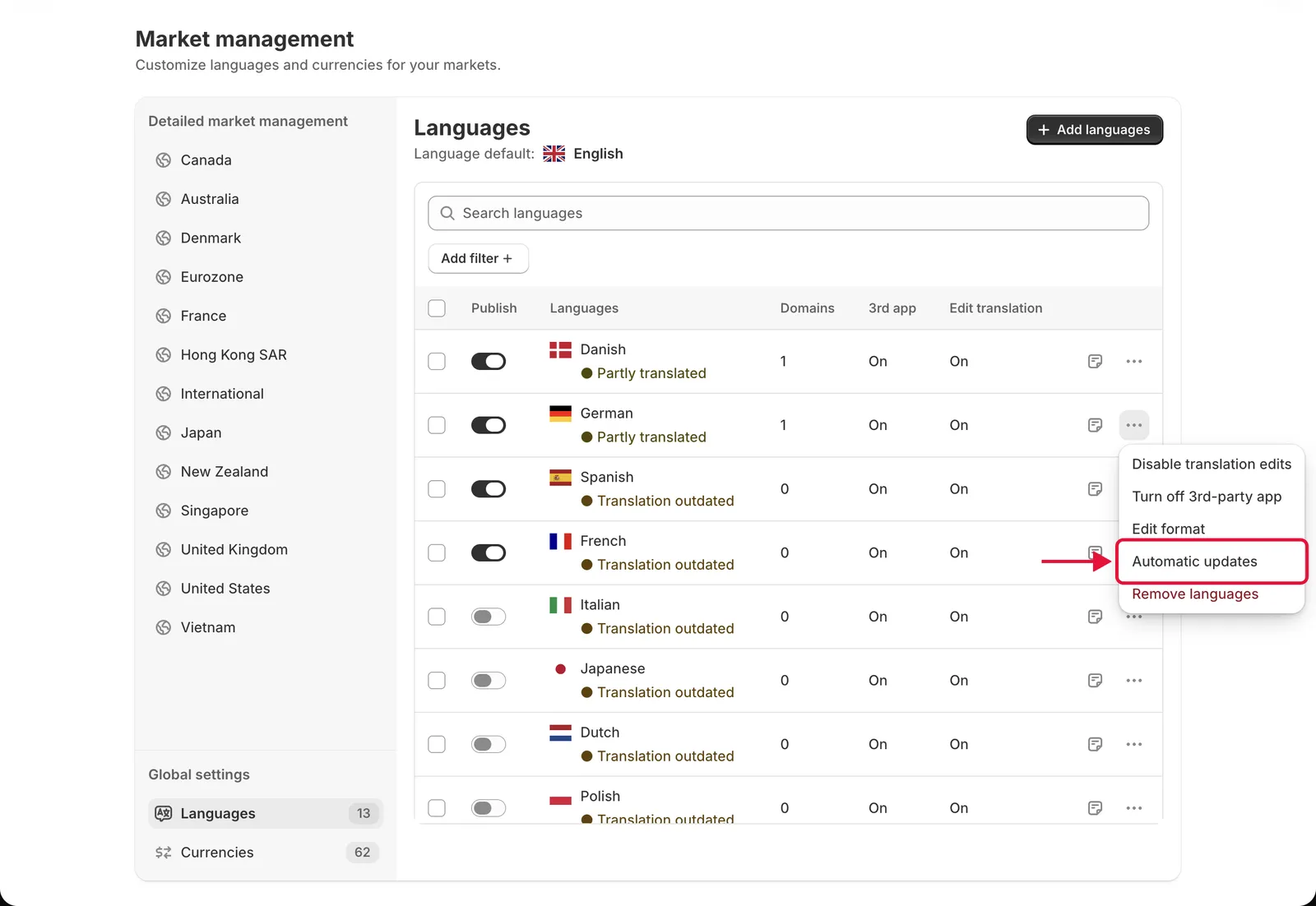
In the row of the language, open the actions menu (the three dots). Select Otomatik güncellemeler.
Choose content kinds
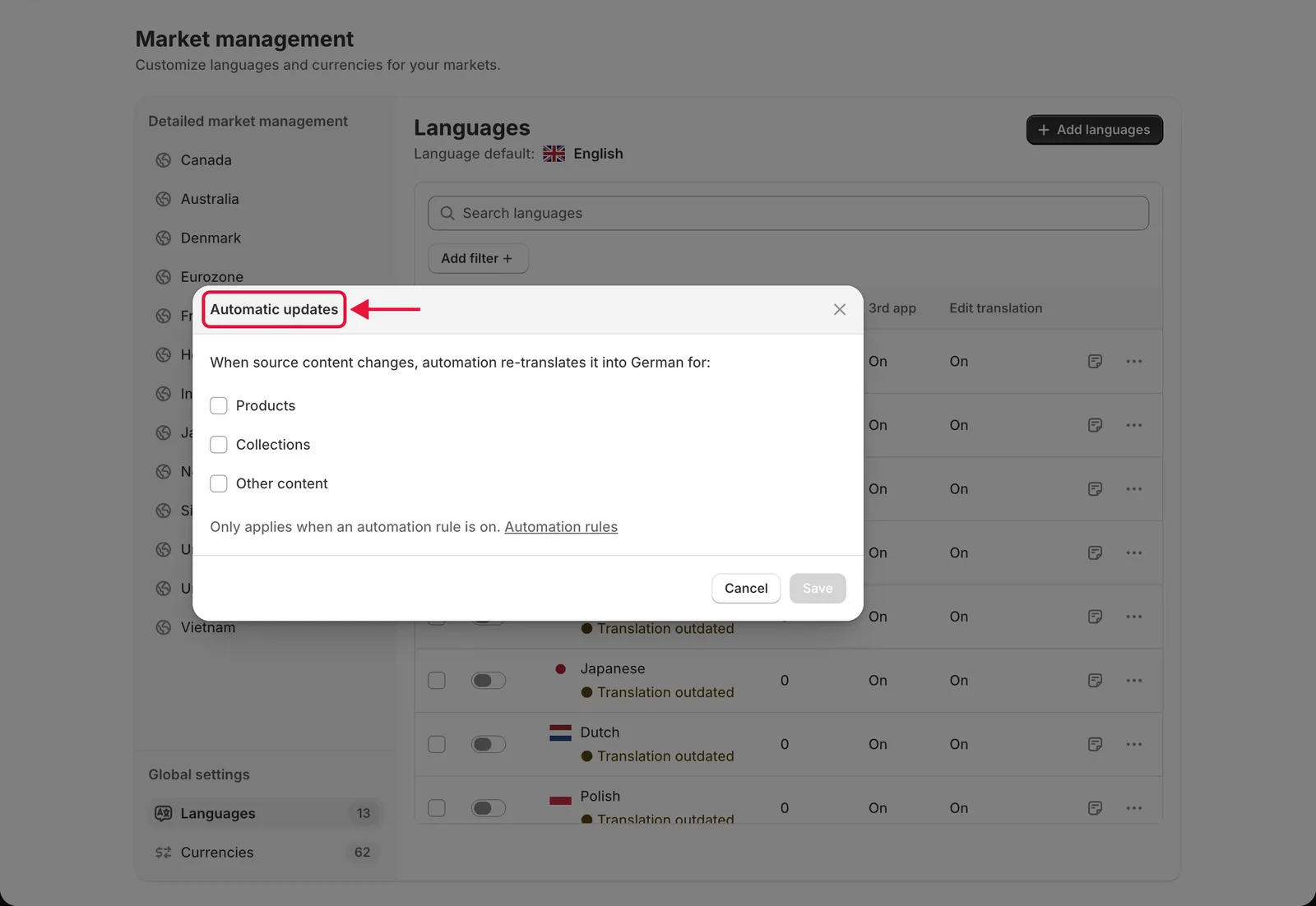
In the Otomatik güncellemeler dialog, tick or clear each kind of content:
- Ürünler
- Koleksiyonlar
- Diğer içerik
Save your changes
Select Kaydet. The button stays off until you change something.
Good to know
- All three kinds are off for a new language. Tick the kinds you want.
- When your source content changes, automation translates it again into this language, but only for the kinds you left on.
- Automation skips your source language and any language with translation edits turned off. See Turn translation edits on or off.
- Bunu açmak için bize ulaşın Diğer içerik covers every kind of content except products and collections. Automation rules for this content need Continental or higher. See Automate translation.
- To change which items an automation rule covers, use Otomasyon kuralları in the dialog. See Automation settings.
Not
This setting is for one language. It does not turn automation on or off. The automation rules do that.
İlgili makaleler
Unpublish, remove and restore languages
Hide a language from shoppers, remove it from your store, or restore a removed language within 30 days.
Add and publish currencies
Add currencies on the Currencies page so your storefront can show prices in more than your store currency. New currencies are published at once.
Son güncelleme: 18 Kasım 2026