Sync settings: scheduled or real-time
Choose when SmartCS reads changed content from Shopify: at set times or in real time for products and collections, and which content types the schedule covers.
Use Eşitleme ayarları to choose when SmartCS reads new and changed content from Shopify. You can sync at times you set, or in real time for products and collections.
Bunu açmak için bize ulaşınYou can always sync by hand from İçerik çevirisi. See Sync content from Shopify and resolve conflicts.
Before you start
A scheduled sync needs time slots. Until your store has at least one, the whole card on this page is greyed out. Time slots on each plan:
Free planı: 0Steps
Open Sync settings
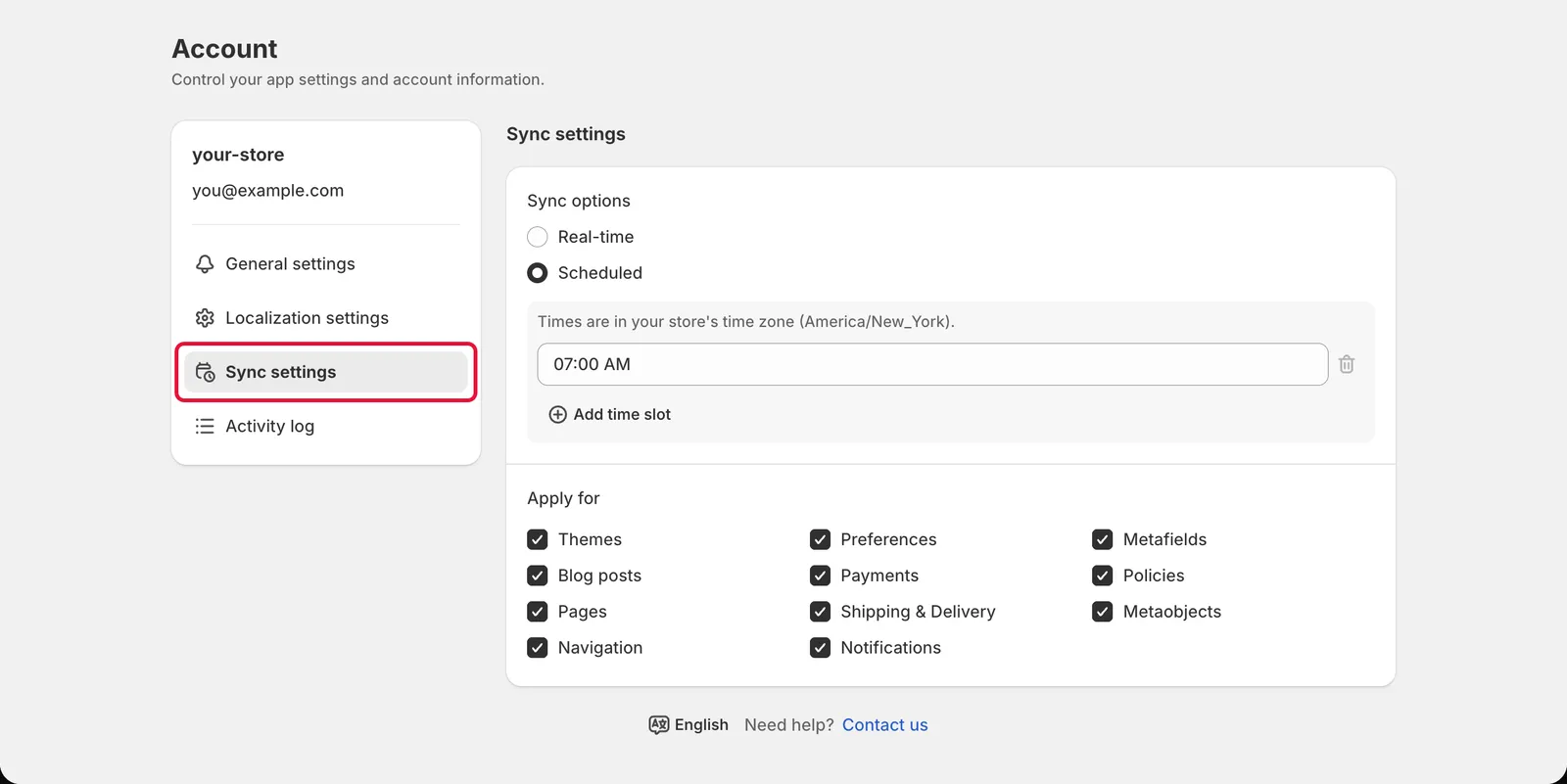
In SmartCS, open Hesap ve ayarlar. In the Hesap bölümleri menu, click Eşitleme ayarları. This page has no Save button. Each change is saved after a short pause, and the page shows Ayarlar kaydedildi.
Choose Scheduled or Real-time
Under Eşitleme seçenekleri, choose Zamanlanmış or Gerçek zamanlı.
Bunu açmak için bize ulaşınReal-time covers products and collections: changes in Shopify are sent to SmartCS as they happen. It needs the permission to read products. If your store has not approved that permission yet, products and collections sync on the schedule. The other content types always sync at your times.
Set the times
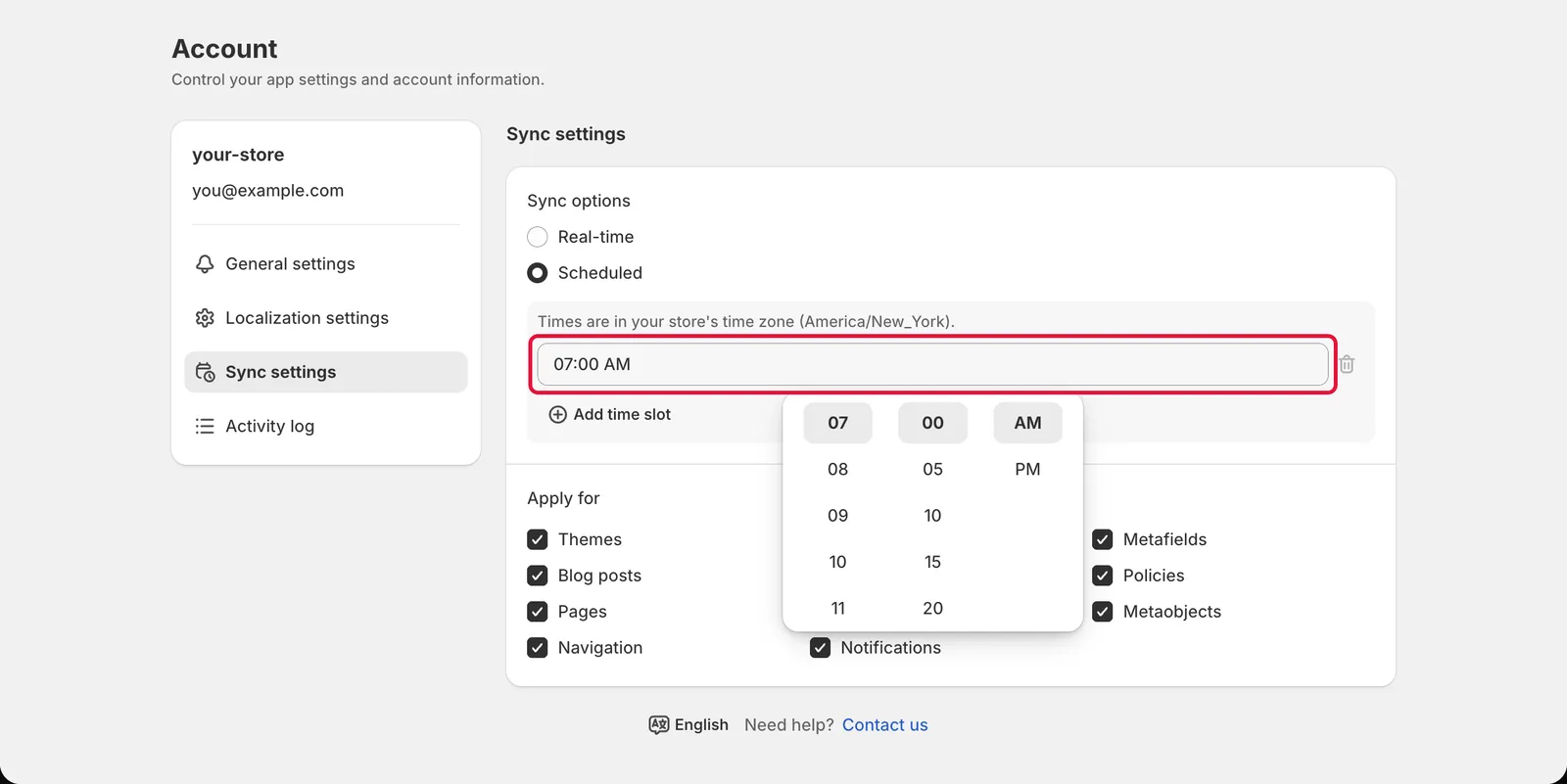
In the grey box, click a time to open the picker. Choose the hour, the minutes and AM or PM. Click Zaman dilimi ekle to add a slot, or click the delete button next to a slot to remove it. The only slot cannot be deleted.
Choose what to sync
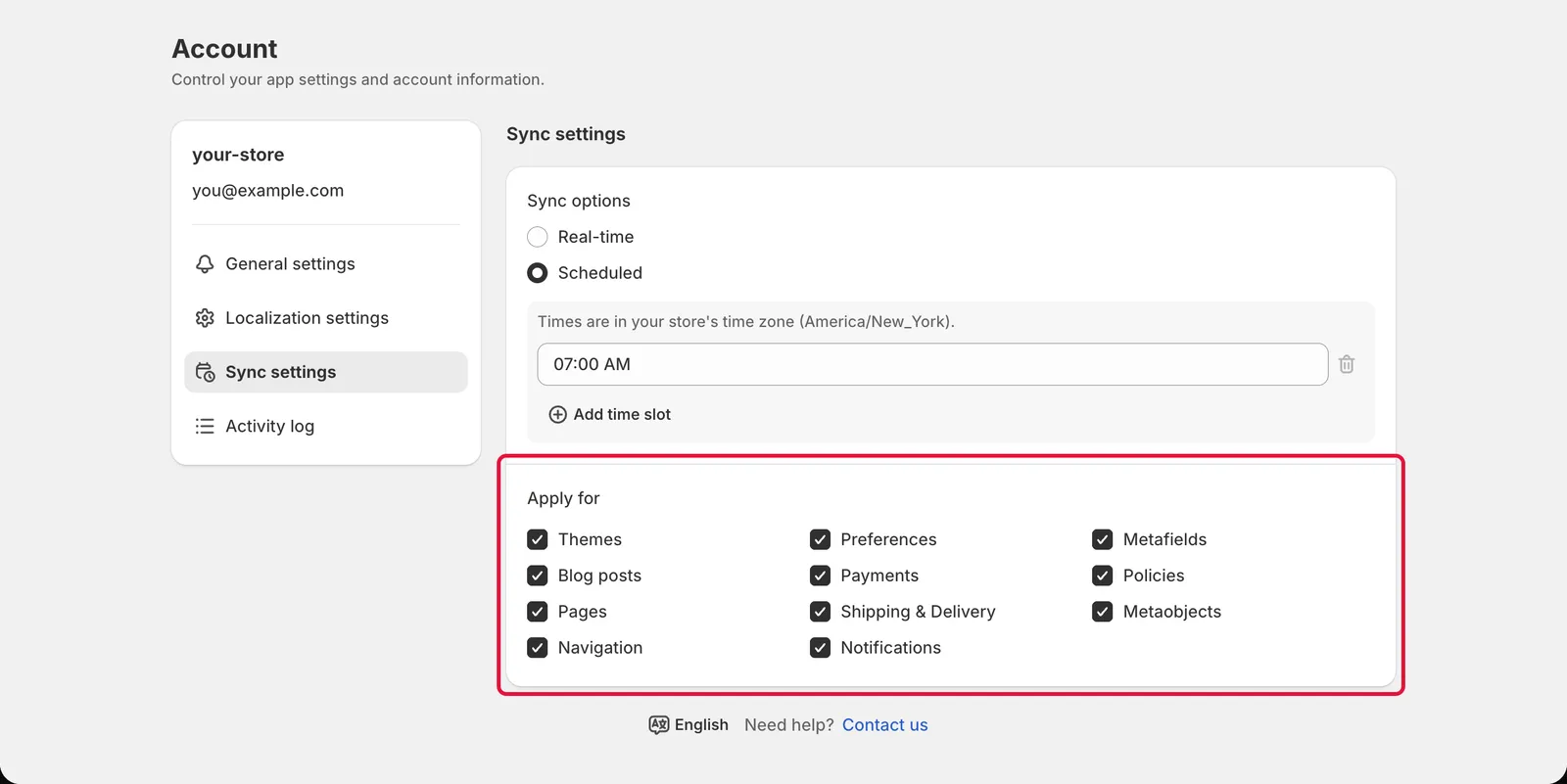
Under Uygulanacak içerik, tick the content types that the schedule updates: Temalar, Tercihler, Meta alanlar, Blog yazıları, Ödemeler, Politikalar, Sayfalar, Kargo ve teslimat, Meta nesneler, Gezinme and Bildirimler. All of them are ticked by default.
Good to know
- Times are in your store's time zone. A new schedule starts with one slot at 07:00 AM.
- Minutes go in steps of 5. Two slots must be at least 1 hour apart. The page shows Lütfen zaman dilimlerini en az 1 saat arayla ayarlayın when they are not, and it does not save the list.
- A content type that you untick updates only when you sync by hand. Products and collections are not in this list. They follow Zamanlanmış or Gerçek zamanlı.
- Keep at least one content type ticked. If you untick them all, the page asks you to select one and saves nothing until you do.
- If your plan has fewer slots than you saved, for example after a plan change, the extra slots stay in the list but do not run. You can delete them.
- If a change cannot be saved, a banner says so and the page goes back to the last saved settings.
Not
In real-time mode the times still apply. They drive the content types under Uygulanacak içerik.
İlgili makaleler
Localization settings: engines, own API key, tone
Set the tone of each translation engine, use your own API key, choose what automation does when your quota runs out, and pick the converted price format.
General settings: app language
Change the language of the SmartCS screens in your Shopify admin. The choice is saved for your store and does not change what shoppers see.
Son güncelleme: 18 Kasım 2026