Translate SEO: meta titles, descriptions and alt text
Turn on SEO translation, then translate meta titles, meta descriptions and product image alt text for each language.
Translate the SEO text of your store: meta titles, meta descriptions and the alt text of product images. Search engines and screen readers then show it in the shopper's language.
이 기능은 문의하시면 켜 드립니다Before you start
SmartCS blocks the meta title and the meta description by default, so they are never translated by accident. You turn them on once for the whole store. Image alt text is not blocked, and works on every plan.
Steps
Turn on SEO translation
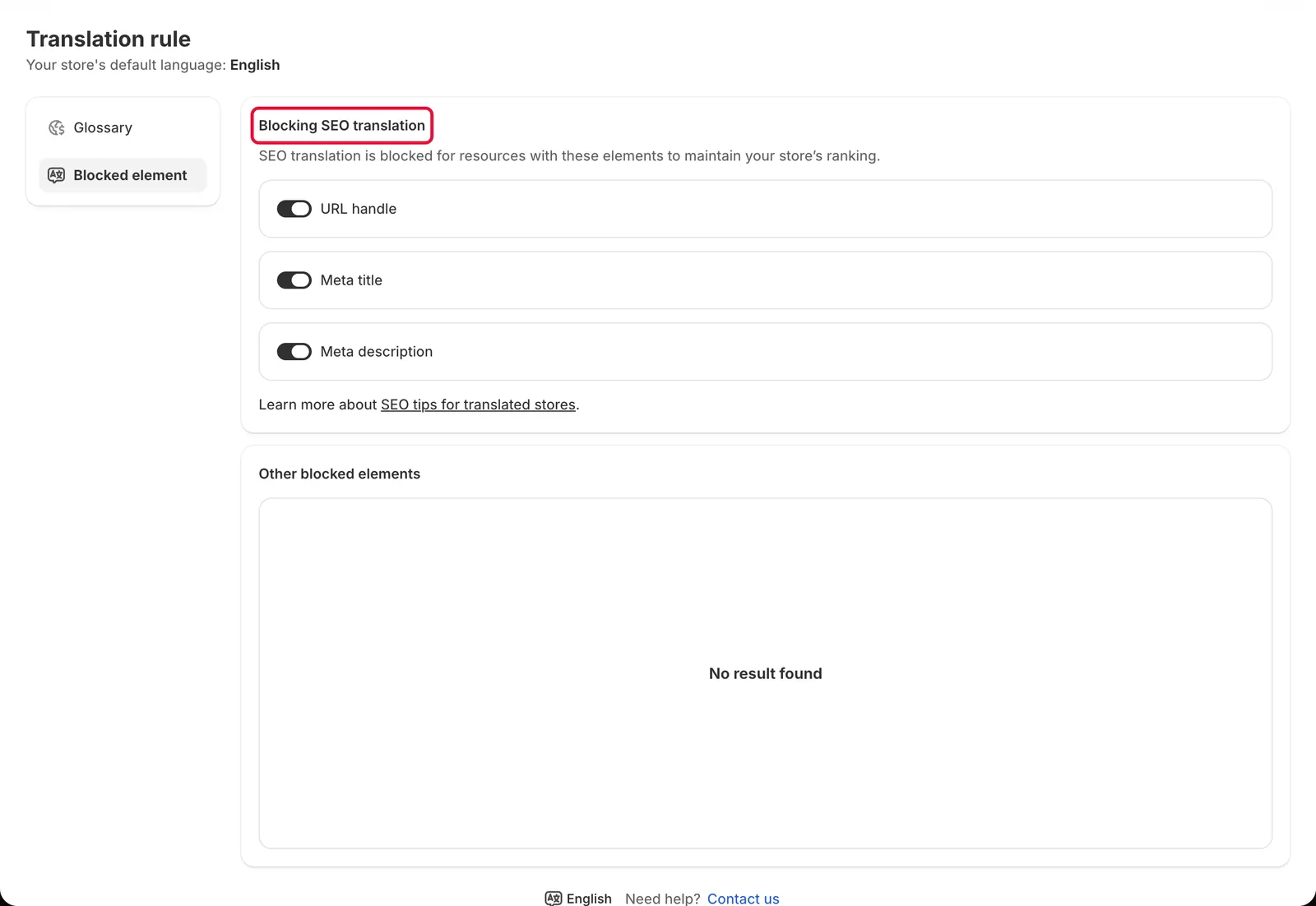
In 콘텐츠 번역, open 차단된 요소. On the 차단된 요소 tab, find the card SEO 번역 차단. A switch that is on means the element is blocked. Turn off 메타 제목 and 메타 설명. Each change saves at once, and SmartCS then recounts your translation progress.
Open an item
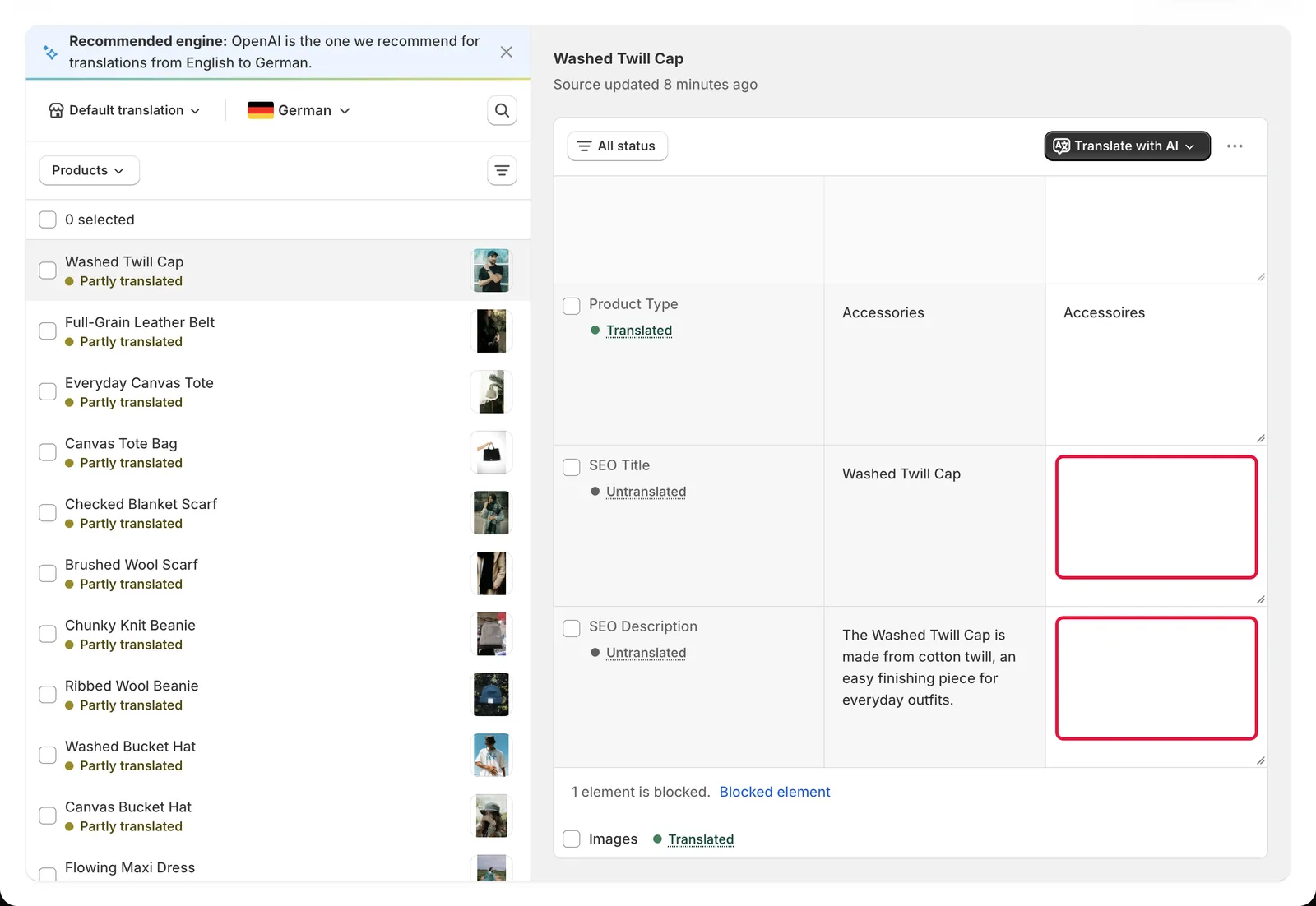
Open a row such as 제품, then select an item. Meta fields exist for products, collections, blogs, blog posts and pages. The homepage title and description are in the Preferences row.
Translate the meta fields
Find the SEO Title and SEO Description fields (named Meta Title and Meta Description on other items). Type your translation, or use AI로 번역. A field that is still blocked shows 차단됨 with a link to 차단된 요소.
Translate image alt text
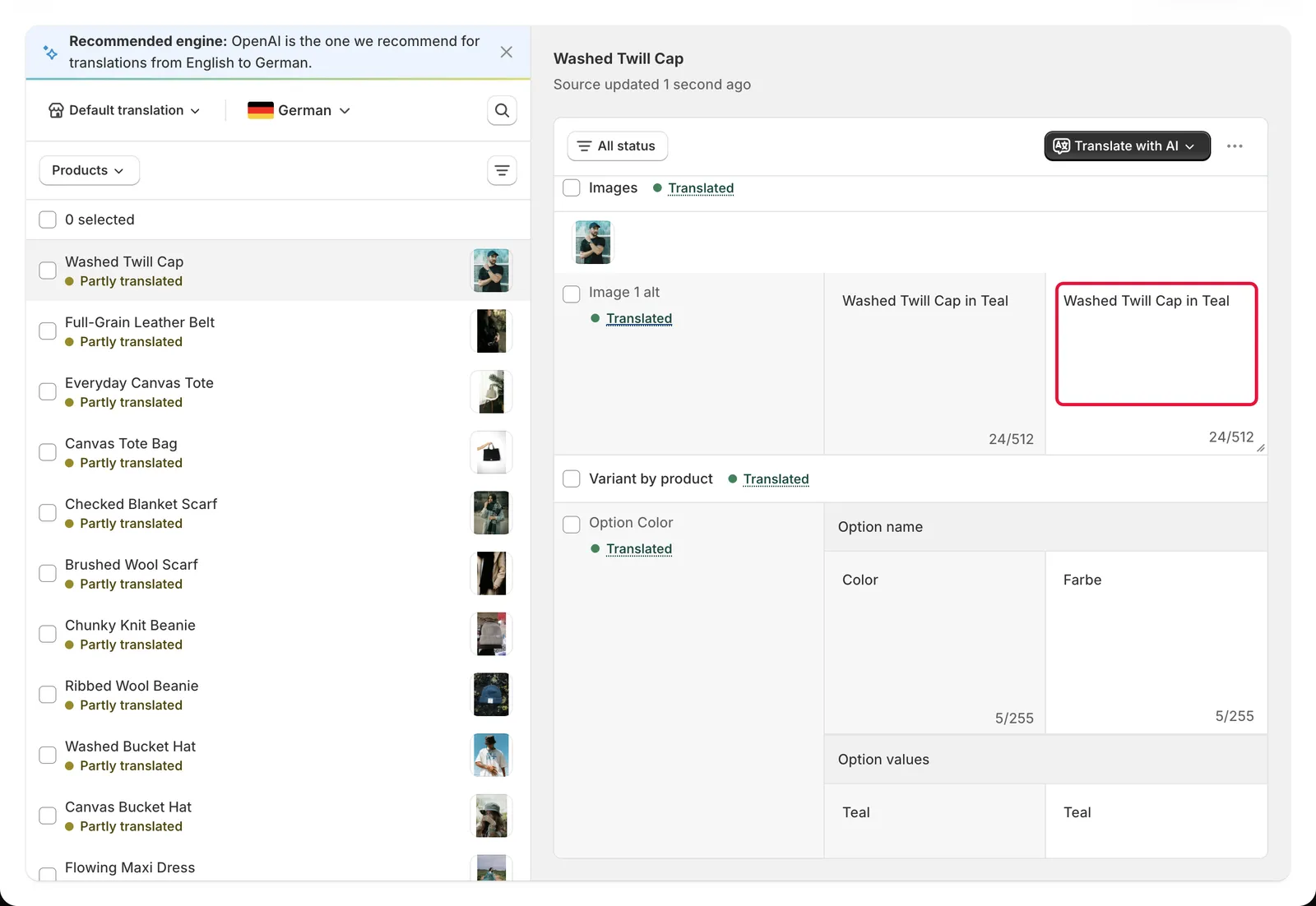
In a product, find the images section and the Image alt field of each image. Describe what the image shows, in a short sentence. The limit is 512 characters, and the editor tells you when the text is too long.
Good to know
참고
Alt text is read for product images only, and only for the first 20 images of a product. Images of collections and blog posts are not listed.
- If the switches are locked, the card says "다국어 SEO는 스토어에서 아직 켜져 있지 않습니다." Use 문의하기 to ask for it.
- Blocking only stops new translations. The ones you already made stay on your store. When you turn a switch back on, a banner in the card offers 번역 제거 to take them back. The banner shows only during that visit to the page, and you can close it. When you leave the page it is gone. To get it back, turn the switch off and on again.
- Translate the URL handle on its own switch. See Translate URL handles.
관련 문서
Translate your homepage, pages and navigation
Translate your pages, navigation menus, homepage text and homepage title so shoppers see them in their language.
Translate URL handles
Turn on URL handle translation so products, collections, pages and blog posts get a web address in each language.
최종 업데이트: 2026년 11월 18일