Translate URL handles
Turn on URL handle translation so products, collections, pages and blog posts get a web address in each language.
Give your products, collections, pages and blog posts a web address in each language. The address of an item is called its URL handle.
이 기능은 문의하시면 켜 드립니다Before you start
A translated handle changes the address of a live page in that language. Links and search rankings that use the old address can stop working. SmartCS asks you to confirm before it turns this on.
URL handles exist for products, collections, blogs, blog posts and pages. They are blocked by default.
Steps
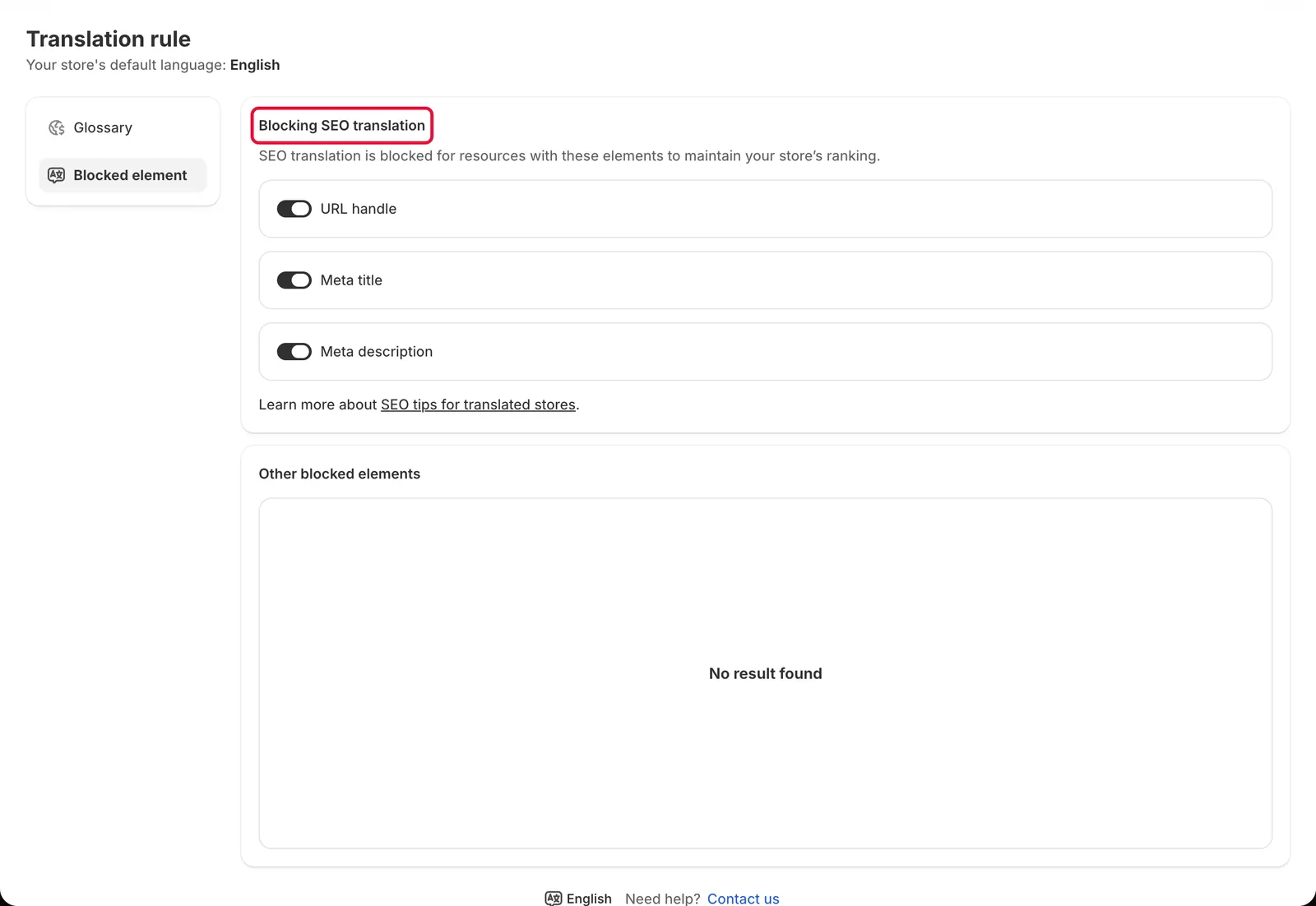
Turn off the handle block
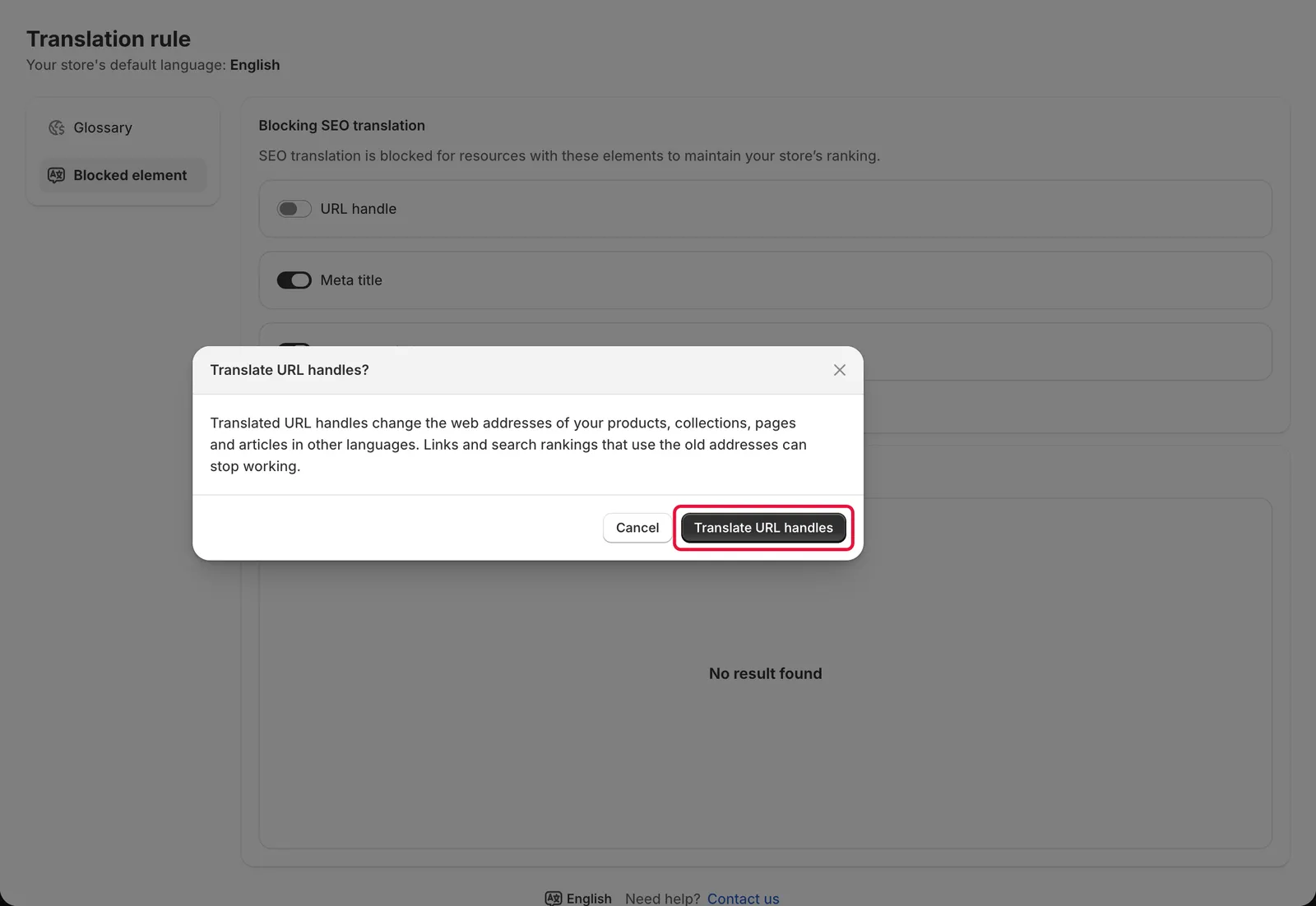
Turn off URL 핸들. A dialog named URL 핸들을 번역할까요? opens. Read it, then click URL 핸들 번역. Click 취소 if you change your mind. The switch then goes back on.
Translate the title
Open an item and select AI로 번역 at the top of the item, with no field ticked, so the whole item is translated. A bulk translation or an automatic translation does the same. SmartCS makes the handle from the translated title, in the same run. The handle itself is never sent to AI.
Typing the title by hand, or using AI로 번역 on the title field alone, does not make a handle. A later whole-item run can make it from a title that is already saved.
Check or edit the handle
The URL handle field shows the result. You can type your own handle. Use lowercase letters, numbers and single dashes. SmartCS refuses a handle with spaces, capitals or slashes.
How a handle is made
- It is lowercase, with letters and numbers joined by single dashes, and at most 255 characters.
- Latin, Cyrillic, Greek and other letters are written in plain Latin letters, as the language reads them. Chinese, Japanese, Korean, Arabic, Hebrew, Thai and Devanagari letters stay in their own script.
- If another item already has the handle, SmartCS adds the language code to it. If Shopify still refuses it, SmartCS adds 4 digits from the item id. If that fails too, the handle is skipped and the rest of the item is kept.
- A handle that is already on your store, or that you typed, is not replaced when the title changes.
- Handles are made for the default translation only. A market does not get handles of its own. See Default translations and market translations.
Take handles back
When you turn the handle switch back on, a banner in the card offers 번역된 핸들 제거 if translated handles are still on your store. It removes every translated handle, and the original handle is used again. Titles are not removed.
The banner shows only during that visit to the page, and you can close it. When you leave the page it is gone. To get it back, turn the switch off and on again.
If the switch is locked, use 문의하기 on the card to ask for multilingual SEO.
관련 문서
Translate SEO: meta titles, descriptions and alt text
Turn on SEO translation, then translate meta titles, meta descriptions and product image alt text for each language.
Metafields and metaobjects
Translate the text stored in your metafields and metaobjects, such as size guides or custom product details.
최종 업데이트: 2026년 11월 18일