Edit language names and flags
Change the flag and the names a language shows, so shoppers see names they know.
Change the flag and the names of a language. Use native names that shoppers know, such as "Deutsch" for German.
Steps
Open Languages
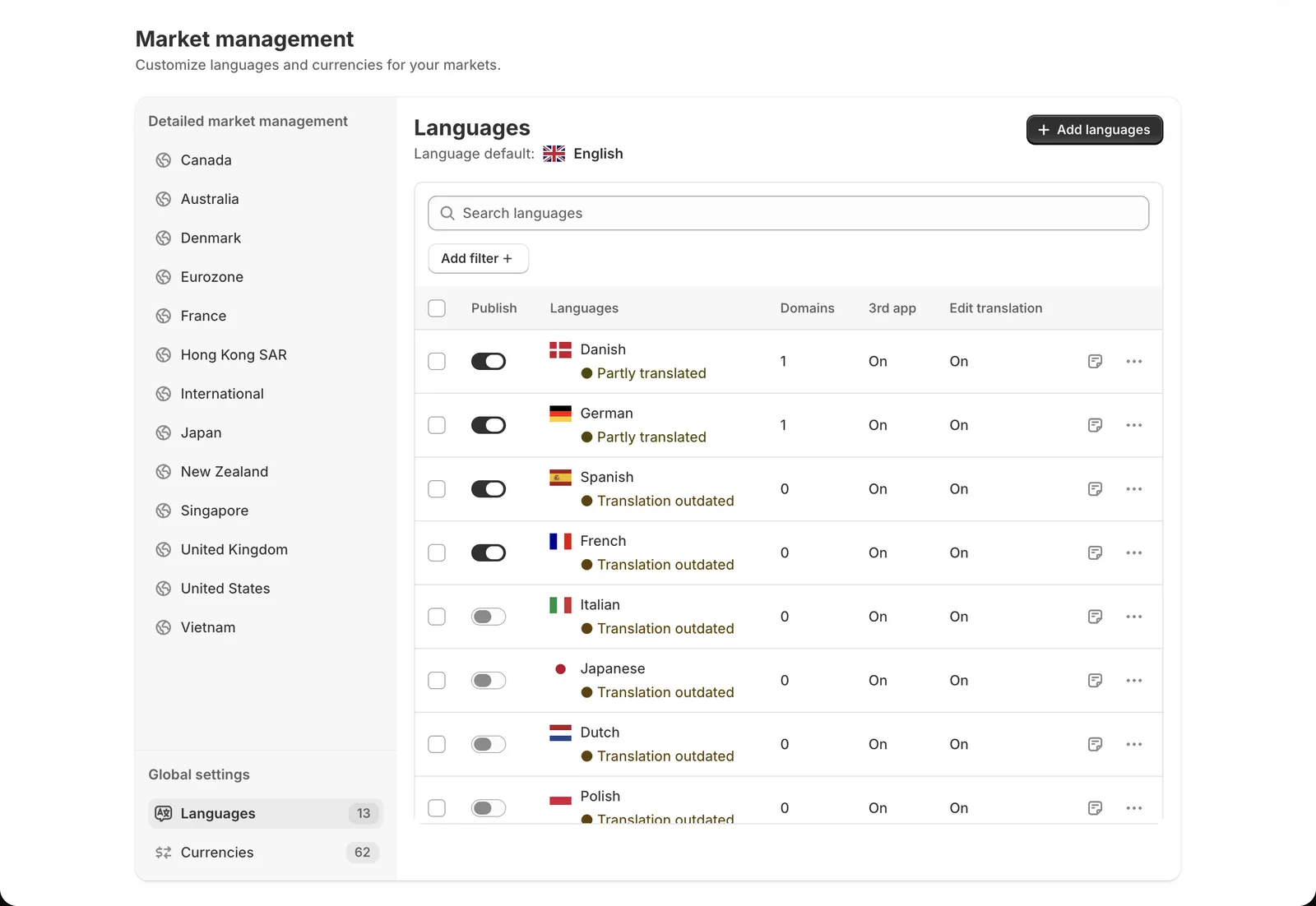
Open SmartCS: Currency & Translate, then go to Gestão de mercados. Under Definições globais, select Idiomas.
Open the actions menu
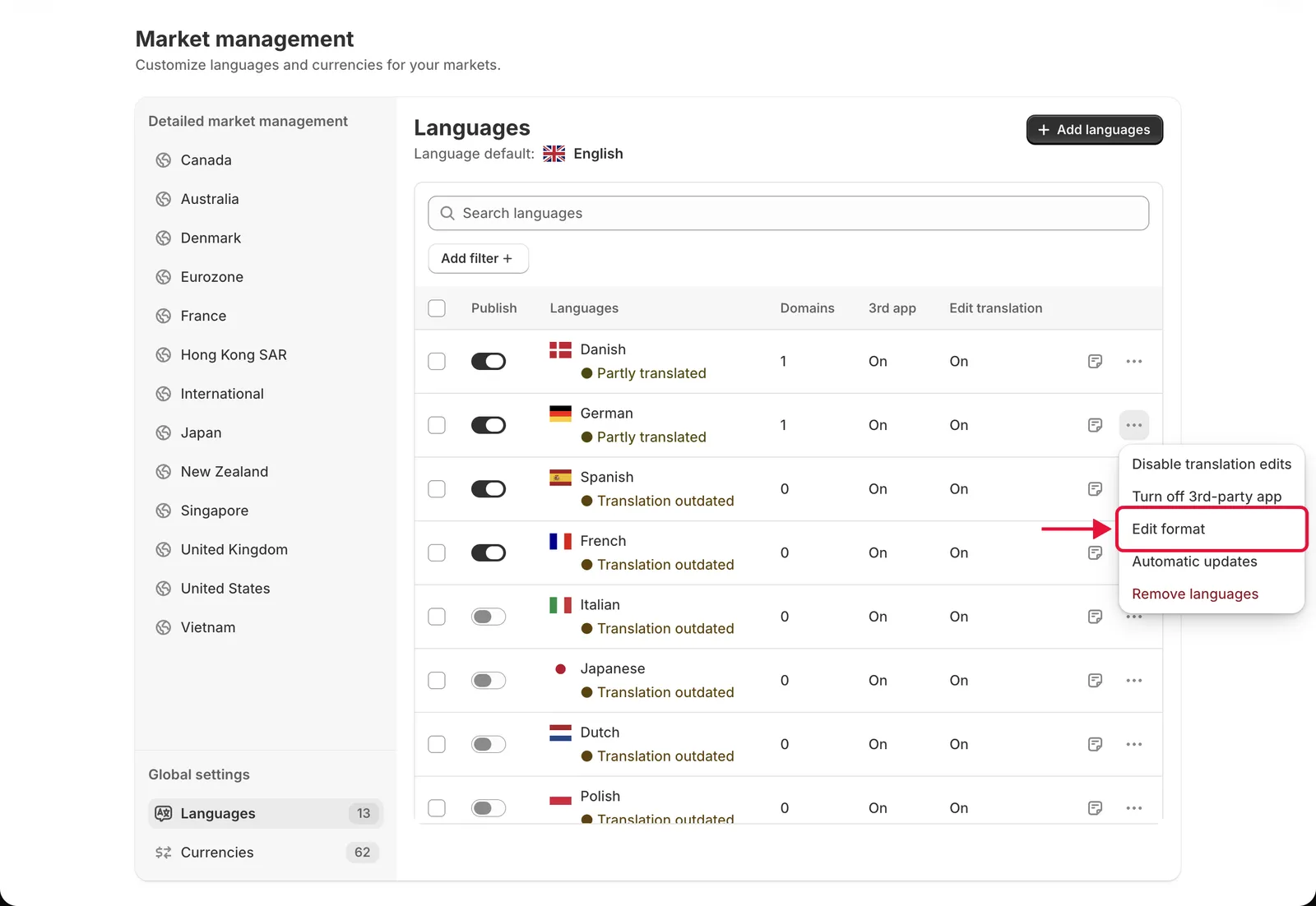
In the row of the language, open the actions menu (the three dots). Select Editar formato.
Edit names and flag
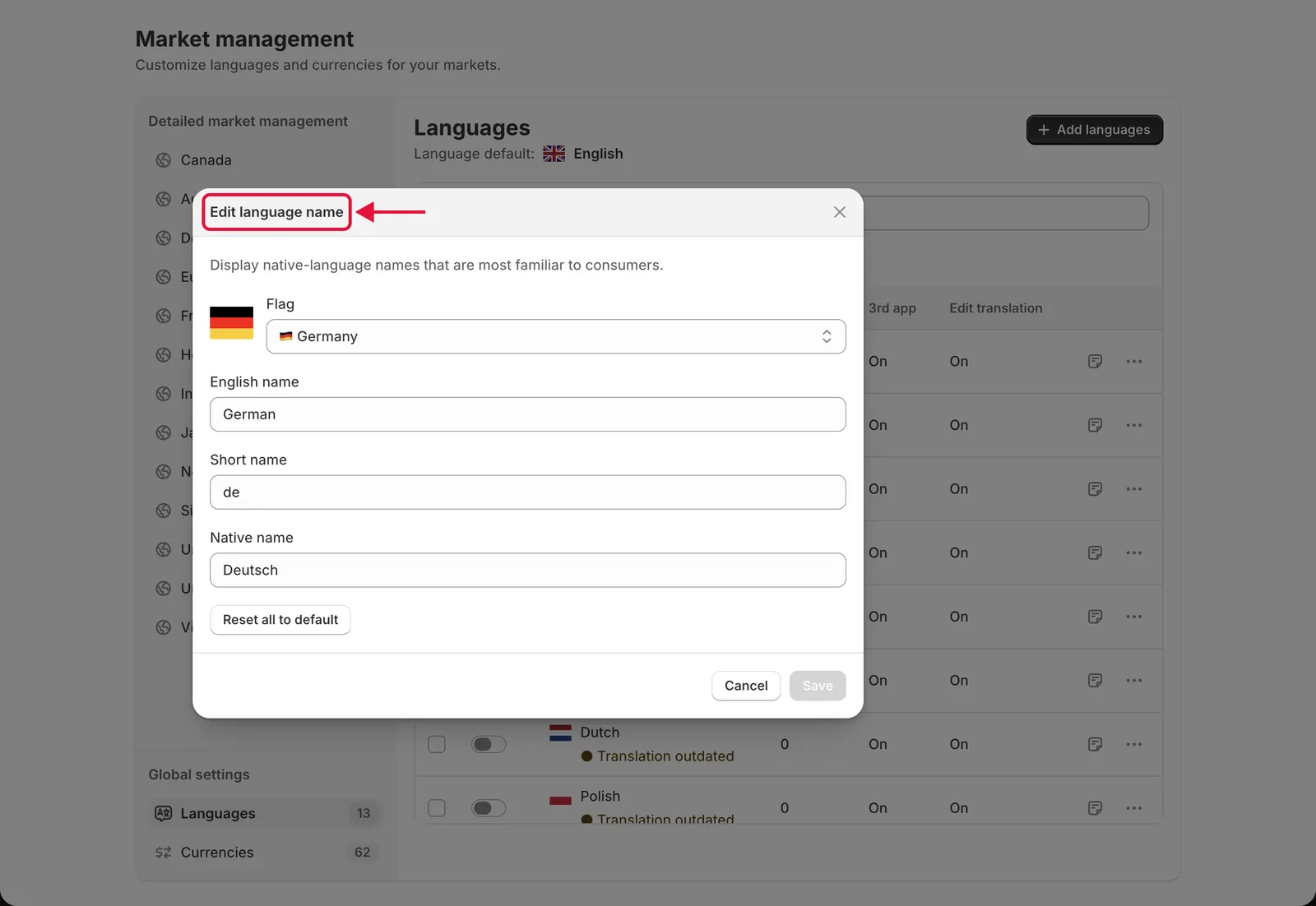
In the Editar nome do idioma dialog, change what you need:
- Bandeira: pick a flag from the list. The list has country flags, the EU flag and some regional flags.
- Nome em inglês: the name in English.
- Nome curto: a short name, up to 15 characters. By default it is the language code.
- Nome nativo: the name in the language itself, up to 64 characters.
Save your changes
Select Guardar. The button stays off until you change something.
Reset a language
To go back to the original flag and names, select Repor tudo para o predefinido in the same dialog.
Good to know
- These names and flags show in the language switcher on your storefront. Which name shoppers see depends on the language setting in your switcher. See Switcher display.
- If you do not set a native name, the switcher uses the standard name of the language.
- A field with a problem shows its message under the field. If a flag is not accepted, choose another one from the list.
Artigos relacionados
Source language and language limits
See which language is your source language and how many languages your store can add, publish and edit.
Turn translation edits on or off
Turn translation edits off for a language you do not use now, and turn them back on within 30 days to get your work back.
Última atualização: 18 de novembro de 2026