Translate content with AI
Translate ticked items or a whole resource with an AI engine. Check the quote, add instructions and start the translation.
Translate content with AI to fill in the untranslated and outdated fields of one language in a single run. You choose the items, the engine and, if you want, extra instructions.
The Free engine is on every plan.
AI engines
Contacte-nos para ativar esta funcionalidadeThe AI engines (OpenAI, Gemini, Grok and DeepSeek) need a higher plan. See Translation engines.
Before you start
- Add the language and turn on its translation edits. See Add and publish languages. A language with edits off shows the error A edição de traduções está desativada para este idioma..
- If a banner asks for translation permissions, grant them first.
Steps
Select the content
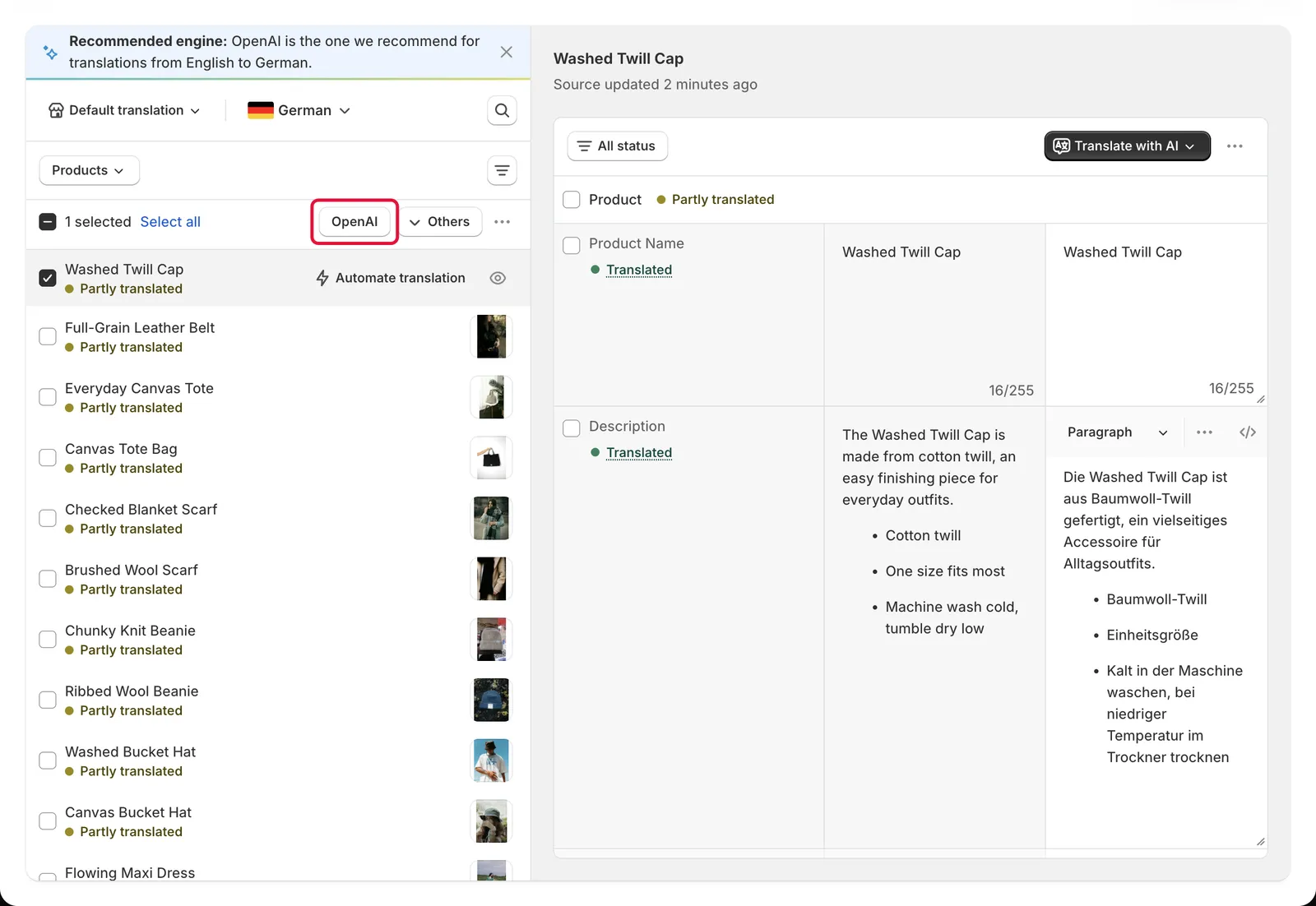
In SmartCS, open Tradução de conteúdo and pick the language in Traduzir para:. To translate part of a resource, open it (for example Produtos) and tick the items. You can tick up to 250 items for one run.
Choose an engine
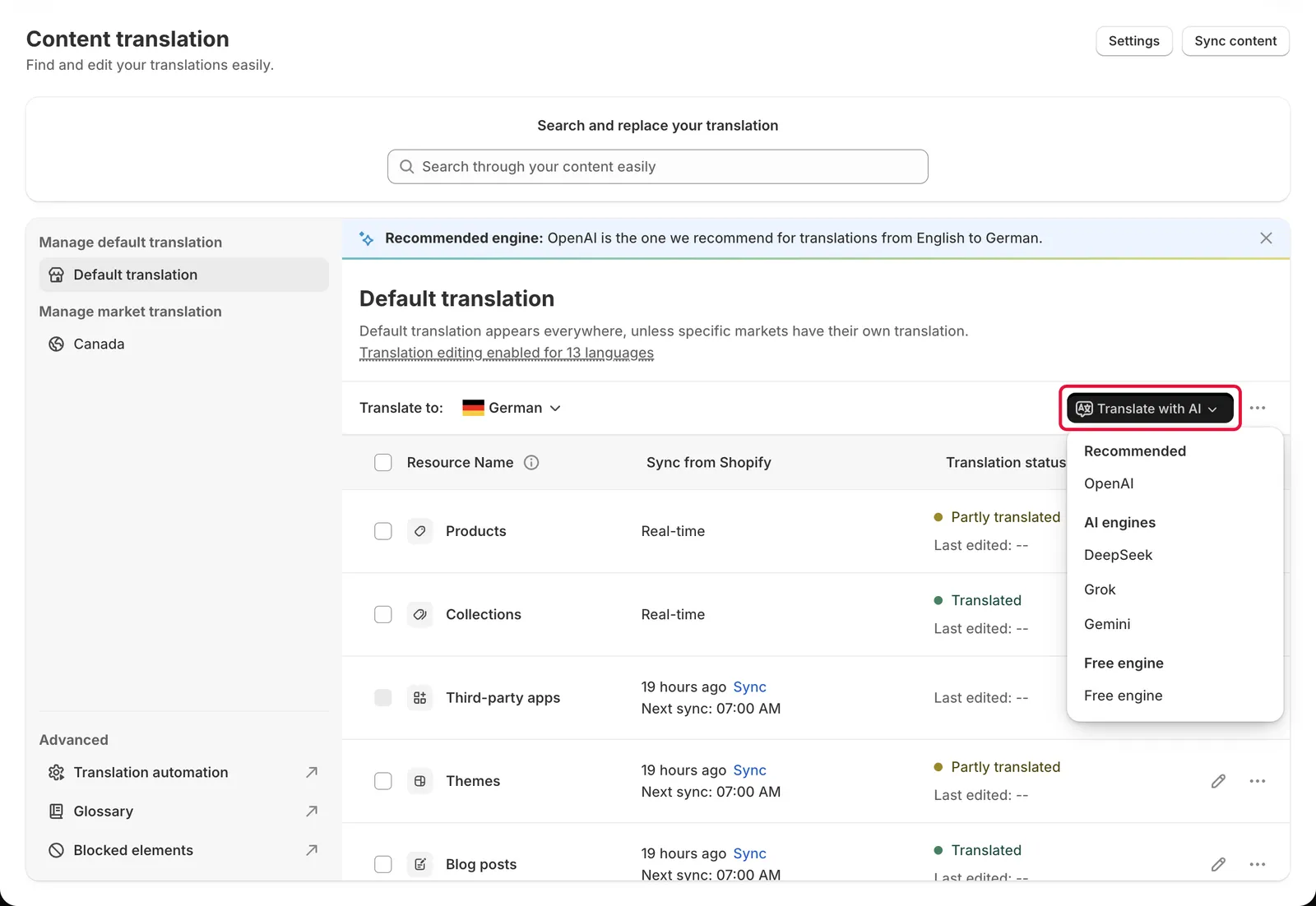
On the Tradução de conteúdo page, click Traduzir com IA. With no rows ticked, it translates every resource that can be translated. On a resource page, click the engine button in the bar above the list. Other engines are under Outros.
The menu groups engines as Recomendado, Motores de IA and Motor gratuito. An engine that your plan does not include, or that cannot translate this language, stays in the list but is grey, with the reason under its name.
Check the quote
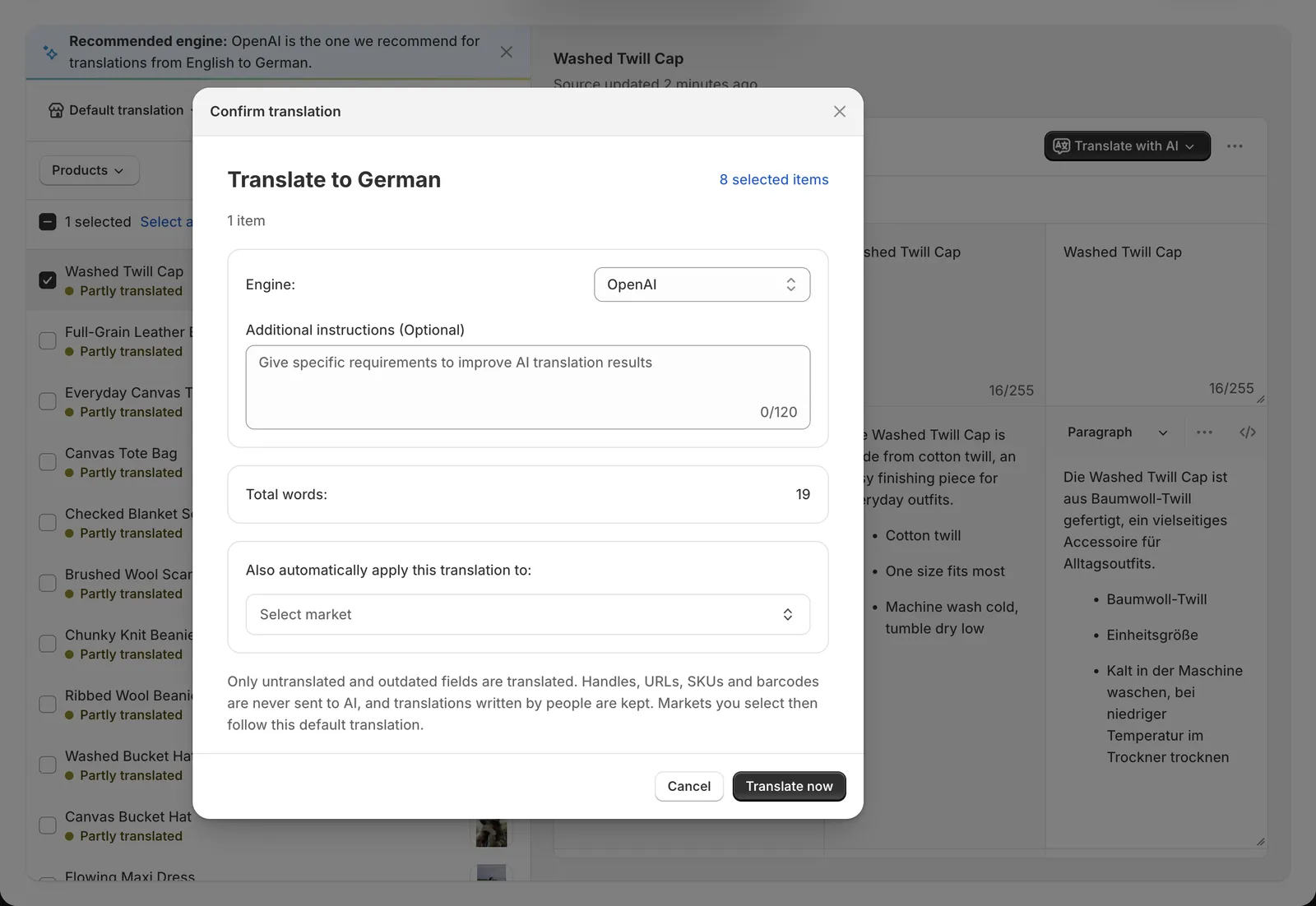
The Confirmar tradução dialog opens. It shows the number of items and Total de palavras:. You can switch engine in the Motor: list.
If the run does not fit what your store can use now, Traduzir agora stays off and a note tells you to contact us.
Add instructions
In Instruções adicionais (opcional), you can write up to 120 characters, for example "Use a friendly tone". The text goes with the translation request. Your glossary rules still apply. A run with instructions does not reuse your earlier translations, so its quote can be higher.
Pick specific elements
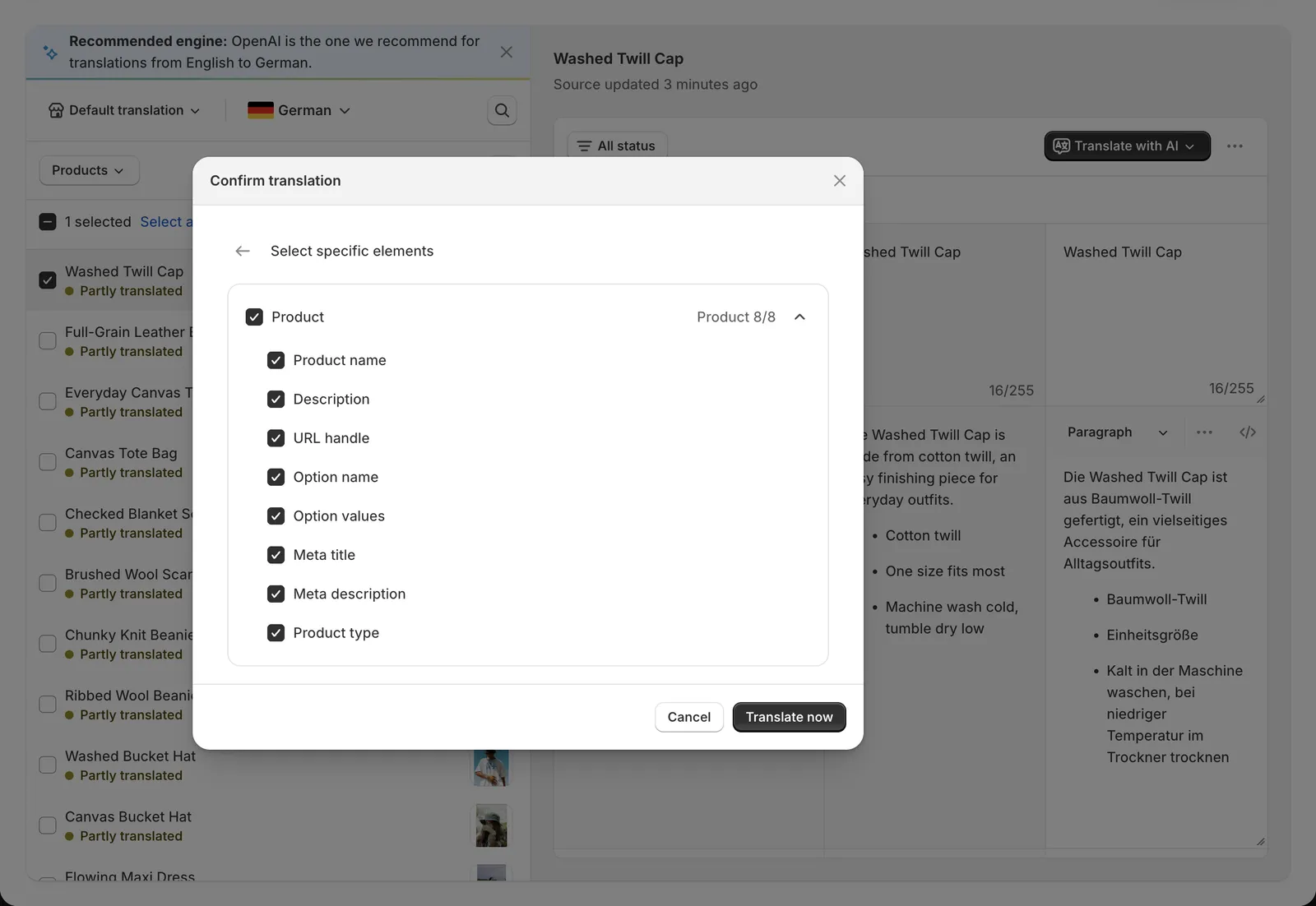
To translate only some fields, click the link at the top right of the dialog, such as "1 selected item". The Selecionar elementos específicos view lists the fields of each resource. Tick the ones you want. Each resource needs at least one. Use the arrow, Voltar para Confirmar tradução, to go back.
Start the translation
Click Traduzir agora. The dialog closes and the run starts in the background. Follow it in Task progress.
Good to know
- Only untranslated and outdated fields are translated. Translations written by people are kept. URL handles, SKUs and barcodes are never sent to AI.
- If your plan limits products, a run translates the products that fit and leaves the rest out. The dialog tells you how many before you start. Products per language on your plan: Plano Free: 10
- The dialog may suggest an engine that suits the language. You can switch to it, compare, or close the suggestion.
- A resource that is already being translated is left out of a new run.
Nota
The Free engine and your own API key do not use your AI tokens or your monthly allowance.
Apply the translation to markets
Contacte-nos para ativar esta funcionalidadeWhen you translate the default translation and your store has markets, the dialog shows Aplicar esta tradução também automaticamente a: with a Selecionar mercado list. The markets you choose drop their own machine translations of these fields and follow the default translation. See Default and market translations.
Artigos relacionados
Default translations and market translations
Learn when to use the default translation for all markets and when to add a translation that only one market shows.
Translation engines: OpenAI, Gemini, Grok, DeepSeek
See which translation engines SmartCS offers and what each needs. Set the tone, or use your own API key for OpenAI or Gemini.
Última atualização: 18 de novembro de 2026