Assign a currency and language to each location
Choose the currency and language each country gets when geolocation switches or recommends them, for one country or for many at once.
Choose which currency and language visitors from each country get when geolocation switches or recommends them. You can set one country, or many countries at once.
Kontaktieren Sie uns, um dies zu aktivierenBefore you start
- Turn on geolocation first. See Geolocation: switch or recommend by visitor location.
- Publish the languages and add the currencies you want to assign. The lists only offer languages you published and currencies you added.
Steps
Open the location table
In SmartCS, open Switcher-Einstellungen. On the Allgemein tab, open Geolokalisierung and click Einstellungen. The Geolokalisierungseinstellungen page lists every country, with its Zugewiesene Sprache and Zugewiesene Währung.
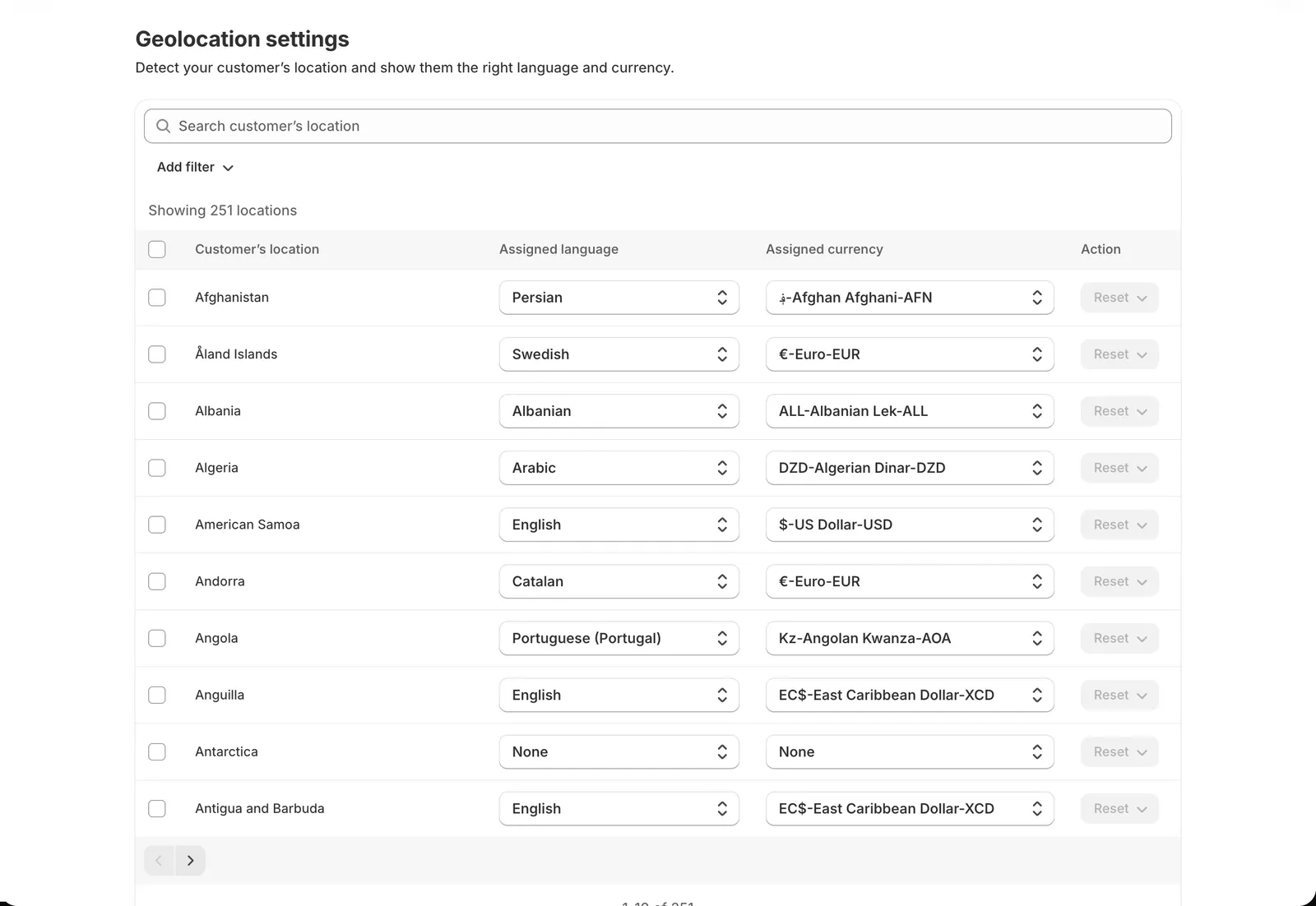
Find a country
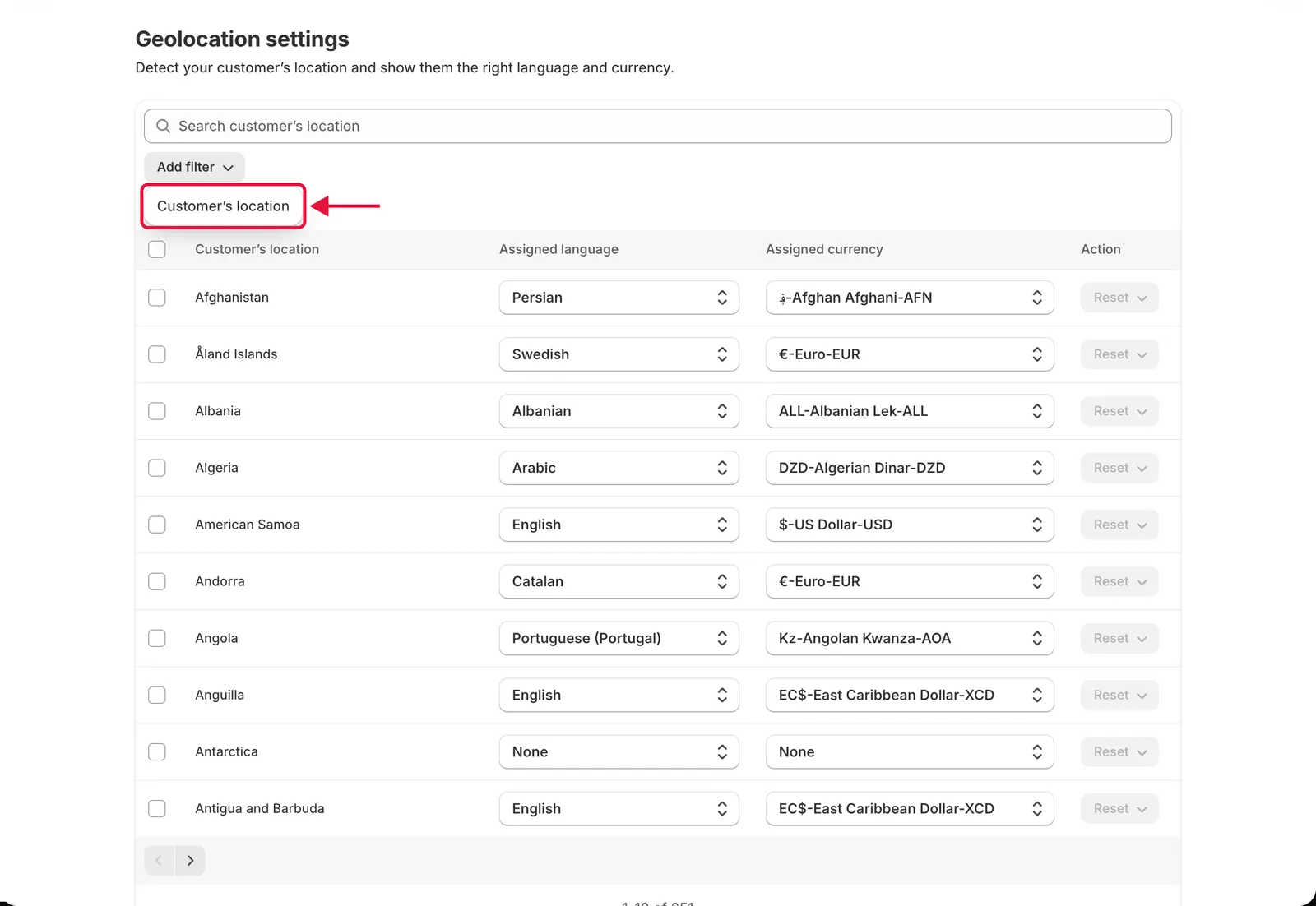
Type in the search field to find a country. To search by another column, click Filter hinzufügen and choose Standort des Kunden. A button with the column name appears. Click it to choose Zugewiesene Sprache or Zugewiesene Währung instead. Click Alle löschen to remove the filter and the search. The table shows 10 countries a page.
Assign one country
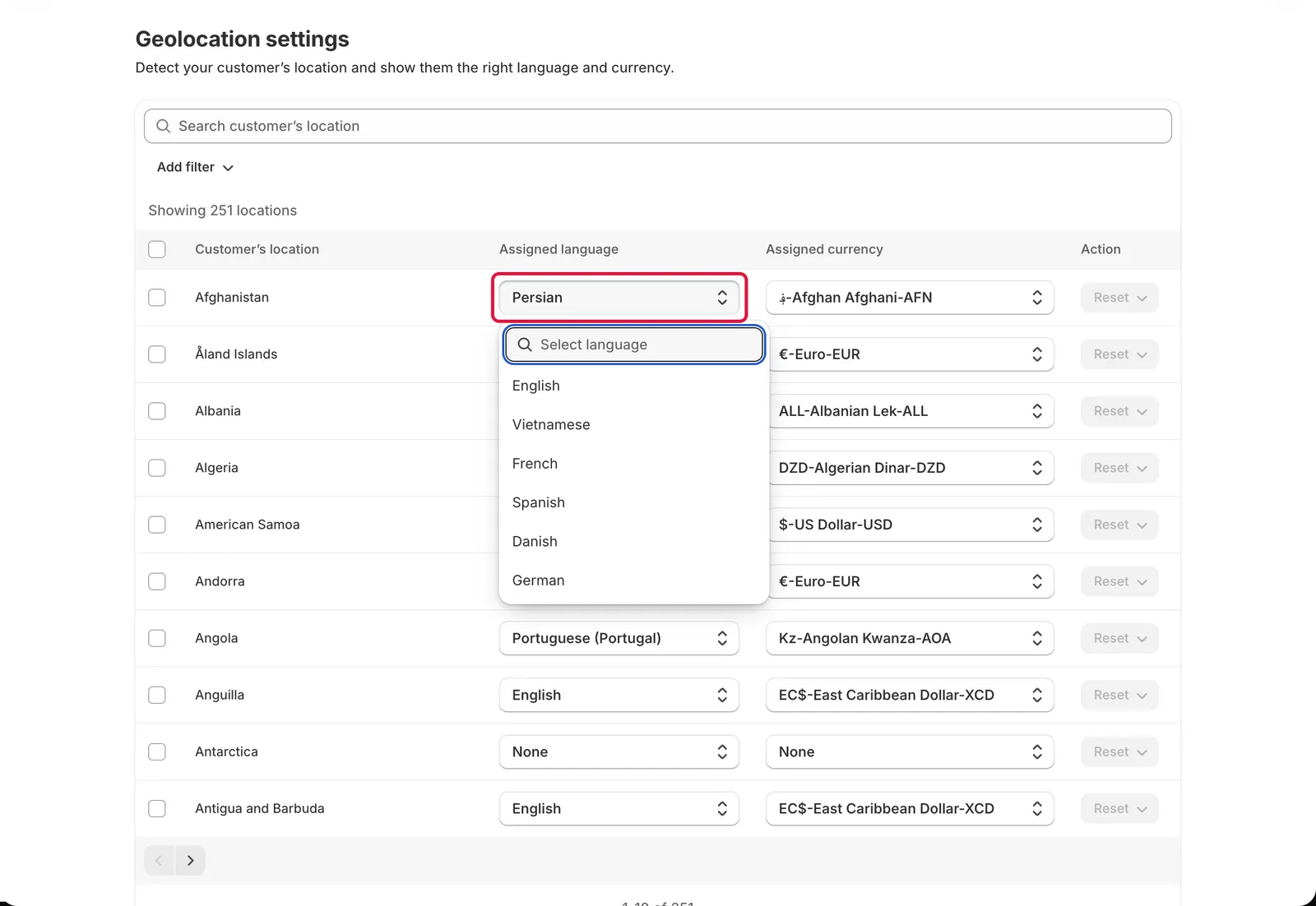
In the row of a country, open the Zugewiesene Sprache list or the Zugewiesene Währung list. Search for a value and choose it. The change saves at once. There is no save bar on this page.
Assign several countries
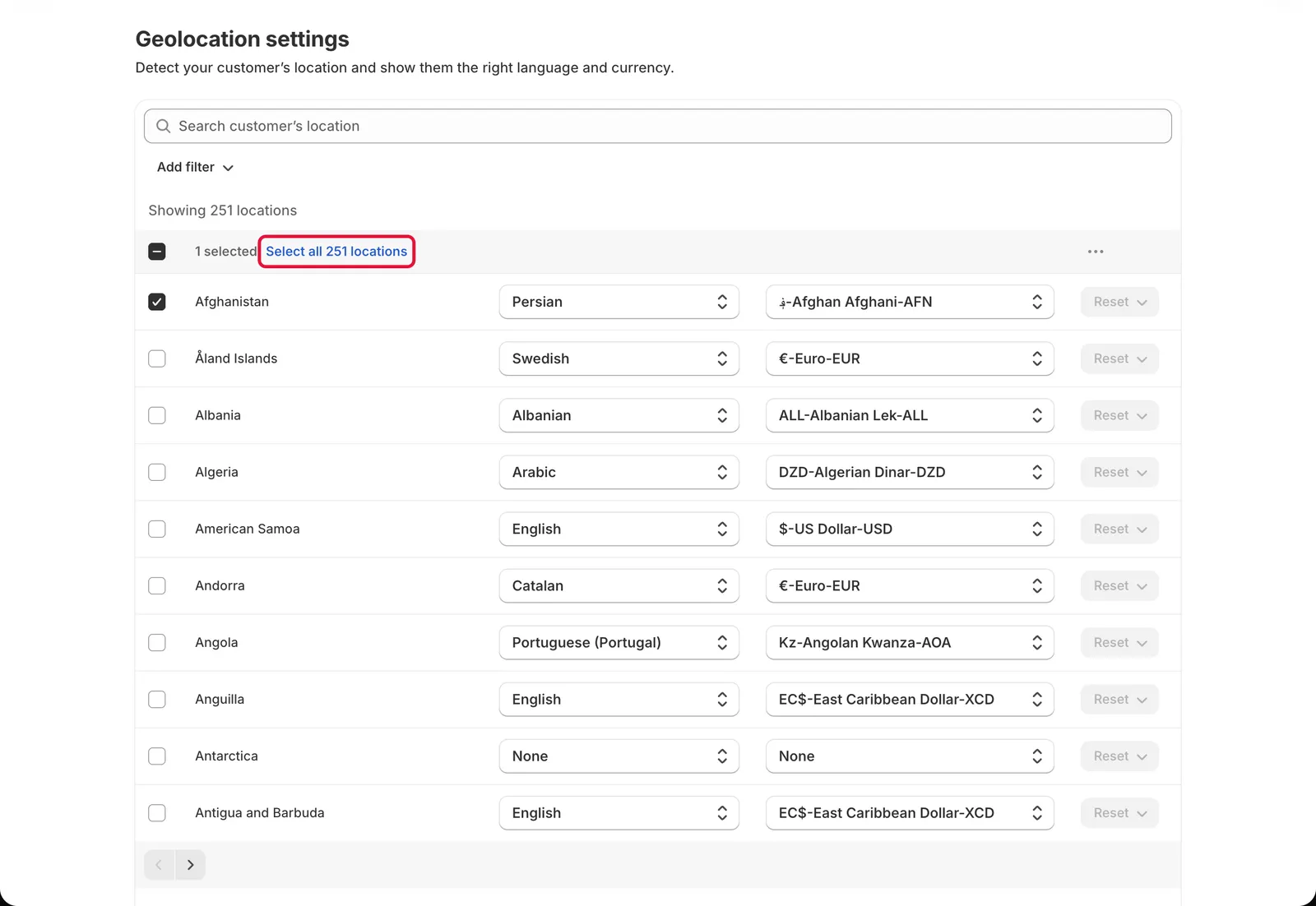
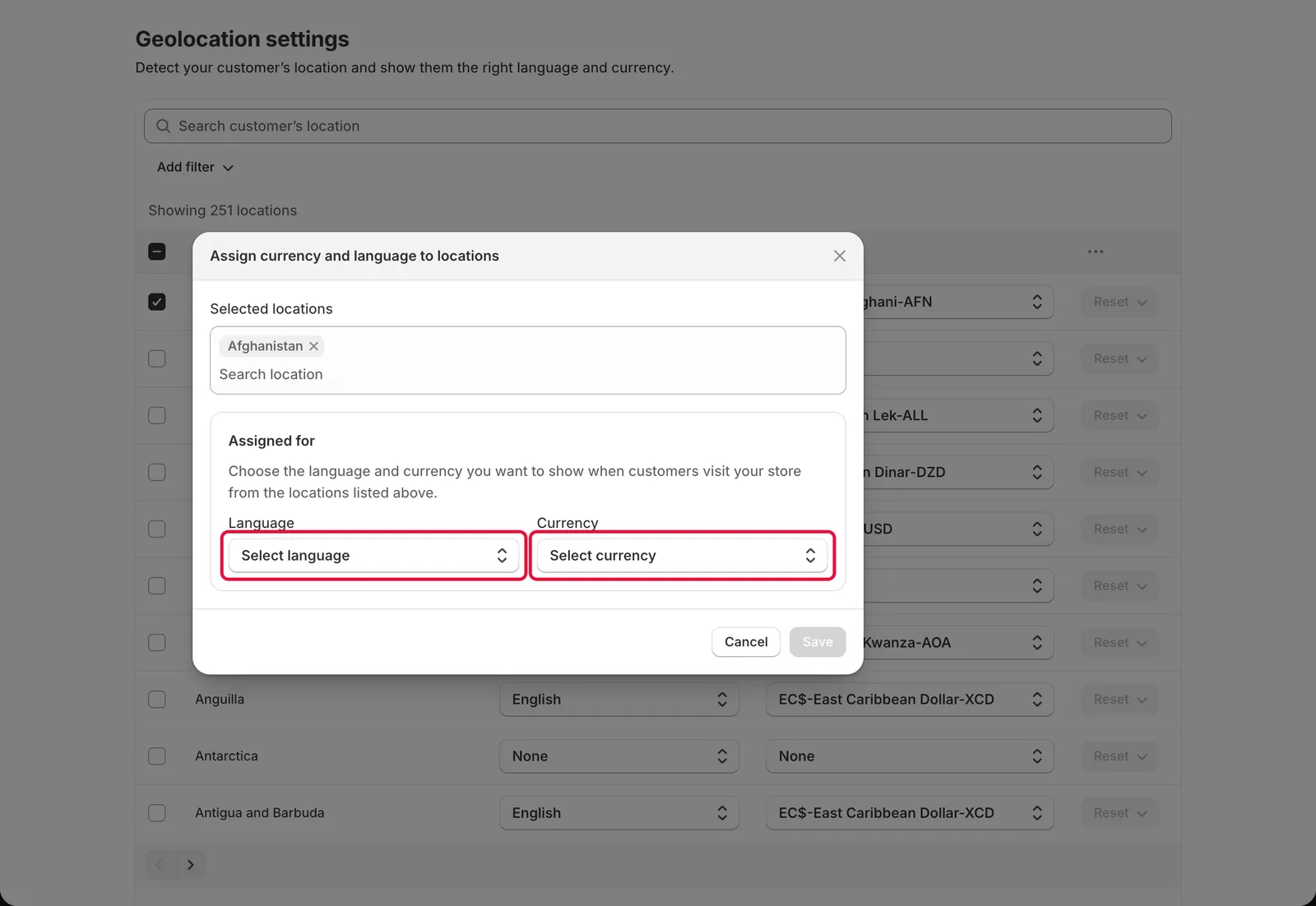
Tick the countries you want. The table header shows how many are selected. To select every country, use the select all link in the header. It is not offered while a search is active. Then open the menu at the end of the header and click Währung und Sprache zuweisen.
Choose the values
In the Standorten Währung und Sprache zuweisen dialog, check the countries under Ausgewählte Standorte. Under Zugewiesen für, choose a Sprache, a Währung, or both. Click Speichern. An empty list leaves that value as it is.
Reset to the default
Choose what to reset
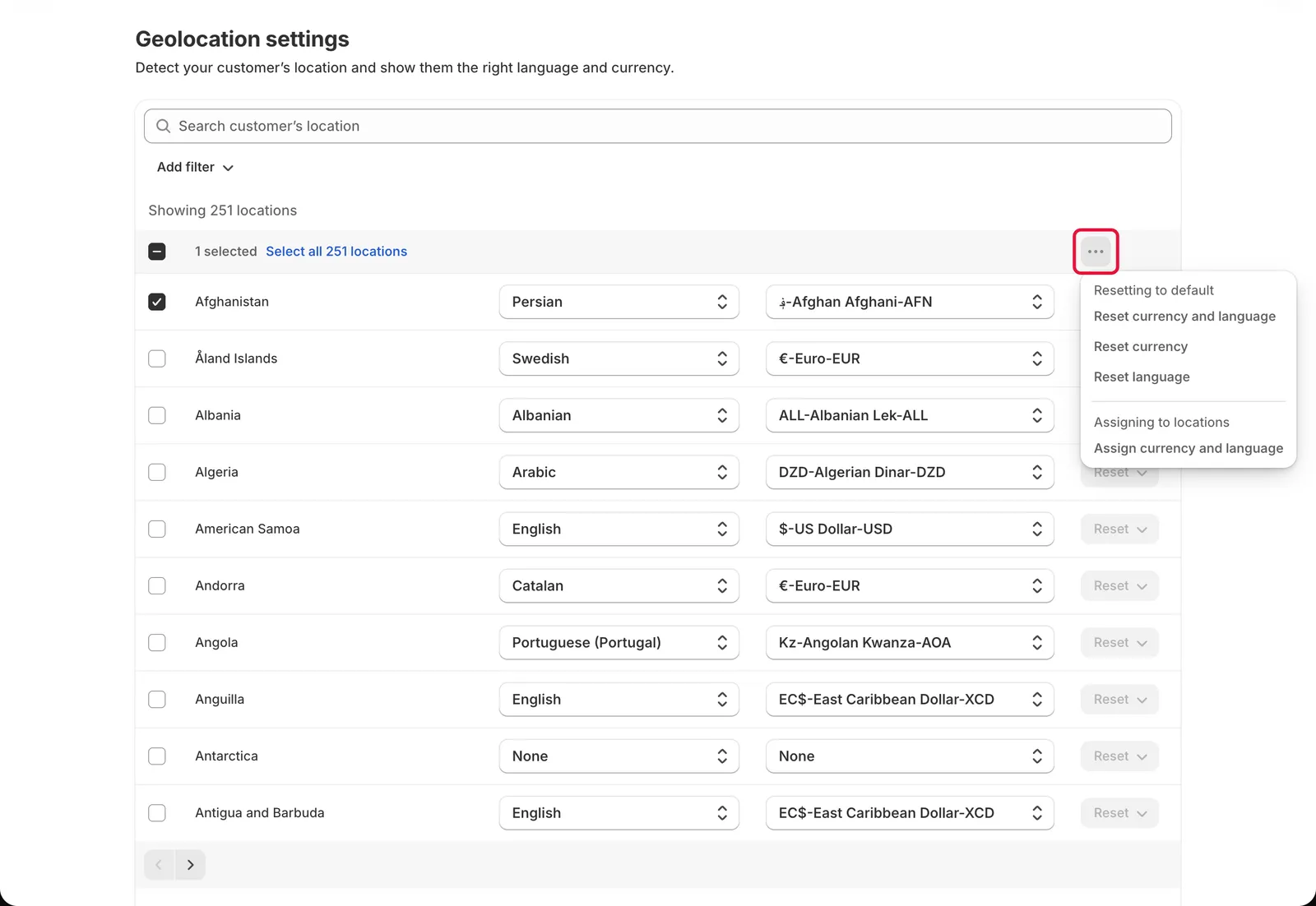
In a row, click Zurücksetzen. The button is on only when the row differs from the default. Choose Währung und Sprache zurücksetzen, Währung zurücksetzen or Sprache zurücksetzen. For several countries, use the menu in the table header and the group Auf Standard zurücksetzen.
Confirm the reset
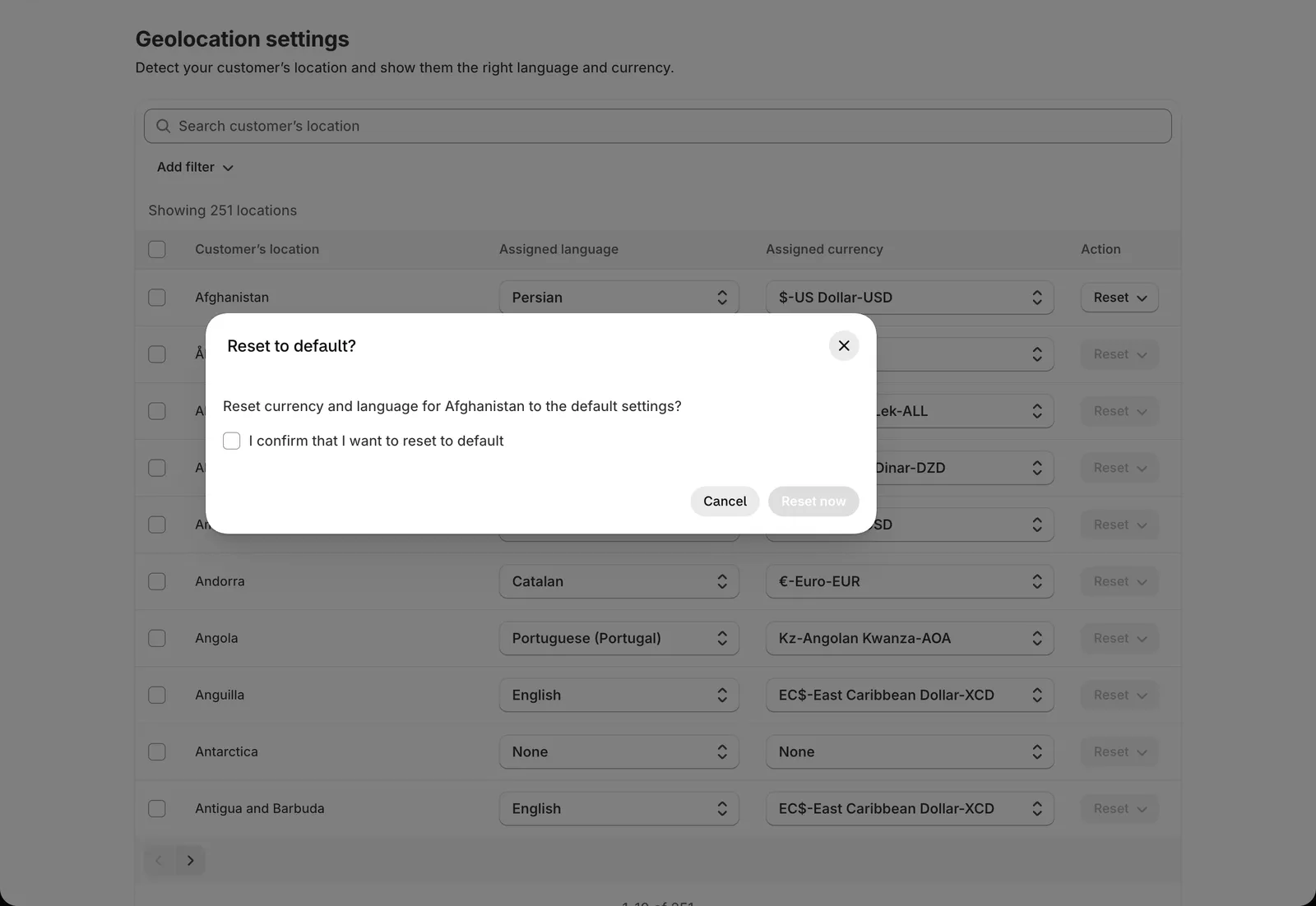
In the Auf Standard zurücksetzen? dialog, tick Ich bestätige, dass ich auf den Standard zurücksetzen möchte, then click Jetzt zurücksetzen.
Good to know
- A country with no assignment gets its default language. For the currency, it gets the country's own default currency when your store offers it. Otherwise it gets the currency of its market.
- Your assignments apply to Auto switch and to the pop-up in Recommend mode. The language only applies when the language source is Standort der Besucher.
- The visitor only gets a language you have published and a currency your store offers. The app tries the language you assigned, then the country's default language. If none of them is published, the visitor's language stays as it is. The same goes for the currency.
- If a change cannot be saved, the previous value comes back and the page shows Diese Änderung konnte nicht gespeichert werden. Publish the language or add the currency in Marktverwaltung, then try again. See Add and publish languages and Add and publish currencies.
- If your store uses Shopify Markets for currencies, a country can only switch to the currency of its own market.
Hinweis
On the Free plan, Einstellungen in the Geolokalisierung section is grey text, so you cannot open this page. The page itself says that assigning a language and currency to a location is not available on your plan.
Verwandte Artikel
Geolocation: switch or recommend by visitor location
Switch a visitor's currency and language by location, or recommend them in a pop-up on the first visit, using Auto switch or Recommend mode.
Your subscription and usage
See your plan, your billing details and how much of each limit your store has used in SmartCS.
Zuletzt aktualisiert: 18. November 2026