Block elements from translation
Choose which fields are never translated, from SEO meta tags and URL handles to a single field in the editor, and remove a block later.
Block a field so the app never translates it. A block stops new translations of that field and stops edits to it. It does not delete translations you already have, but text that is not yet on your store stays off it.
Before you start
Some content is always blocked and you cannot change it:
- Identifiers such as SKU, barcode and URL fields.
- Links, file references and raw JSON, because they are not language.
Steps
Open blocked elements
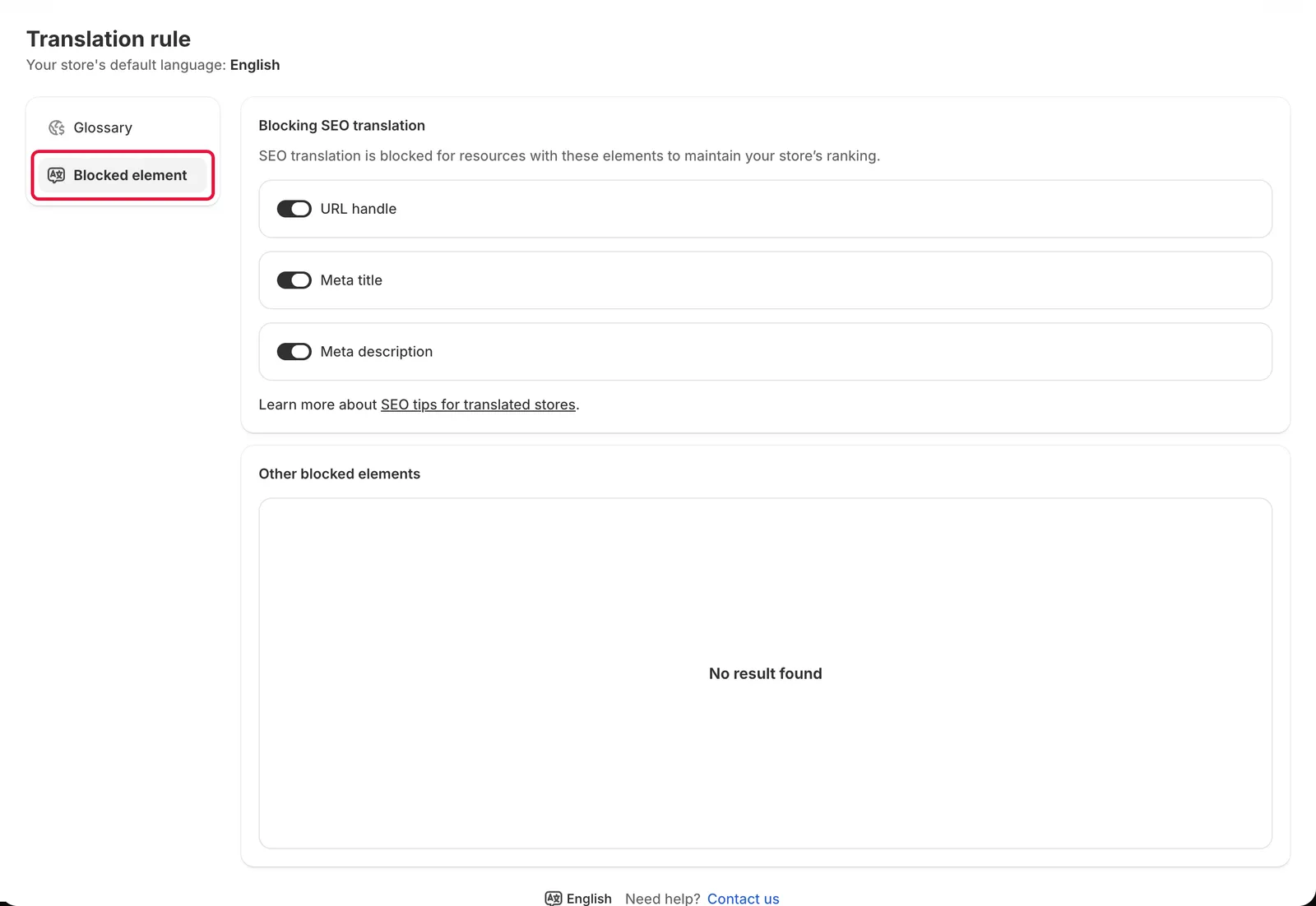
In SmartCS, open Tłumaczenie treści. Under Zaawansowane, click Zablokowane elementy. The page Reguła tłumaczenia opens on the Zablokowany element tab.
Block a field in the editor
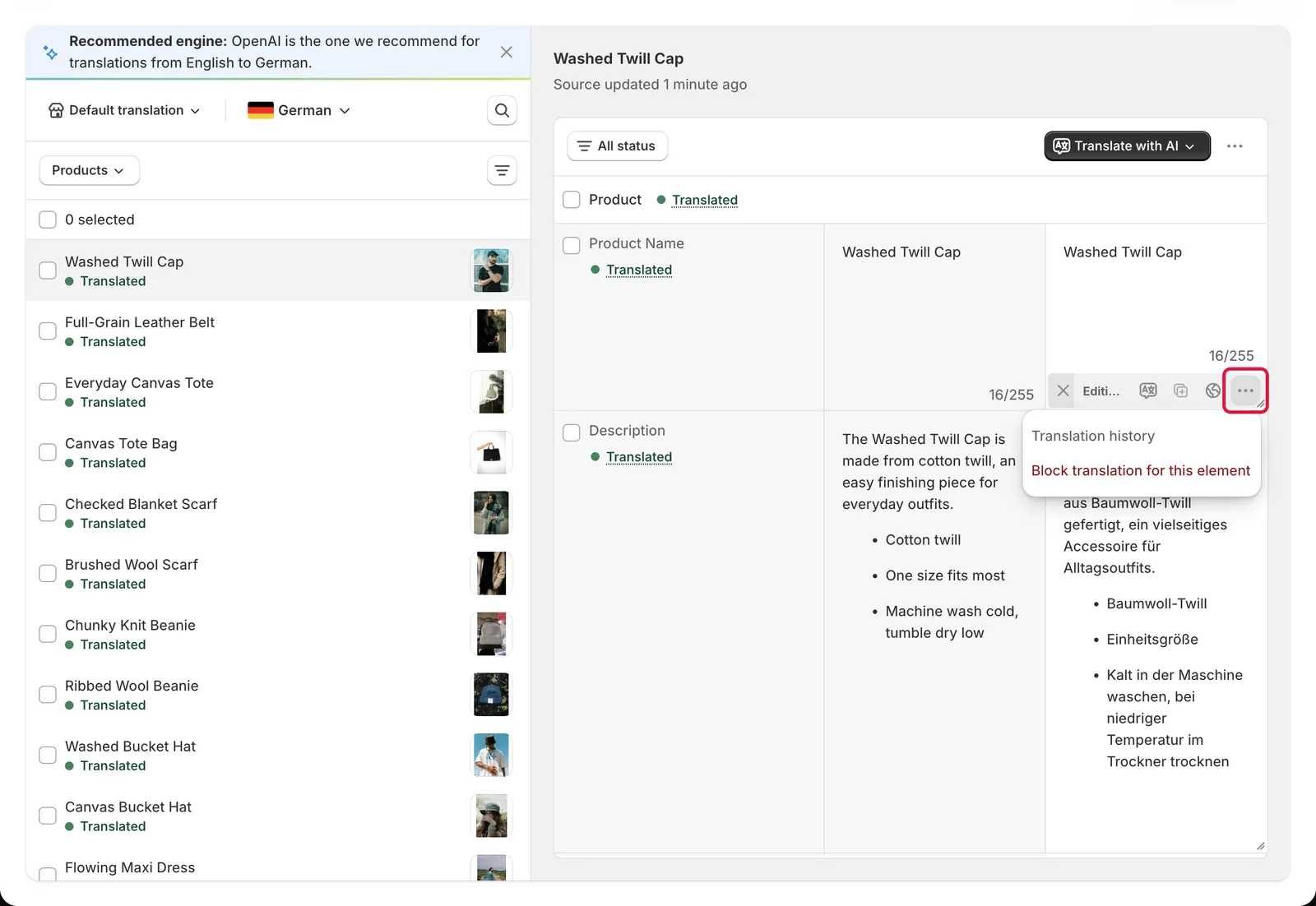
Open an item in the editor and find the field. Click the three-dot button Więcej działań under the field, then Zablokuj tłumaczenie tego elementu. The block applies to that field of this item in every language, and a message reads Element zablokowany. There is no confirmation, so click carefully.
Check your blocks
On the Zablokowany element tab, the card Pozostałe zablokowane elementy lists each block with its resource, language and type. Blocks from the editor have the type Jeden element.
Remove a block
Click Usuń on a row, then confirm with Usuń blokadę. The field can be translated and edited again.
SEO fields
Skontaktuj się z nami, aby to włączyćThe card Blokowanie tłumaczenia SEO has one switch each for Uchwyt URL, Tytuł meta and Opis meta. A switch that is on means the field is blocked. All three start on.
Turn a switch off to allow translation of that field. For the URL handle, a window asks you to confirm first, because translated handles change your web addresses. See Translate URL handles.
When you turn a switch on, a message may offer to remove the translations that already exist, using Usuń tłumaczenia or Usuń przetłumaczone uchwyty. Text already on your store stays there until you remove it. Translations that are not yet on your store, or that change later, are held back while the field is blocked.
Good to know
- A blocked field is skipped by AI translation, bulk translation, automation and Search and replace.
- Existing translations of a blocked field are kept, and text already on your store stays live. Any translation that is not yet on your store, or that changes later, is held back until you remove the block.
- A blocked field cannot be edited by hand, reverted to an earlier version or filled by reusing a translation. The editor shows it read-only with a Zablokowane badge.
- Blocked fields are left out of translation progress.
- Some blocks are built into the app. They are not listed and you cannot remove them.
Powiązane artykuły
Glossary: always or never translate a term
Create glossary rules so a brand name stays as it is, or a term always gets the wording you choose, in the languages you pick.
Automate translation with rules
Create rules that translate new and changed products, collections and other content automatically, and check each rule's status.
Ostatnia aktualizacja: 18 listopada 2026