How SmartCS works with Shopify Markets
Learn how SmartCS reads your Shopify markets and how languages, translations and currencies relate to each market.
Learn how SmartCS uses the markets you create in Shopify, so you know where to change each setting.
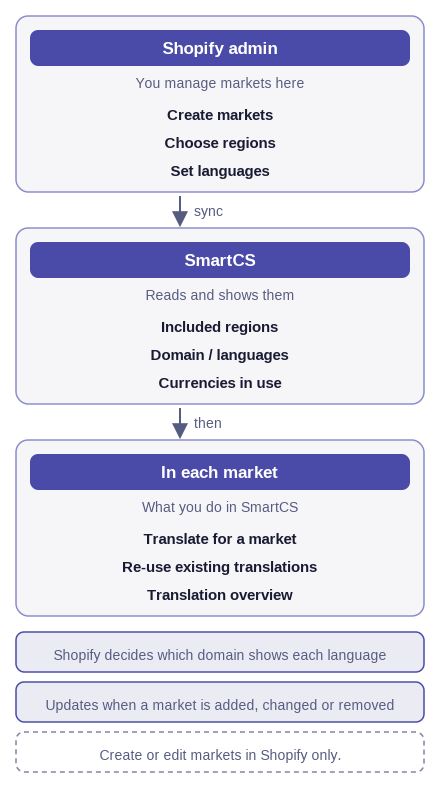
What a market is
A market is a group of regions where you sell with the same settings. You create and edit markets in the Shopify admin, under Settings, then Markets. SmartCS only reads them. It cannot add or delete a market.
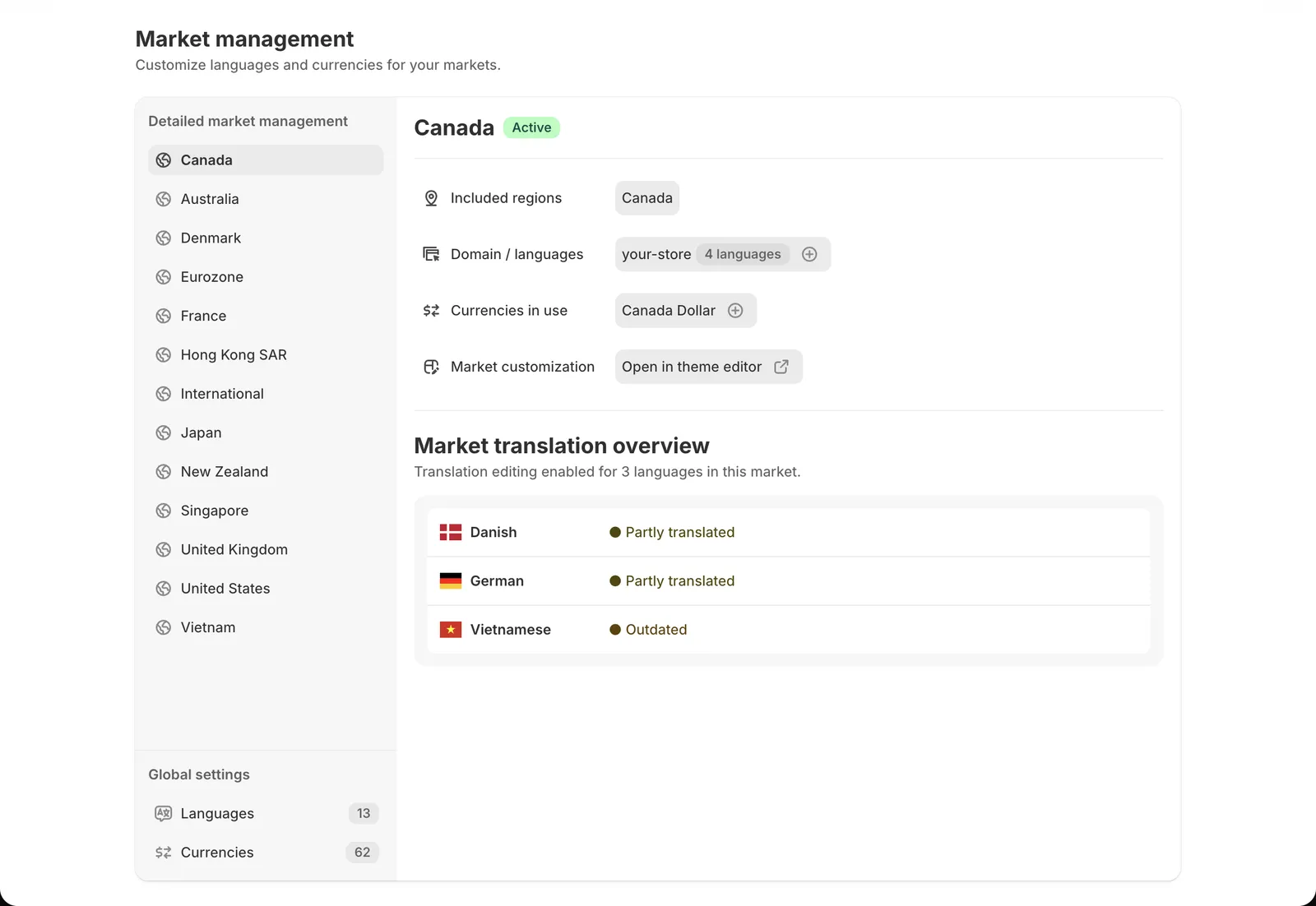
Open Market management to see them. The list Detailed market management shows each market. A child market is indented under its parent.
What SmartCS shows for a market
Select a market to see:
- Included regions: the countries in the market.
- Domain / languages: the domains of the market and the languages each domain serves.
- Currencies in use: the currencies used in the market.
The page also has Global settings: Languages and Currencies. These apply to your whole store, not to one market.
To change any of this, follow Manage a market.
Translations for each market
Every language has one default translation. It appears in all markets. A market can also have its own translation for the texts where it needs different wording.
- Where a market has no translation of its own, shoppers see the default translation.
- A market can have its own translation only in a language that it sells in. If it does not, add the language to the market in Shopify first.
- You choose between the default translation and a market in Content translation. The left column has Manage default translation and Manage market translation.
Translating for one market is not turned on for every store. When it is not, the market shows Locked and a Contact us button. You can still read the translations.
For the full picture, see Default and market translations.
Good to know
- SmartCS asks Shopify for the latest markets when you open the page, if its copy is older than 1 minute. It also updates when Shopify reports a change.
- A market that is turned off in Shopify shows This market is turned off in Shopify.
- Prices are separate. In Switcher mode SmartCS converts prices. In Multiple currencies mode Shopify Markets sets them, and you cannot assign currencies to a market in SmartCS. See Multiple currencies and Switcher mode.
Related articles
Moving to SmartCS from another translation app
Switch from another translation app and keep the translations it saved in your store, without paying to translate them again.
Manage a market: regions, domains, languages, currencies
See one market's regions, domains, languages and currencies, add languages and currencies to it, and open its translations.
Last updated November 18, 2026