Add the switcher as an app block
Place the switcher inside a section of your theme with the SmartCS Switcher app block, so it sits where you want instead of in a corner.
Add the SmartCS Switcher block to a section of your theme to place the switcher exactly where you want it.
请联系我们以启用此功能Before you start
- Turn on the Smartify Currency app embed. The block only marks the place. The switcher itself comes from the app embed. See Turn on the app embed.
- Set the position to 嵌入页面中. Without it, the block stays empty. See Choose where the switcher appears.
- Use a theme that supports app blocks. Which sections accept an app block depends on your theme.
Steps
Set the position to embedded
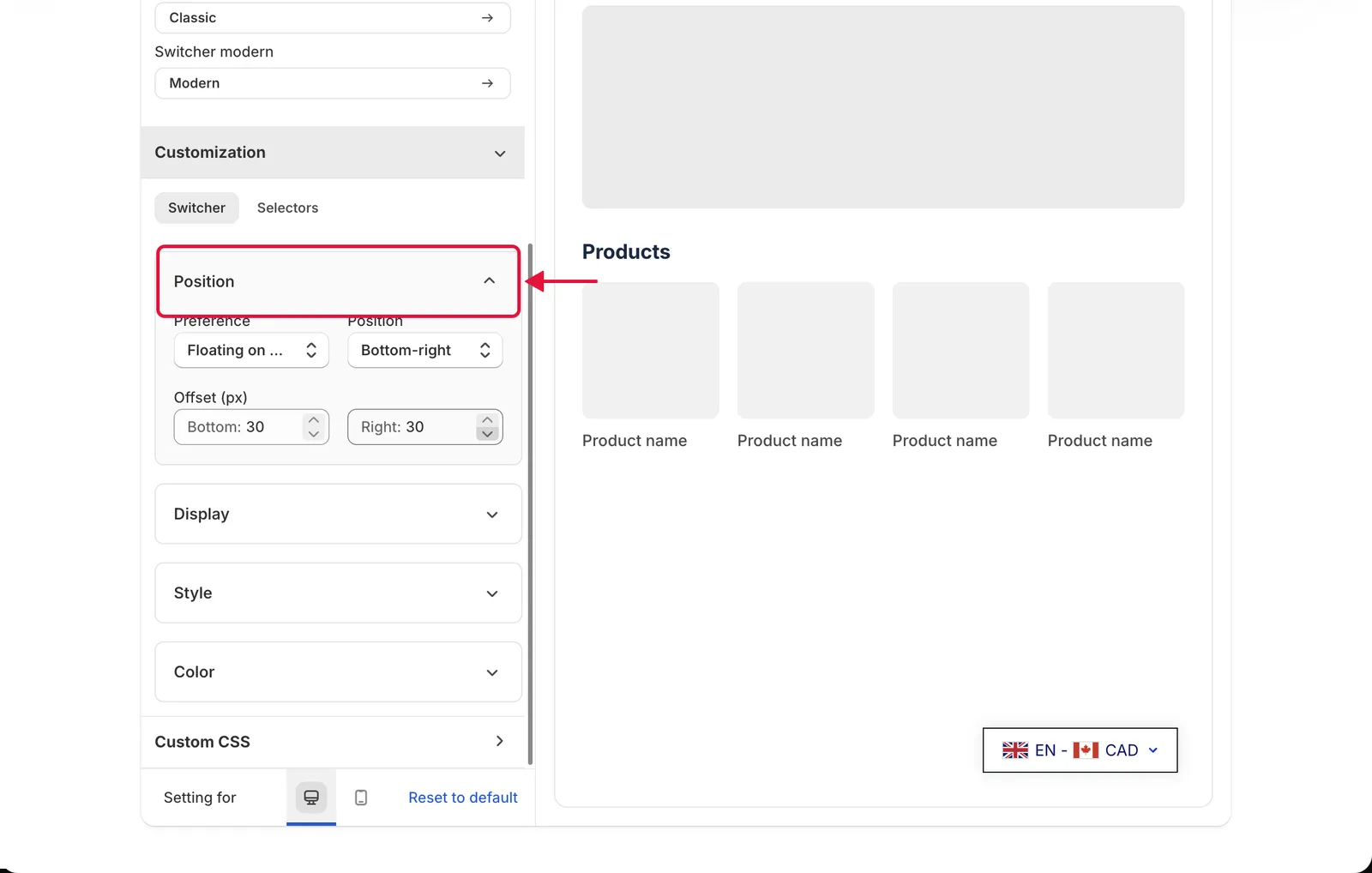
In 切换器设置, open the 高级 tab and click 自定义. In 自定义, open the 位置 card. Set 偏好 to 嵌入页面中. Do this for each device you want, then click 保存.
Open the theme editor
Under the preference, the card shows the sentence 在主题编辑器中添加 SmartCS 切换器区块,即可将其放置在店铺的任何位置。 Click 打开主题编辑器. The theme editor of your live theme, the one that is published, opens.
Add the block
In the theme editor, go to the section where the switcher should appear. Add a block to that section and choose SmartCS Switcher from the list of apps. Move the block to the place you want.
Save the theme
Click save in the theme editor. Then open your store to check the result.
Good to know
- Add the block once. SmartCS shows one switcher on a page, and it uses the first block it finds. If you add the block more than once, expect the other blocks to stay empty.
- If your theme has no SmartCS Switcher block, the switcher appears in a corner of the page.
- The position is set for each device. Set the embedded position for both desktop and mobile if you want the block on both.
- The app shows the note 根据您所使用的主题,切换器的实际位置可能有所不同。 for most themes. Check your store after you save.
- When you uninstall SmartCS, the block is removed from your theme with the app.
注意
The block does not show the switcher on its own. If you do not see the switcher, check that 显示对象 is set to 所有人, and that the app embed is on. See The switcher or a currency doesn't show.
相关文章
Choose where the switcher appears
Place the switcher in a corner, on the side, over the top of the page or inside your theme, and set the corner and the distance from the edge.
Choose what the switcher shows
Choose which parts the switcher button shows, such as language and currency, and set how each one is written, with or without a flag.
最后更新:2026年11月18日