Exchange rates: automatic, manual or with a markup
Choose how SmartCS converts your prices into each currency: the automatic daily rate, a rate you type, or the automatic rate plus a markup.
Choose how SmartCS converts your prices into each currency. Every currency can use the automatic daily rate, a rate you type yourself, or the automatic rate plus a markup. You set the rate for one currency at a time.
Before you start
Add the currency first. See Add and publish currencies. Your store currency has no rate, because prices convert from it.
Steps
Find the currency
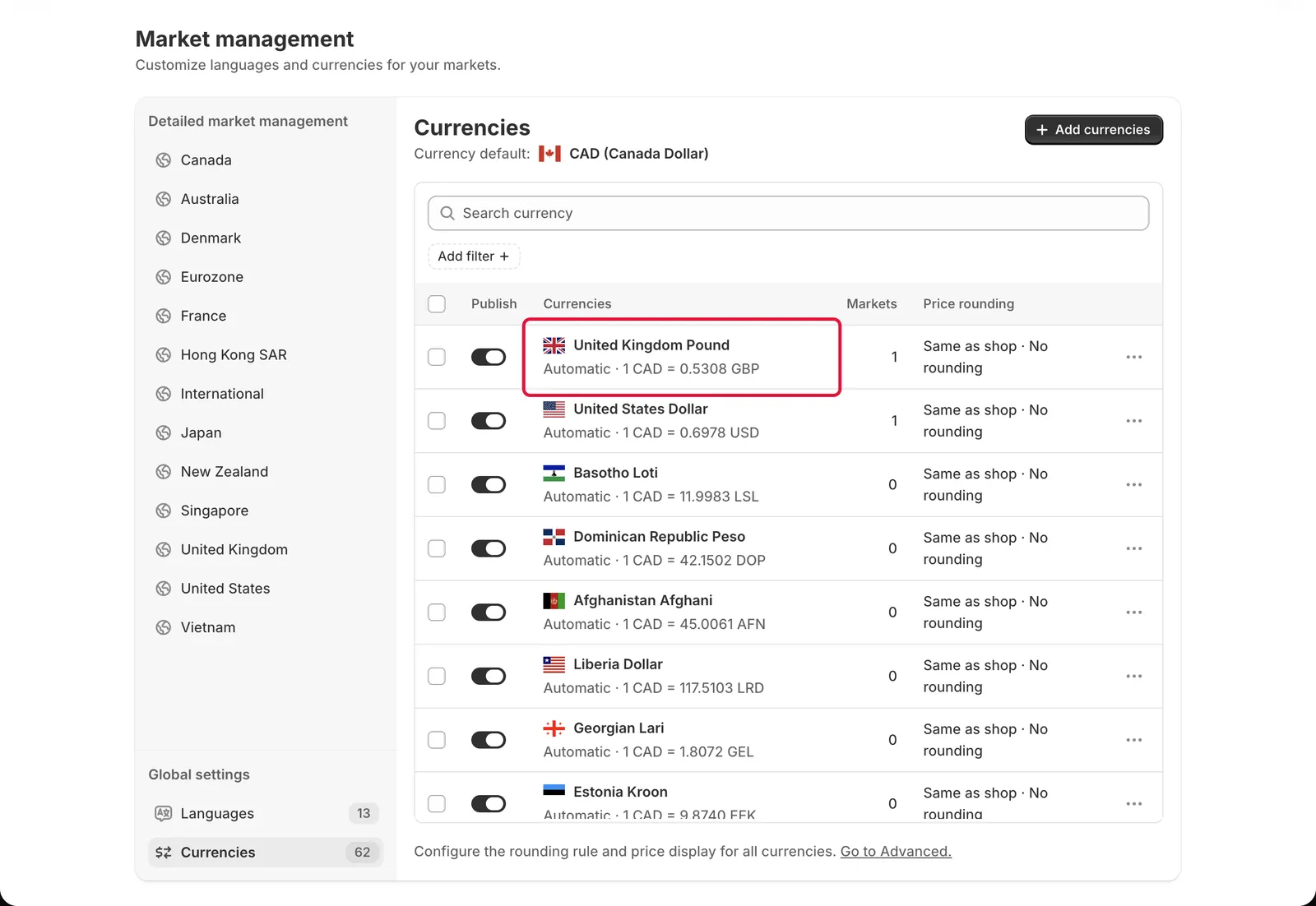
Open 市场管理. Under 全局设置, click 货币. The line under each currency name shows the rate type and the rate in use: how many units of this currency 1 unit of your store currency buys.
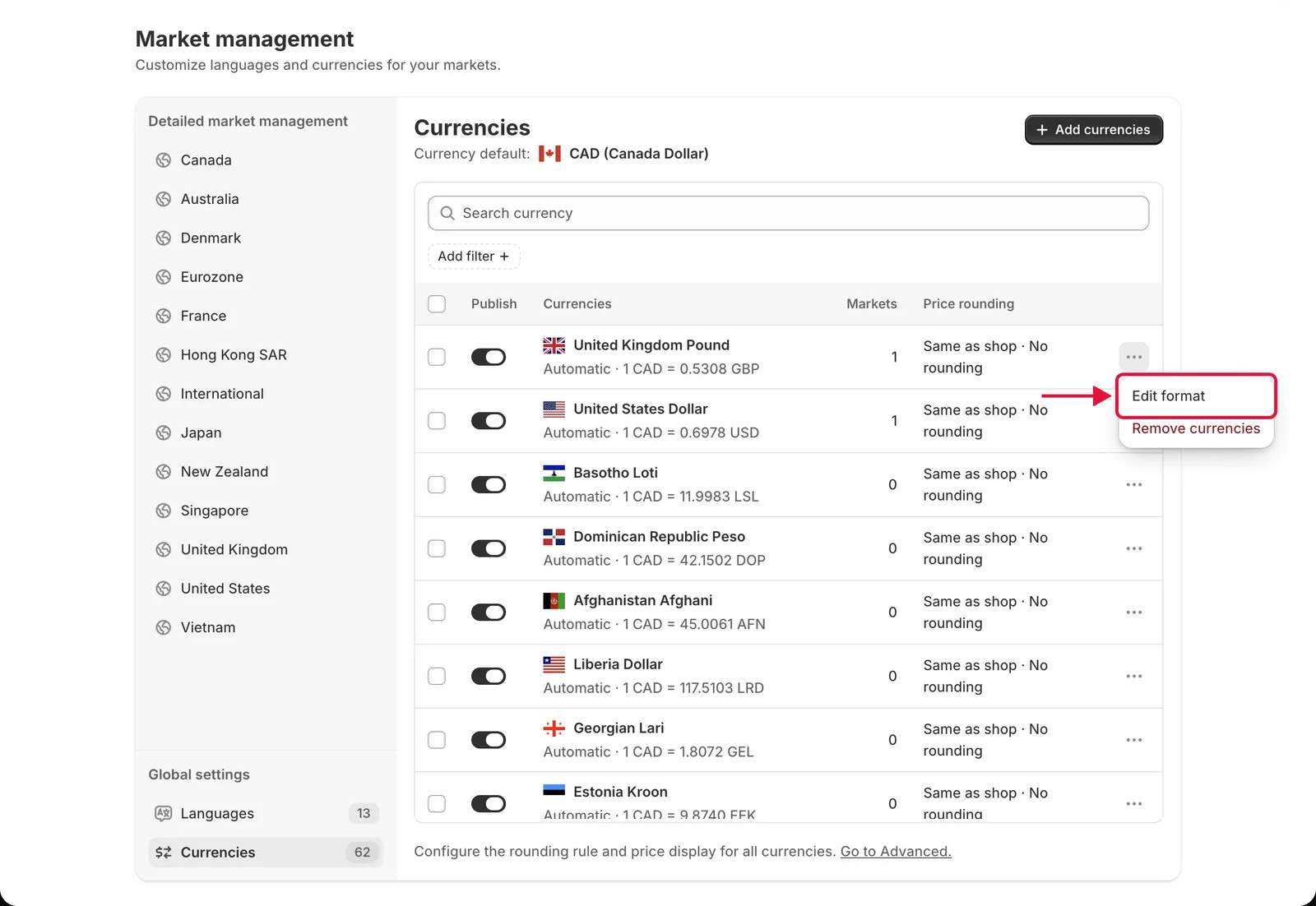
Pick a rate type
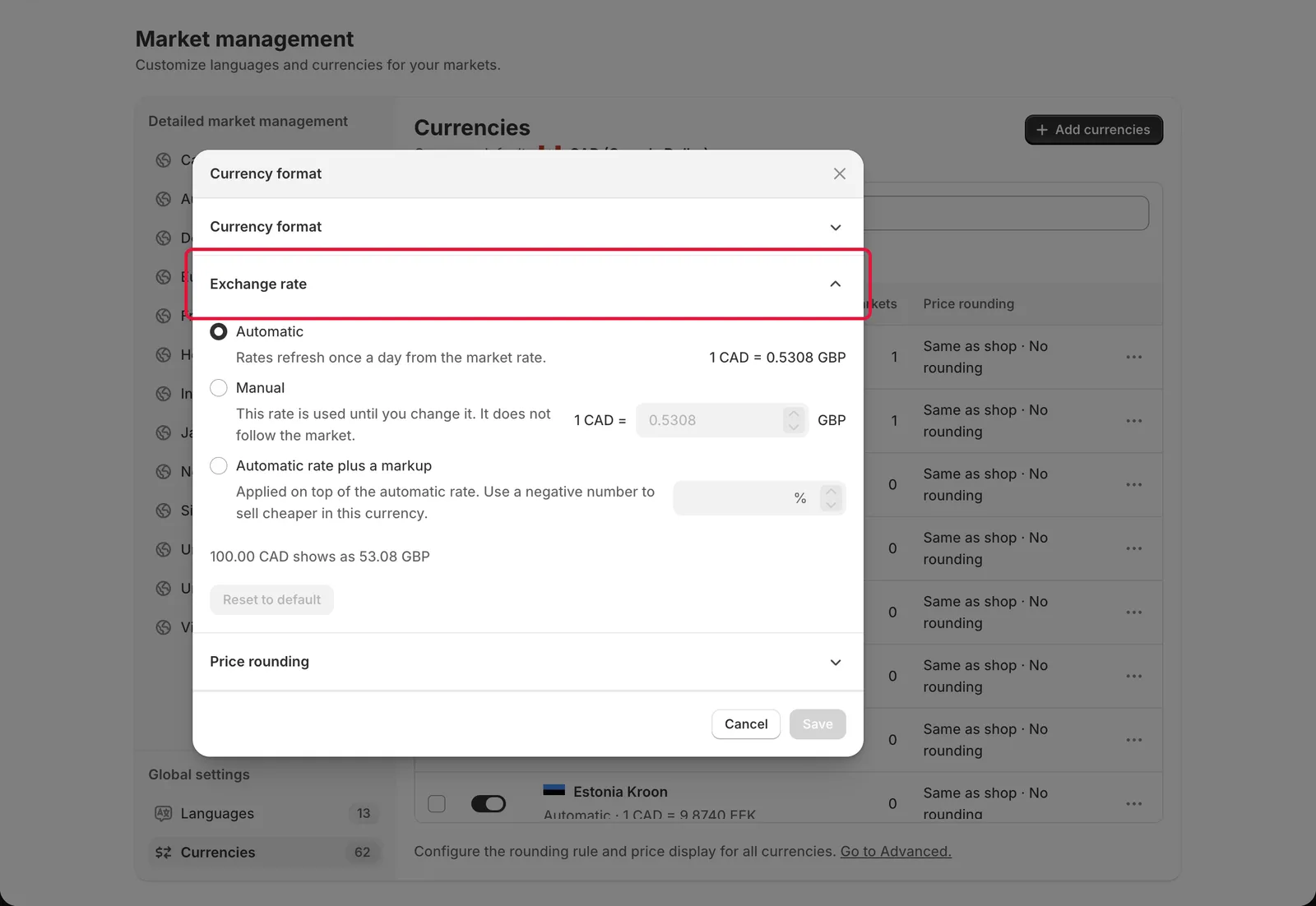
Open the 汇率 section and pick one option:
- 自动: the app uses the market rate. It refreshes once a day.
- 手动: type how many units of this currency 1 unit of your store currency equals. The number must be greater than zero. The app uses it until you change it. It does not follow the market.
- 自动汇率加上加价: the app adds a percentage on top of the automatic rate. Enter a number from -90 to 500. A negative number lowers the price.
Check the preview
Look at the preview line under the options. It shows what 100 units of your store currency become in this currency.
Save the rate
Click 保存. The button stays off until you change something. The app shows 已保存 and publishes the change to your storefront.
Good to know
- To go back to the automatic rate, open the section again and click 重置为默认值, then save.
- A currency shows 暂无汇率 when no rate exists for it yet.
- To find currencies by rate type, click 添加筛选条件 above the table and choose 按汇率类型.
- The same dialog also sets the price format and the rounding for the currency. See Format how prices look and Round converted prices.
- The preview does not include rounding. Rounding is applied after the rate, so the price shoppers see can differ slightly from the preview.
注意
While your store is in Multiple currencies mode, Shopify Markets sets prices. The rates you set here do not apply, the app shows 这些价格由 Shopify Markets 管理, and 编辑格式 is turned off. See Multiple currencies mode vs Switcher mode.
相关文章
Supported currencies
See which currencies SmartCS can convert your prices into, and how to search the list before you add one to your store.
Format how prices look
Write your own price format for a currency, with or without the currency code, using placeholders for the amount, and see an example before you save.
最后更新:2026年11月18日