Storefront still shows the original language
Find out why your store still shows the original text after you translated it, and check each possible cause in order.
Use this checklist when you translated content in SmartCS but your storefront still shows the original text. SmartCS saves translations in Shopify, and your theme reads them from there. So a missing translation is usually a setting, a status, or text that is not stored in Shopify.
Before you start
Open your storefront in the language you are checking, for example with the switcher. Keep it open to check each change.
Steps
Check the language is published
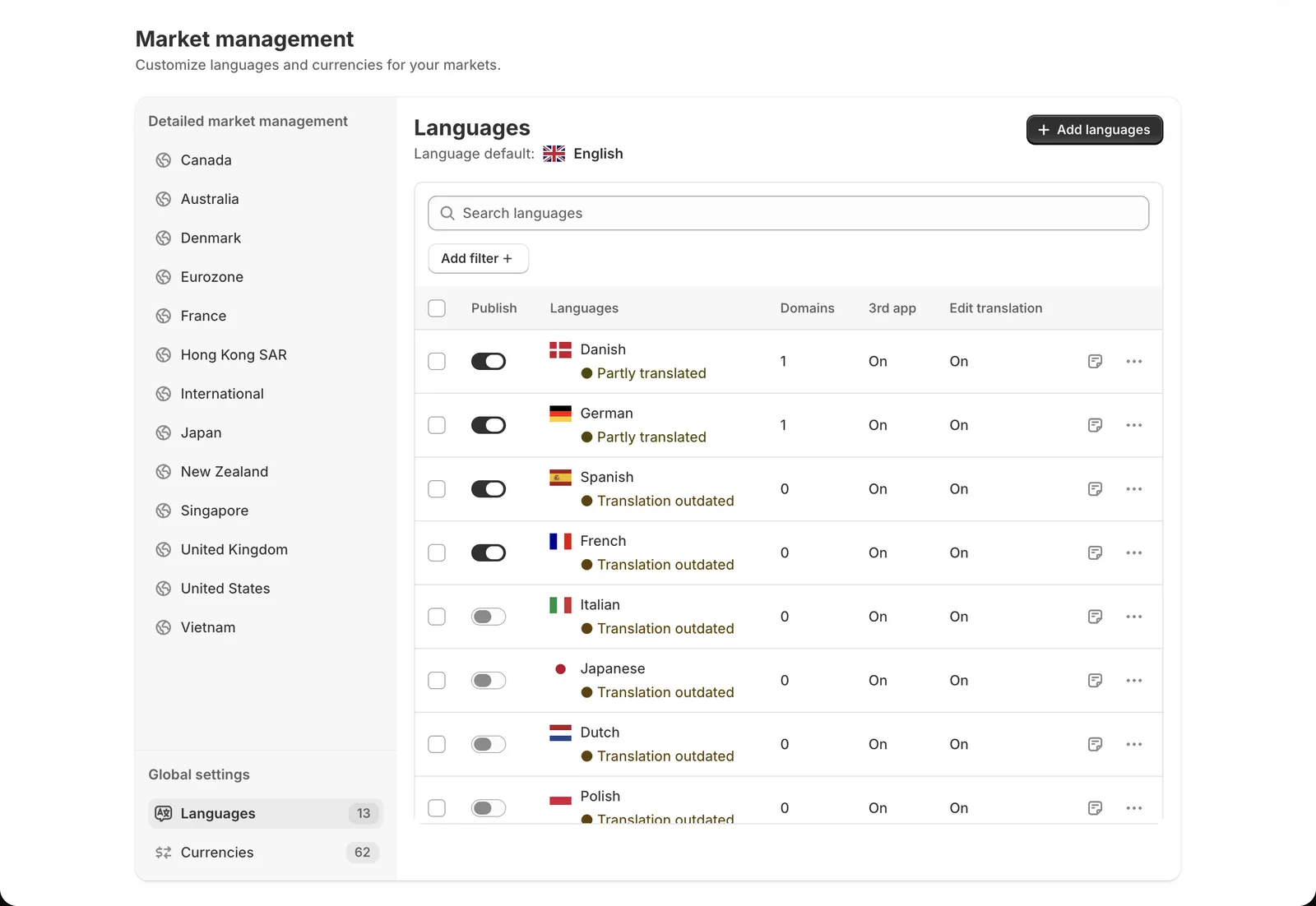
Open 市場管理. Under 全域性設定, select 語言. Turn on the switch in the 發佈 column. Shoppers cannot see an unpublished language, even when every item is translated. See Add and publish languages.
Check translation edits are on
In the same table, read the 編輯翻譯 column. When it shows 關閉, SmartCS removed the translations of that language from your store. Choose 啟用翻譯編輯 in the row menu. Within 30 days, SmartCS restores the backup and sends the translations to your store again. See Turn translation edits on or off.
Check the market
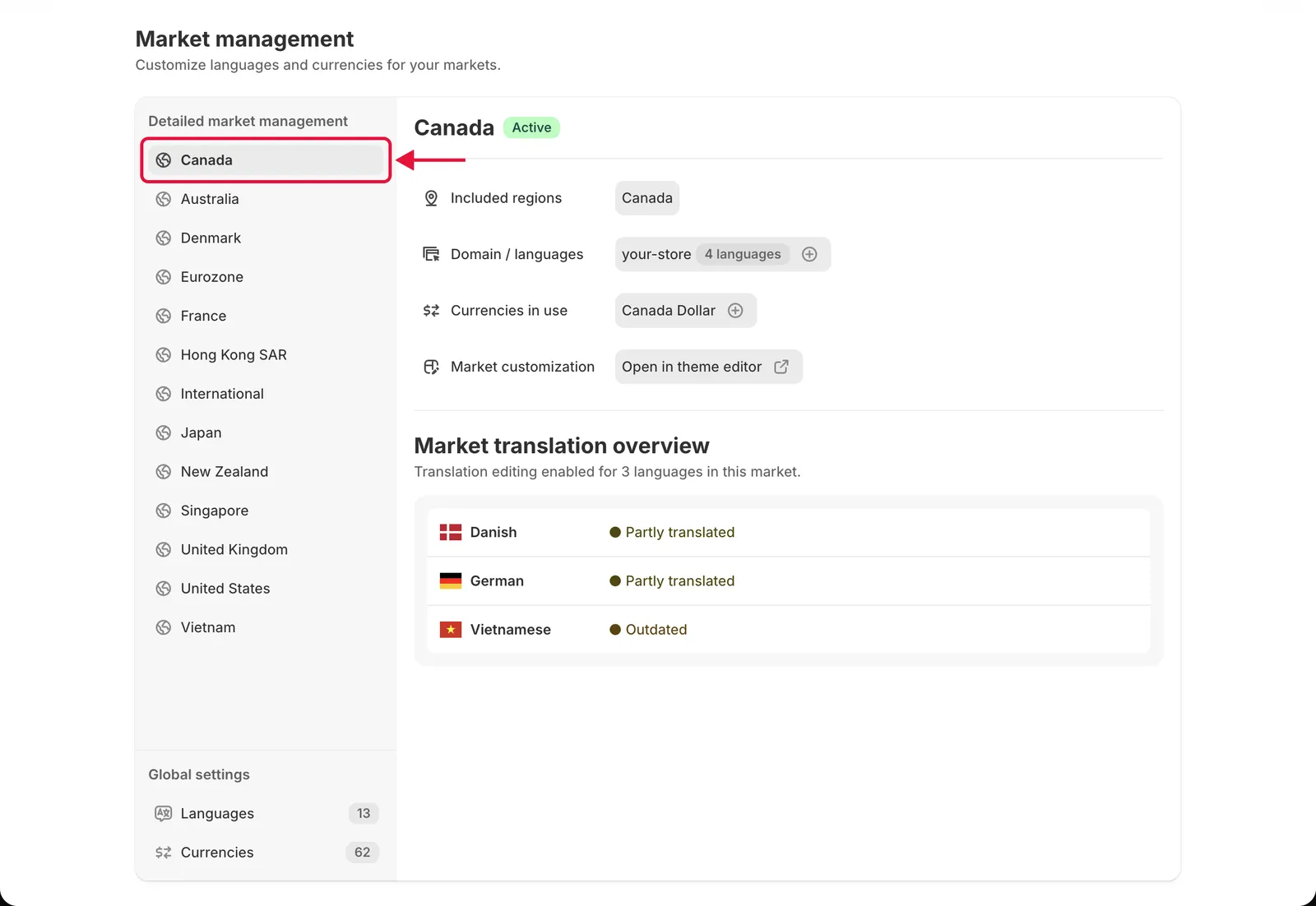
SmartCS adds a language to your whole store, and Shopify Markets decides which domains show it. Open 市場管理, select the market, and look for the language under 域名 / 語言. If it is missing, assign the language to the domain in Shopify Markets. See Manage a market.
Read the content status
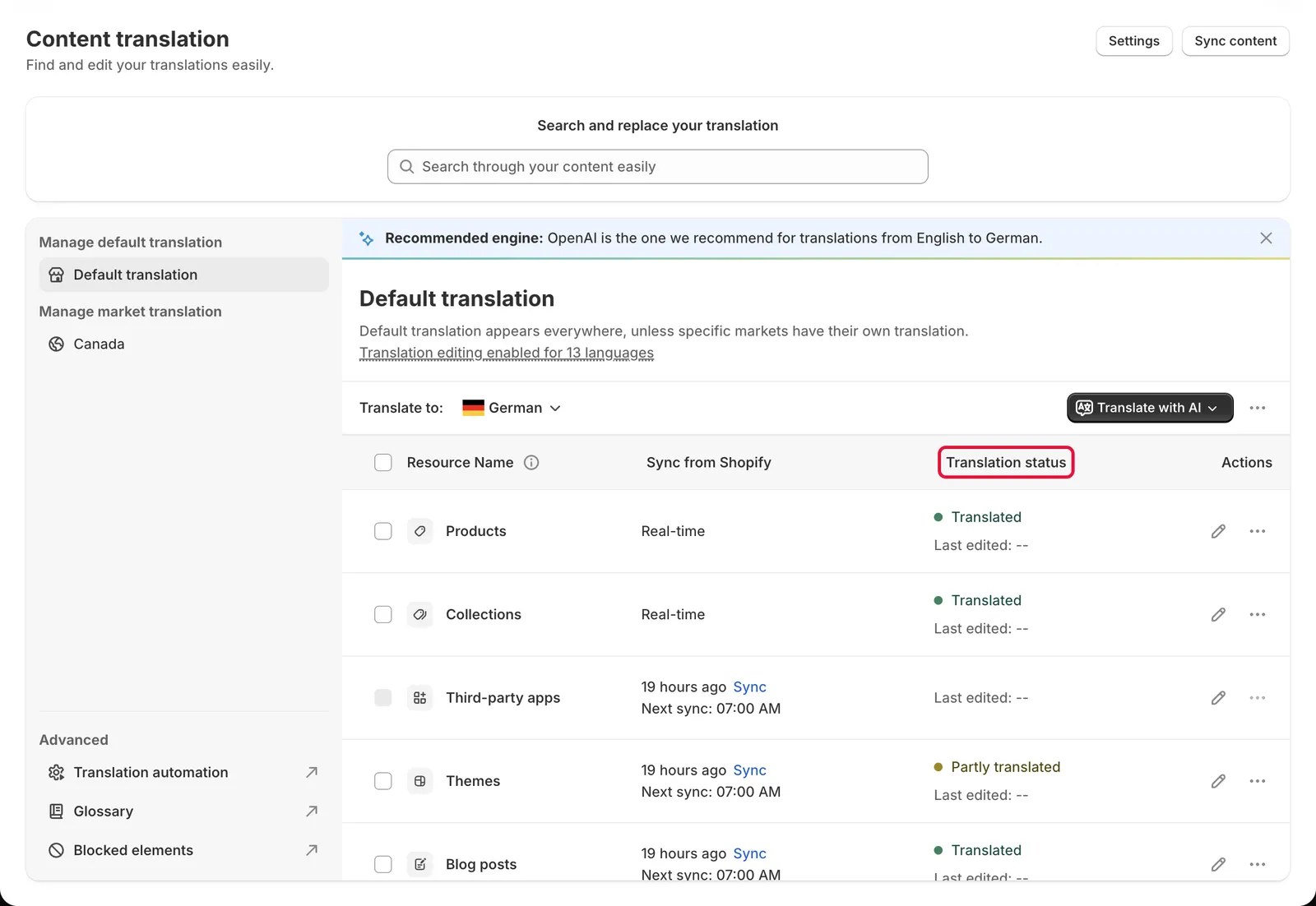
Open 內容翻譯, choose the language, and read the 翻譯狀態 column. A row that shows 未翻譯 or 部分已翻譯 still has fields to translate. A row that shows 已過期 or 衝突 needs a decision. The table does not show 失敗 or 已阻止. Select the pencil in the row to open the editor and look at each field there. 失敗 means Shopify refused the field, or a translation run for it failed, so fix the field and save it, or translate it again. 已阻止 means a rule keeps the field untranslated. See Translation status explained.
Check background tasks
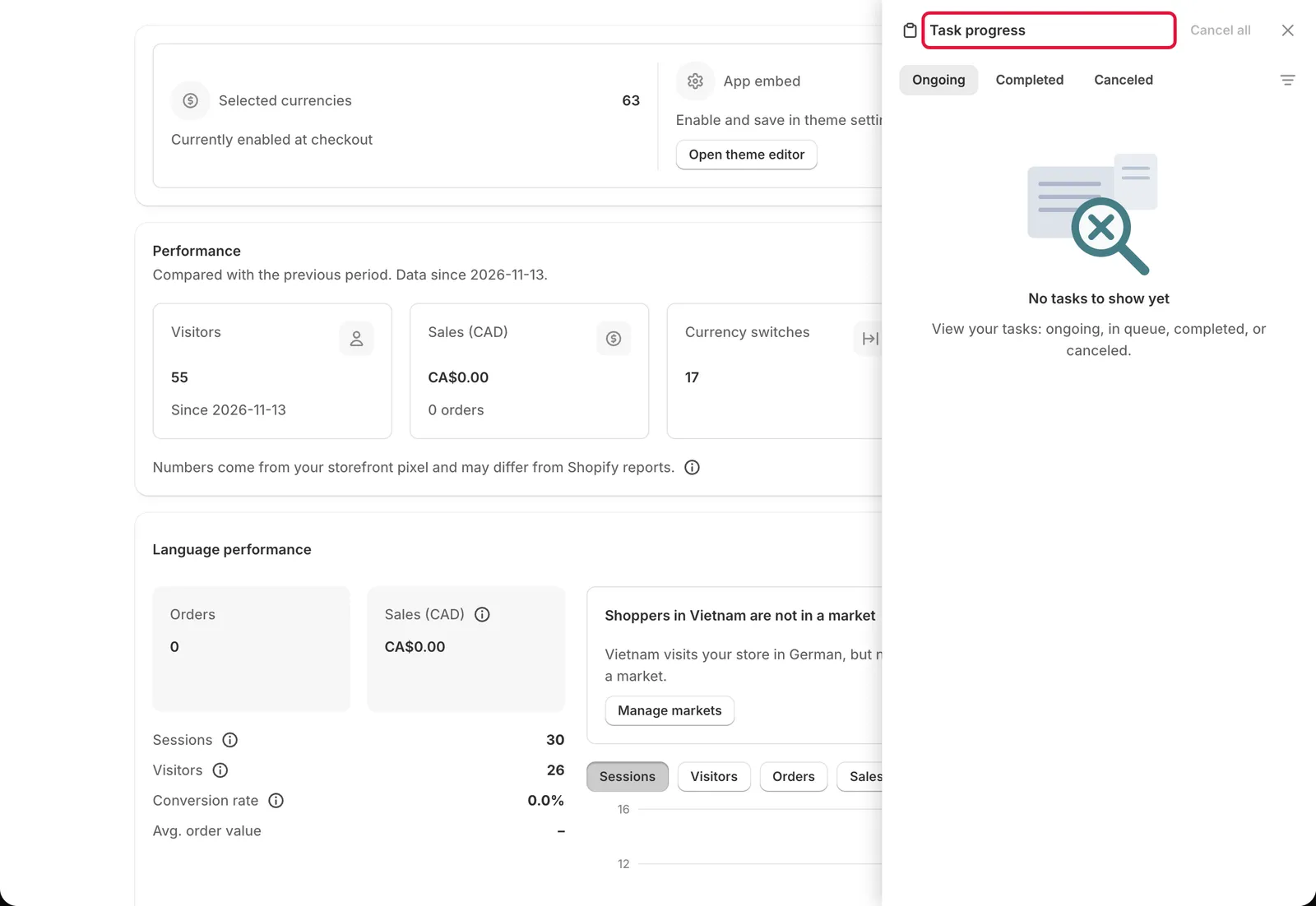
Translations and bulk actions run in the background. Select 開啟任務進度 and check that your task has finished. If some items failed, select 重試失敗項. See Track background tasks.
Resolve conflicts
A row with 衝突 means a translation that SmartCS wrote was changed in Shopify afterwards, for example in the Shopify admin or by another app. Your store shows the version that is in Shopify, which can differ from what you see in SmartCS. Open the item and choose 保留我的 to put your translation live, or 使用 Shopify 的 to accept the Shopify one. See Sync content from Shopify and resolve conflicts.
Check market translations
If a market has its own translation of a field, shoppers in that market see it instead of the default translation. In 內容翻譯, select the market under 管理市場翻譯 and open the field. To follow the default again, select 重用現有翻譯 and choose 使用預設翻譯. See Default and market translations.
Check where the text comes from
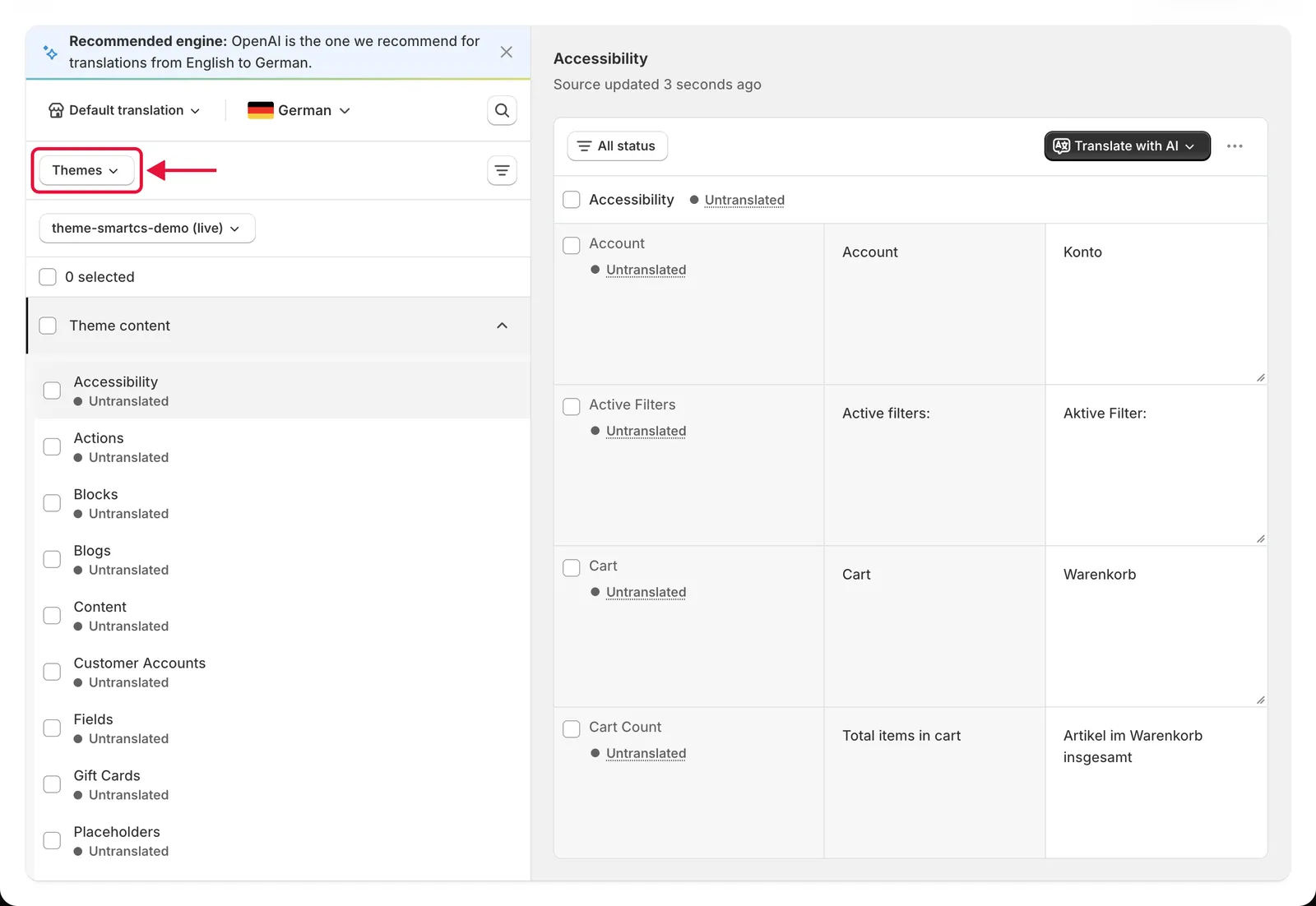
SmartCS translates only text that is stored in Shopify. Words typed straight into theme code, and text that an app keeps on its own server, are not in Shopify, so they stay in the original language. Fixed theme words are in the 佈景主題 group. See Checkout, payment and theme text and Content from other apps.
Reload the storefront
Open the page in a private window, or clear your browser cache. Shopify and your browser can keep an older copy of a page for a short time.
Good to know
- If you turned on URL handle translation and shoppers cannot open a page, the address of that page changed. Links that use the old address can stop working. See Translate URL handles.
- Shopify limits how many translated keys one theme language can hold. SmartCS stays under the limit by never translating the built-in
shopify.keys of your theme. See Checkout, payment and theme text. - If the Task progress panel says 發生了錯誤。, see Common errors and what they mean.
相關文章
Other questions
Quick answers about the app language, supported browsers, markets, fonts, hreflang tags and what happens to your theme when you uninstall.
The switcher or a currency doesn't show
Go through four checks, in order, to find why the switcher is missing from your storefront, then fix a missing currency or language.
最後更新:2026年11月18日