Metafields and metaobjects
Translate the text stored in your metafields and metaobjects, such as size guides or custom product details.
Translate the custom text that your store keeps in metafields and metaobjects. Examples are a care guide on a product or the entries of a size chart.
Contactez-nous pour activer cette fonctionnalitéBefore you start
Metafield and metaobject translation is not part of the Free and Local Plus plans. On those plans the Champs méta and Objets méta rows are locked.
A locked row shows a lock badge and a Nous contacter link.
Steps
Sync your content
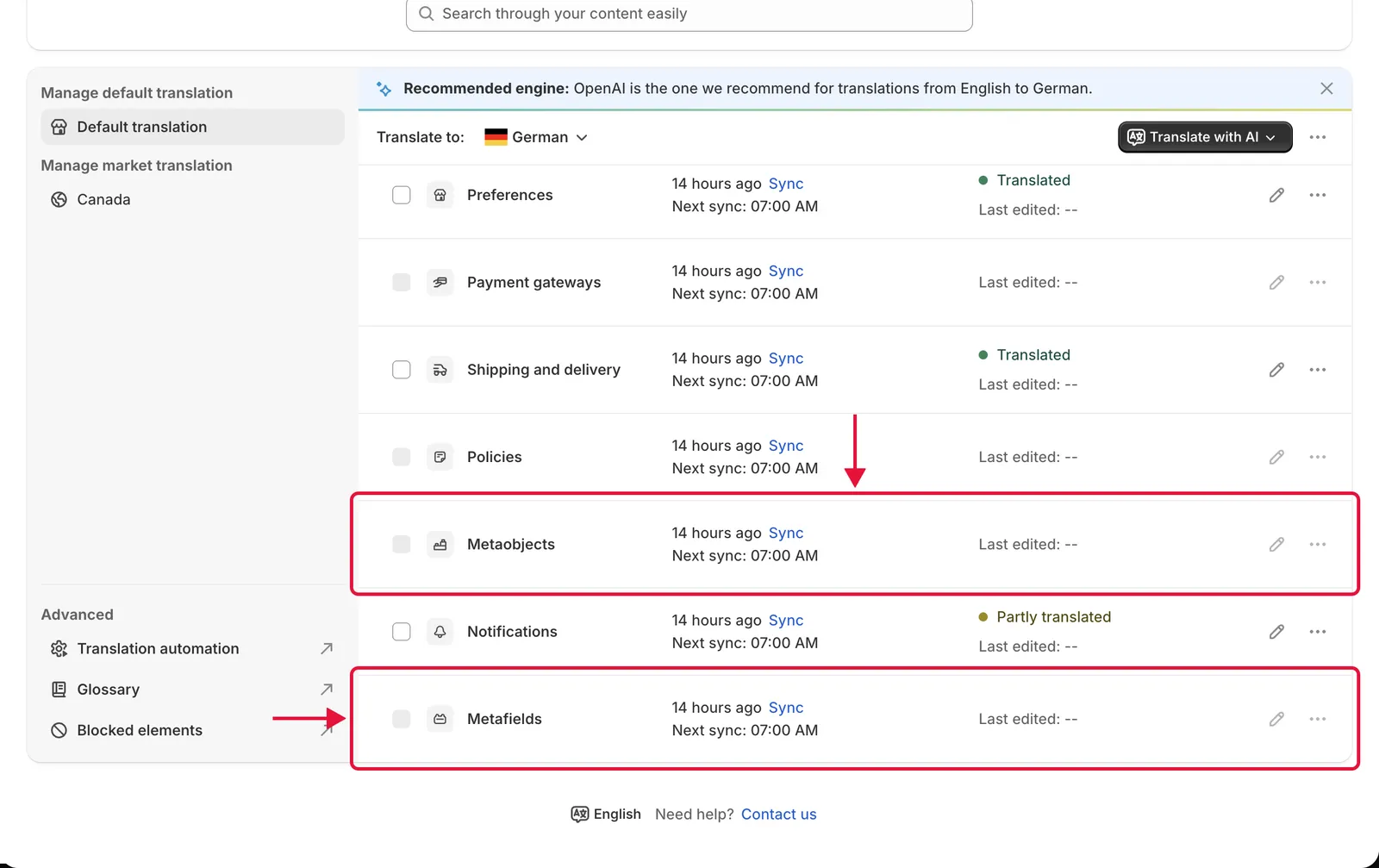
In Traduction du contenu, choose a language. Find the Champs méta and Objets méta rows. If they are empty, sync them from Shopify first. See Sync content and conflicts.
Translate metafields on an item
A metafield of a product (or one of its variants), a collection, a page, a blog, a blog post or the store appears inside that item. Open the item, for example from Produits, and find its metafields. Each one is named after its definition. Metafields of other owners are listed in the Champs méta row.
Translate metaobjects
Open the Objets méta row and select an entry. Translate its text fields.
Add the translations
Type each translation, or use Traduire avec l'IA on a field. See Translate with AI.
What can be translated
Only text can be translated. These metafield types are supported:
- single-line text
- multi-line text
- rich text
- a list of single-line text
- a list of multi-line text
Numbers, JSON, links, files, dates and references to other items are not listed, because they are not words to translate. Keep the structure of the original text. SmartCS refuses a rich-text value that does not match the layout of the original.
Good to know
Remarque
Some apps store their own data in metafields. This content may not be text a shopper reads. See Third-party app content.
Articles associés
Translate URL handles
Turn on URL handle translation so products, collections, pages and blog posts get a web address in each language.
Email notifications and packing slips
Translate the email notifications Shopify sends to customers, and the packing slip that goes in the parcel.
Dernière mise à jour : 18 novembre 2026