Geolocation: switch or recommend by visitor location
Switch a visitor's currency and language by location, or recommend them in a pop-up on the first visit, using Auto switch or Recommend mode.
Use geolocation to show visitors a currency and a language that fit their country. You can switch them automatically, or recommend a choice and let the visitor decide.
Contáctenos para activar esta funciónPlans that include Auto switch and Recommend for currency and language:
Plan Free: No incluidoGeolocation works with the SmartCS switcher only.
Before you start
- Set Visible para to Todos. While it is Solo administradores, geolocation does not run on your storefront. See Preview and visibility.
- Publish the languages and add the currencies you want visitors to get. The switch only uses languages and currencies your store already offers.
Steps
Open Geolocation
In SmartCS, open Configuración del selector. On the General tab, open the Geolocalización section.
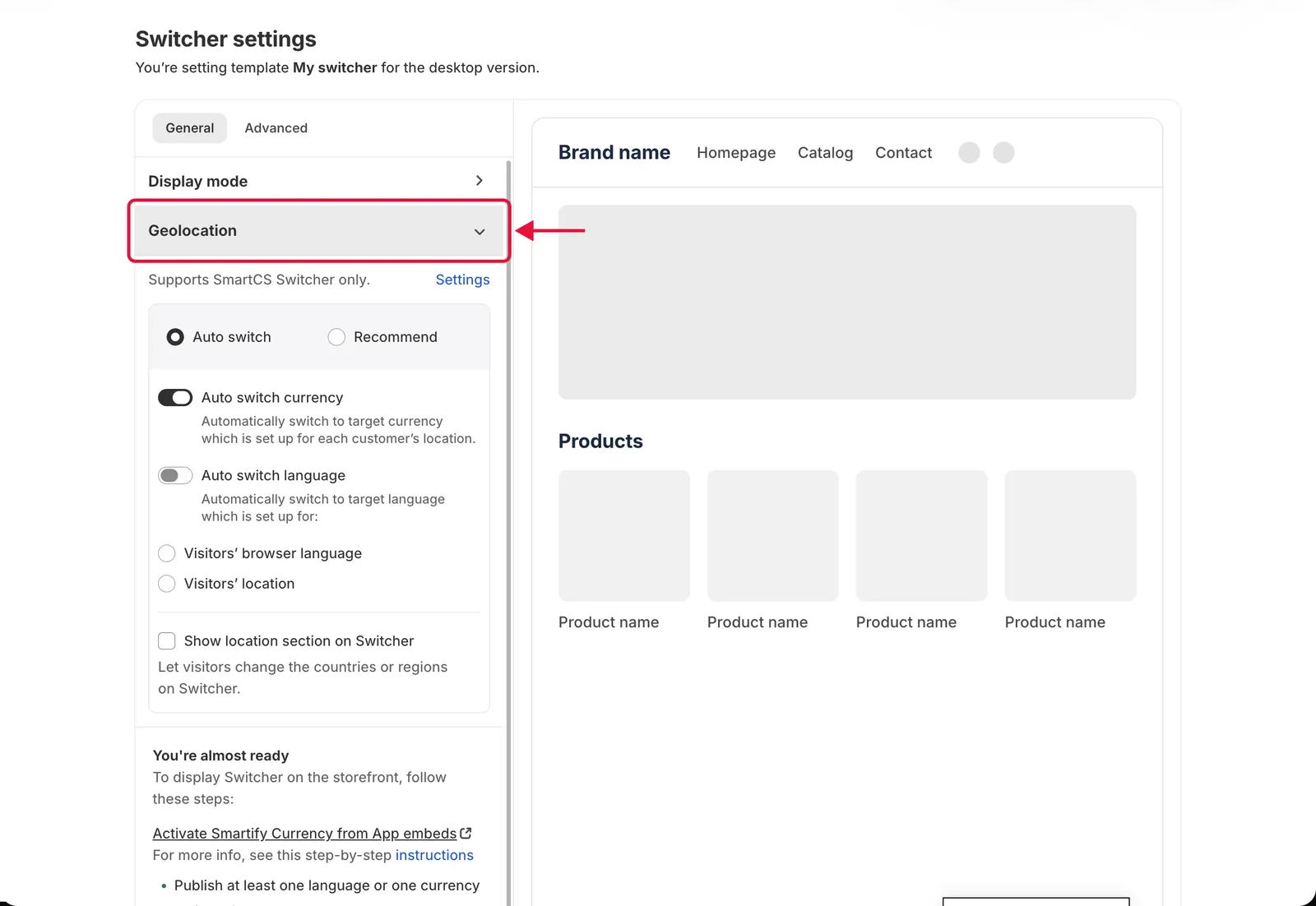
Choose a mode
Under Modo de geolocalización, choose one mode:
- Cambio automático switches the page for the visitor. It runs once per visitor.
- Recomendar suggests a currency and a language in a pop-up on the first visit. The visitor decides. The pop-up needs the plan in the section below. On plans without it, Recommend opens nothing, so choose Auto switch.
Each mode keeps its own settings, so you can change modes without losing them.
Choose what changes
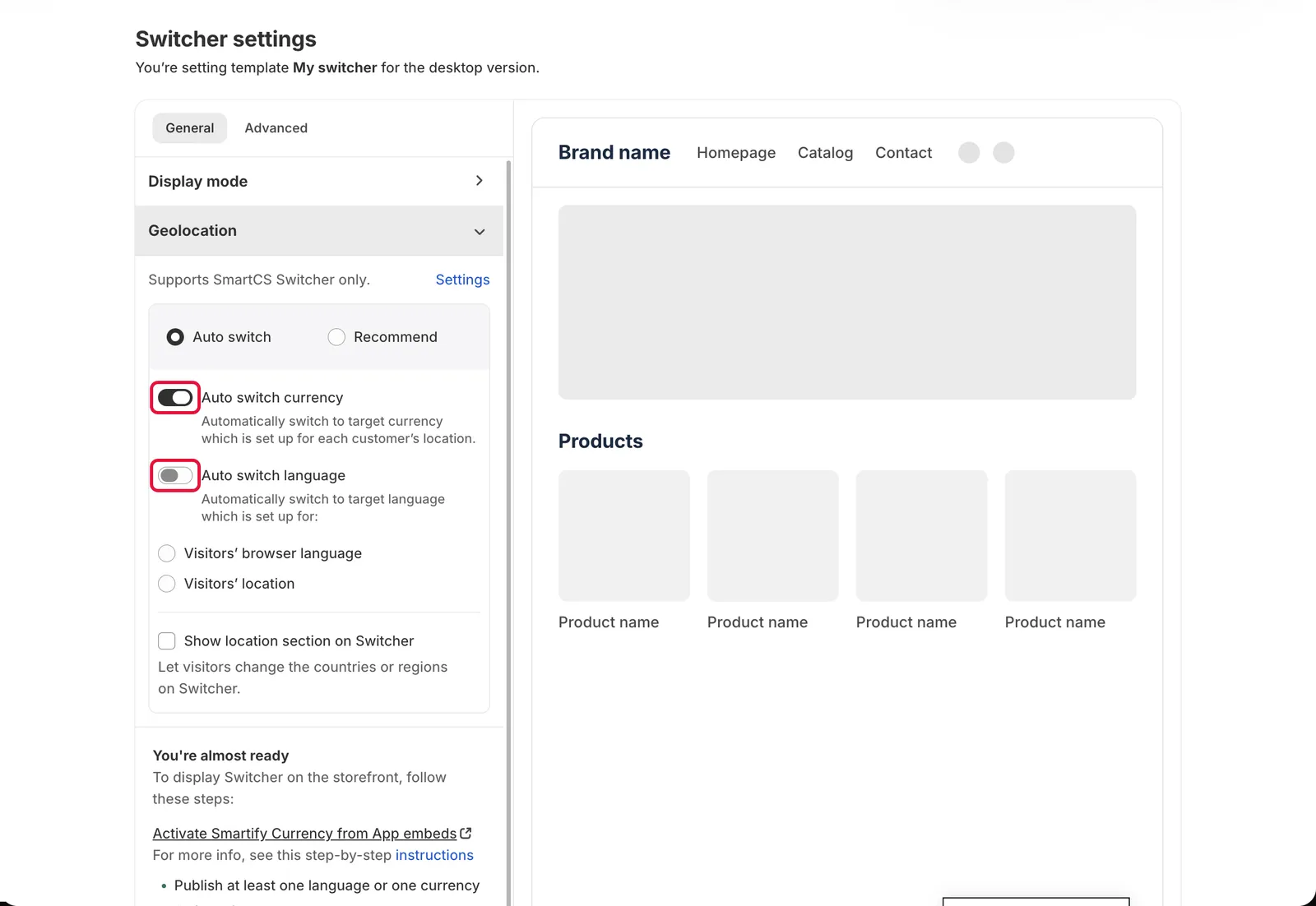
Turn on the currency switch, the language switch, or both. The switches are called Cambio automático de moneda and Cambio automático de idioma. In Recommend mode they are called Recomendar moneda and Recomendar idioma.
Choose the language source
Under De dónde viene el idioma, choose Ubicación del visitante or Idioma del navegador del visitante. The first uses the language you assign to each country. See Assign a currency and language to each location. The second uses the languages set in the visitor's browser.
Add a location section
Tick Mostrar la sección de ubicación en el selector if visitors should be able to change their country in the switcher. This box stays off until a currency or a language switch is on.
Save your changes
Click Guardar in the save bar.
Show a pop-up on the first visit
Contáctenos para activar esta funciónIn Recommend mode, tick Mostrar ventana emergente de ubicación en la primera visita. The pop-up opens the first time a visitor opens your store. It shows the suggested language and currency, and the visitor clicks Comprar ahora to accept them.
Plan Free: No incluido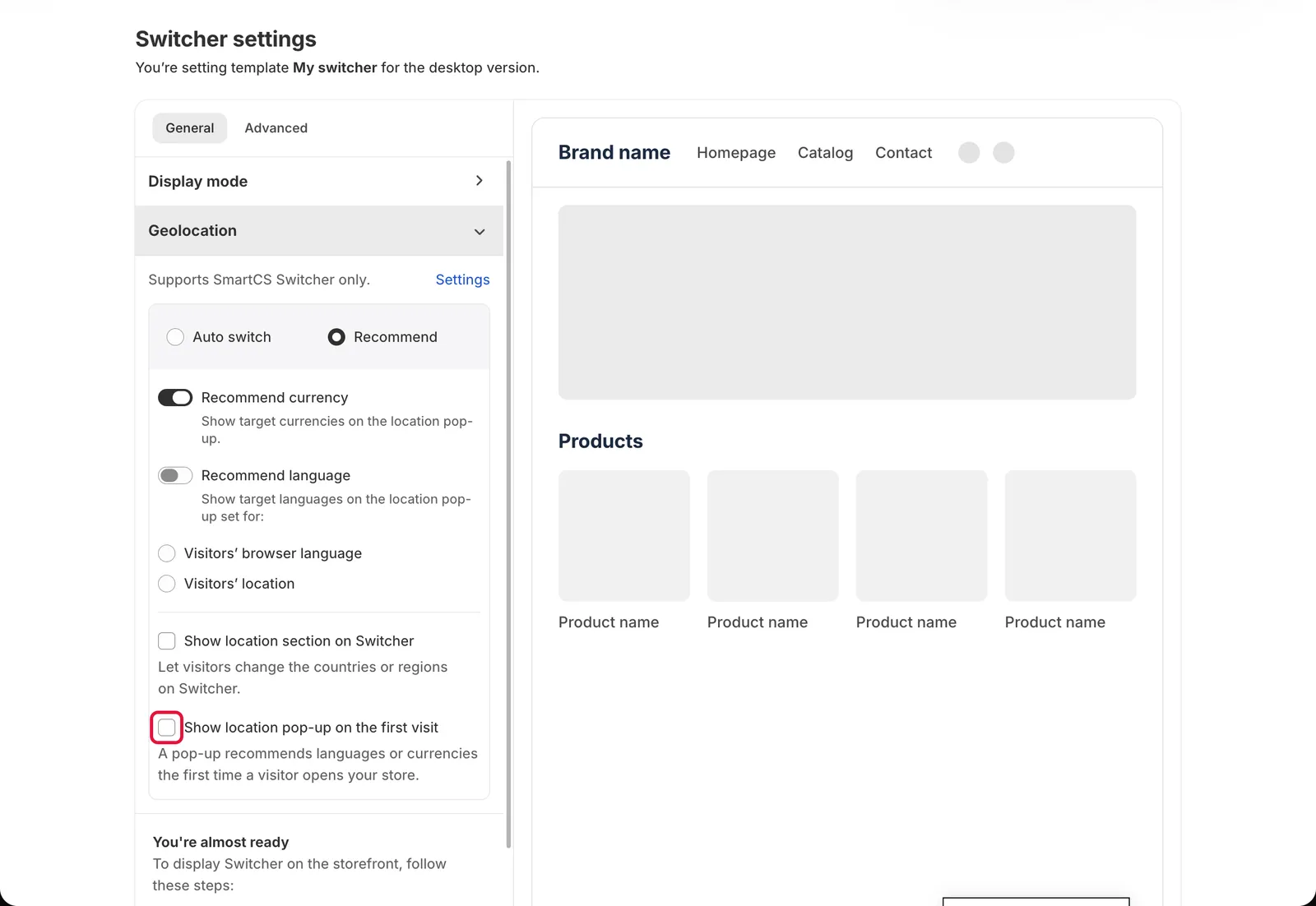
Good to know
- The app works out the visitor's country from an answer saved in the browser by an earlier visit, then from Shopify, then from a GeoIP service. A country is an estimate. If the app cannot find one, nothing changes.
- Auto switch runs once per visitor. It does not run for a visitor who already chose a currency, and it does not undo a choice the visitor makes later.
- The pop-up does not open again for 7 days in the same browser.
- On plans without the pop-up, Recommend mode opens nothing. Use Auto switch instead.
- The pop-up box stays off until a currency or a language switch is on.
- On the Free plan, the section is locked. The switches are grey and a banner says the setting is not available on your plan.
- Nothing runs inside the theme editor.
Nota
The visitor only gets a language or currency that your store offers. If none of a country's languages is published, the visitor's language stays as it is.
Artículos relacionados
Preview the switcher, choose who sees it, or reset
Choose who can see the switcher on your storefront, check how it looks before visitors do, and go back to the default settings.
Assign a currency and language to each location
Choose the currency and language each country gets when geolocation switches or recommends them, for one country or for many at once.
Última actualización: 18 de noviembre de 2026