Content from other apps
See which apps in your store keep text in Shopify, how much of it you can translate, and why some app text cannot be translated here.
Use the third-party apps list to see which apps in your store keep text in Shopify. The list shows how much of each app's text you can translate and where to find it.
SmartCS translates only text that is stored in Shopify. Text that lives on an app's own server cannot be translated here.
Open the apps list
Open Third-party apps
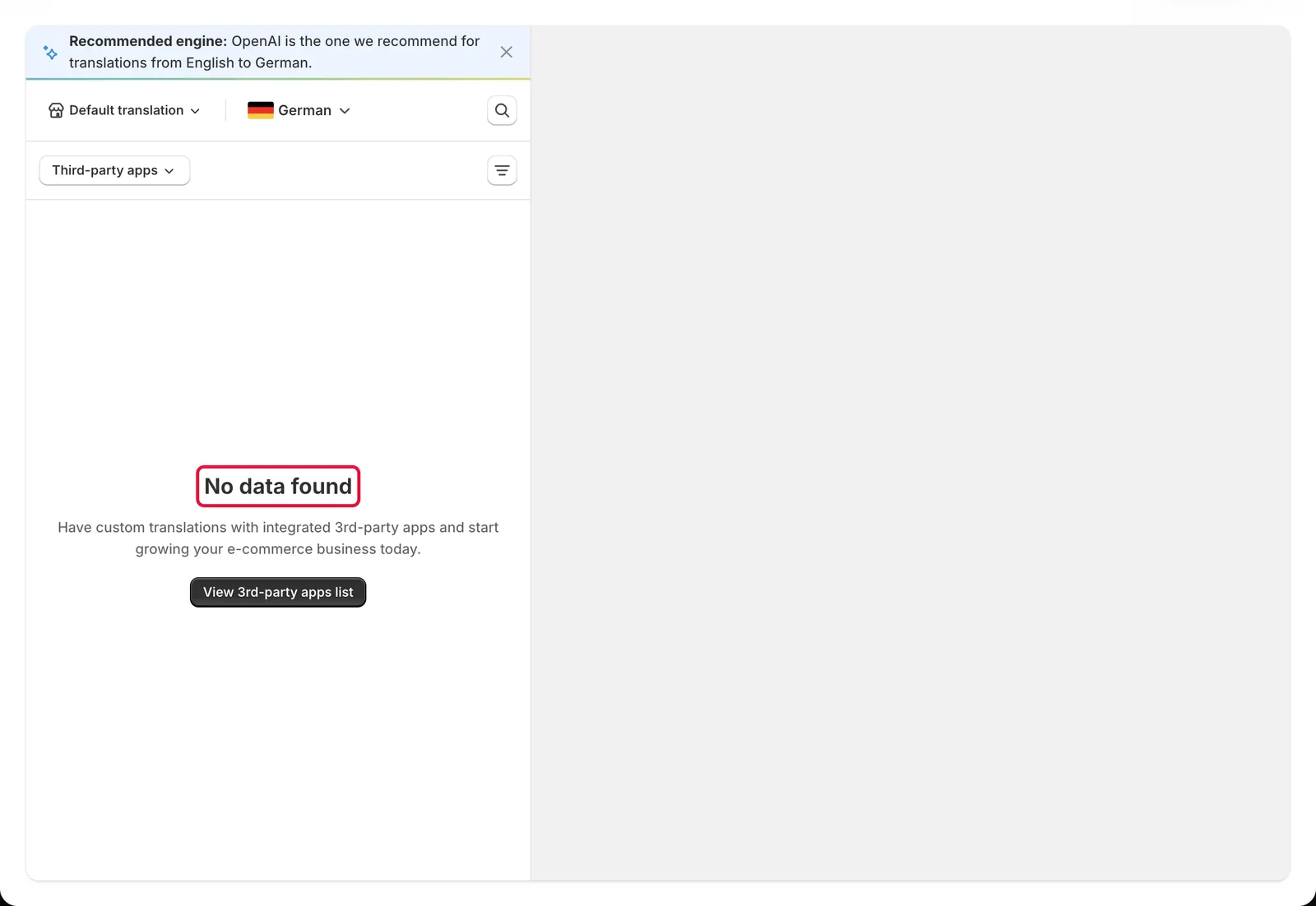
In SmartCS, open Traduzione dei contenuti and choose a language. In the Risorse table, select the App di terze parti row. This group has no items of its own, so the page shows Nessun dato trovato.
Open the list
Select Visualizza l'elenco delle app di terze parti. The App di terze parti dialog opens. Each app shows where SmartCS found its text, such as a metafield, a metaobject, a theme app embed or a theme app block. It also shows how many places can be translated.
Read the note
Read the note under each app. It says whether the text can be translated, and why not when it cannot. The notes are explained below.
Open the content
Select the button on an app row to go to the group that holds its text. A row can have a button for Temi, Metacampi or Metaoggetti. You translate the text there, as you do for any other content.
What the notes mean
- Il suo testo è conservato sul server dell'app, quindi Shopify non può memorizzarne una traduzione. Nothing from this app can be translated here.
- I suoi metacampi non sono ancora pubblici. Rendili pubblici per tradurli. The text is in metafields that the storefront cannot read. Shopify lists only public metafields as translatable. After the metafields are public in Shopify, scan your store again. The button for this is not always shown, so see Check again.
- Parte del suo testo può essere tradotta qui e parte no. Open the group to see which texts are available.
Check again
SmartCS saves the list. The Ricontrolla button appears only when the list is more than a day old, or while a check runs. When the dialog shows it, select it to scan your store again, then wait for the check to finish. After you select it, the button stays off for a short time. Until the button appears, the list shows the result of the last check. A change you just made in Shopify, such as making metafields public, may therefore not show for up to a day. Wait, then open the list again the next day and select the button.
Good to know
Contattaci per attivare questa funzioneThe Metacampi and Metaoggetti groups need a higher plan than the apps list. The button for them on an app row opens a locked group on lower plans. See Metafields and metaobjects.
Nota
Some apps get the note "Parte del suo testo può essere tradotta qui e parte no." The reasons can differ from one place to the next. For example, an app's metafields are not public yet while its app embeds and app blocks can be translated. The count of places that can be translated shows how many are ready.
Articoli correlati
Checkout, payment and theme text
Translate the fixed words of your theme and the names of your payment and shipping methods, and see which checkout text SmartCS leaves out.
Translate the switcher's texts
Translate the words on your storefront switcher, such as Language, Currency and Search, for each published language.
Ultimo aggiornamento: 18 novembre 2026